Solargraf
Pros
- Proposal generation is fast and repeatable
- Low training requirement for new sales reps
- Output looks clean without manual formatting
- Financing options are built into the flow
- Digital signing removes follow-up delays
Cons
- Not designed for deep technical engineering work
- Limited flexibility in advanced design scenarios
- CRM functions are very basic
- Works best in standardized residential setups
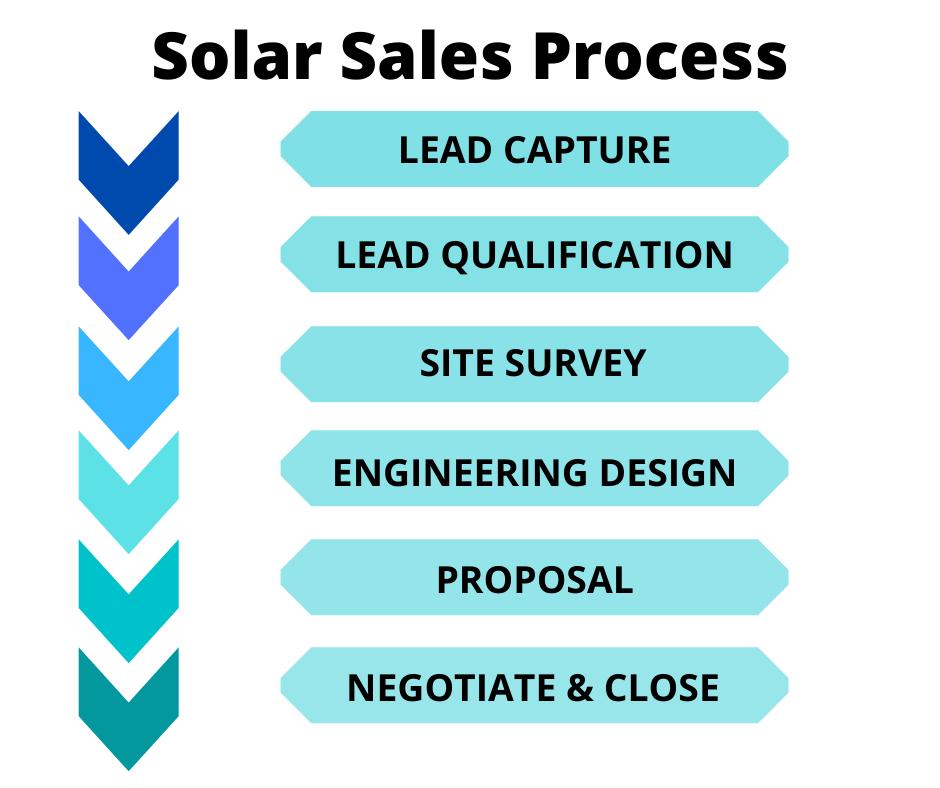
In solar sales, most deals slow down after the site visit. A few days pass while layouts are prepared, numbers are checked, and proposals are formatted. That gap is where momentum usually dies. Solargraf is built around reducing that delay. It focuses on getting from site address to client-ready proposal in a short, controlled workflow. The platform is built to support sales execution, where speed and clarity matter more than deep simulation detail.
What is Solargraf?
Solargraf is a cloud-based solar proposal platform used by installers, EPC teams, and sales organizations. It connects three things in one place: rooftop system design, financial calculation, and proposal delivery.
The system is mostly used for residential and small commercial solar. It takes a property address, builds a system layout using satellite imagery, estimates production, attaches pricing and financing, and produces a customer-ready proposal.
Features
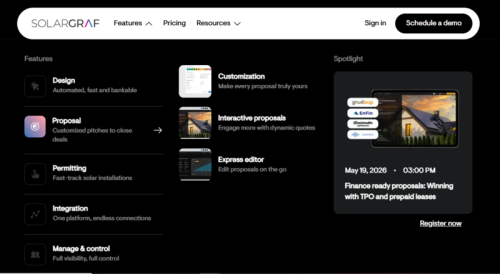
Solargraf’s features are intentionally narrow. Each one is tied to moving a deal forward rather than building highly detailed system simulations.
Satellite-based layout design
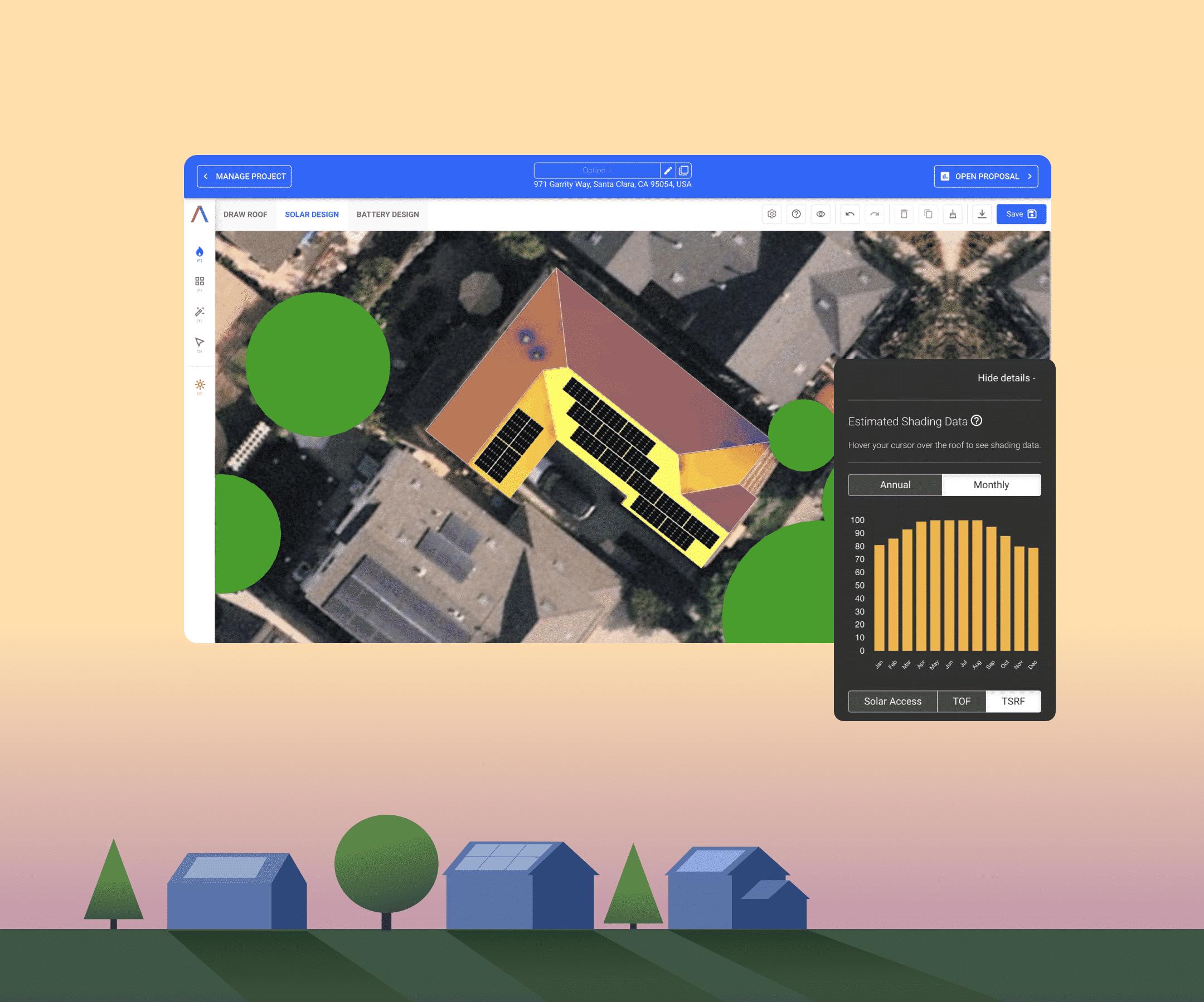
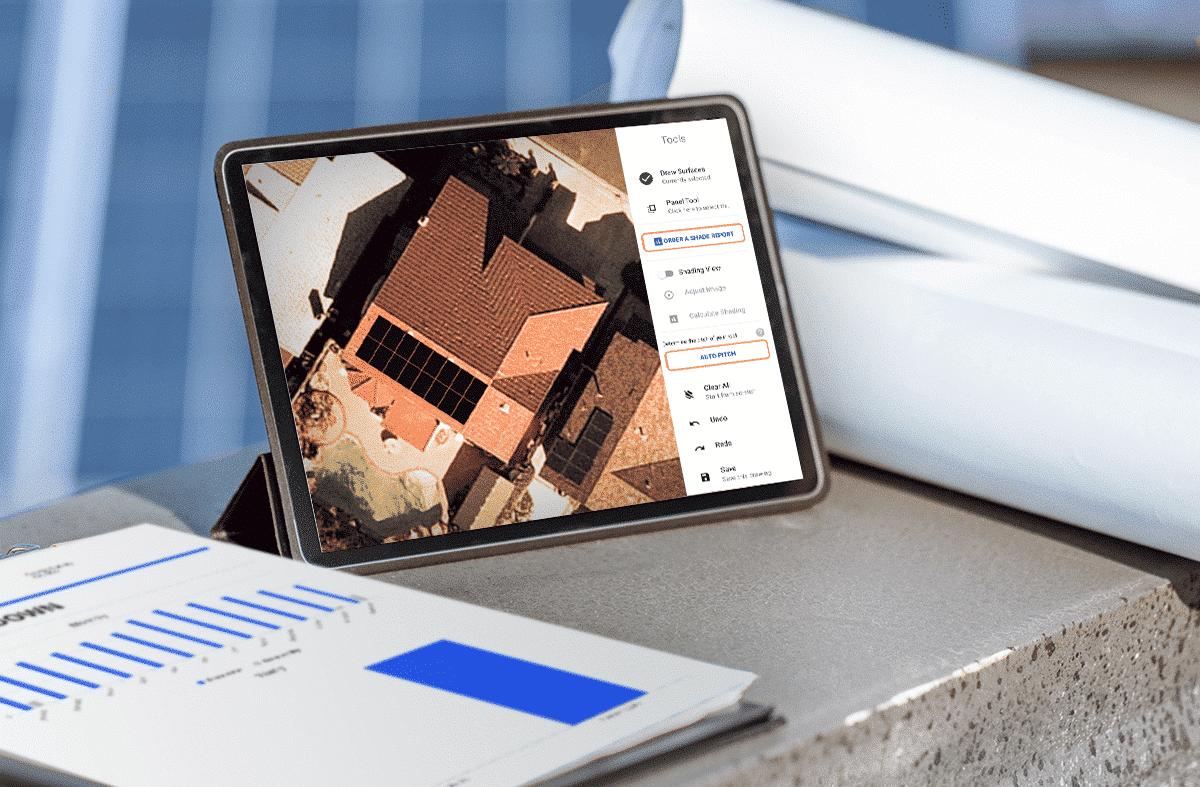
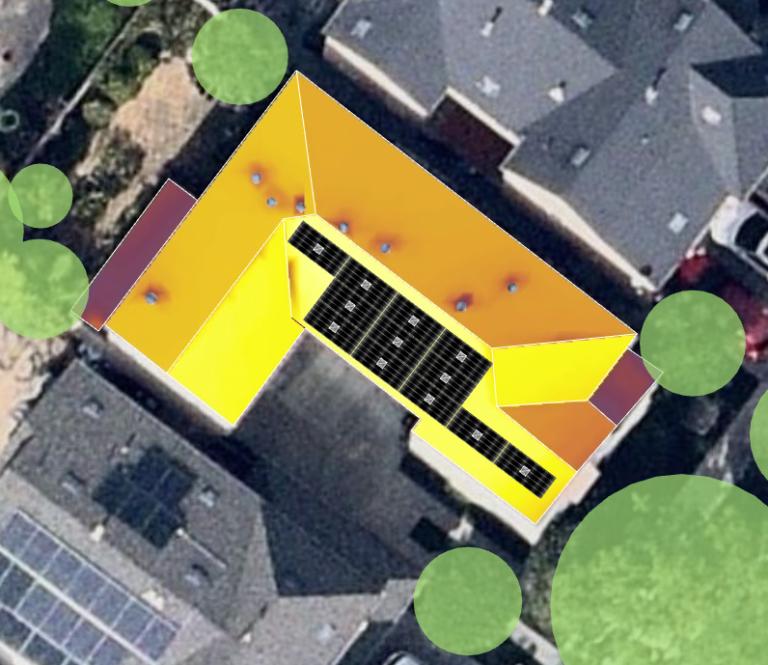
Roof surfaces are mapped using satellite imagery. Panels are placed visually, and system size is adjusted inside the same interface. The process is quick, and it avoids detailed CAD-level complexity.
Automated proposal generation
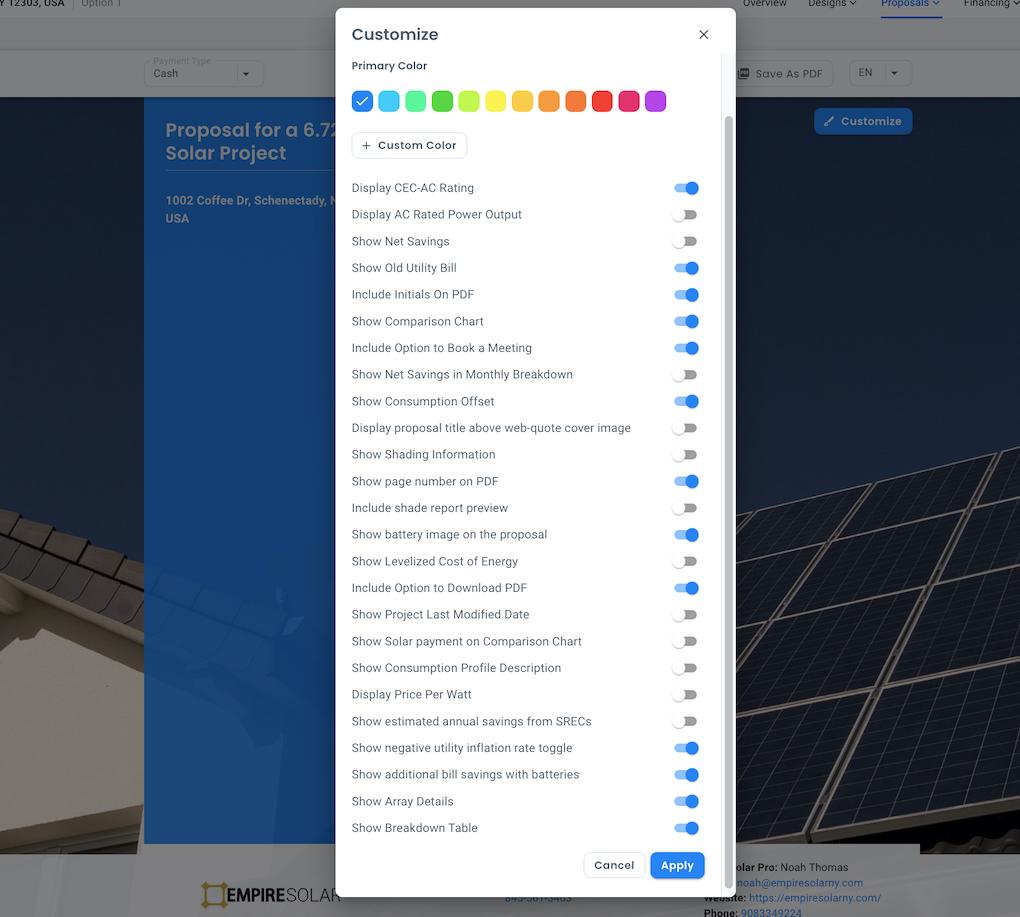
Once a design is in place, the platform converts it into a structured proposal. It includes system size, estimated generation, financial savings, and pricing breakdowns. Formatting is handled automatically.
Financing embedded in proposals
Instead of only showing the total system cost, the platform can break pricing into monthly payments. This is important in residential sales where the upfront cost is often the main objection.
Energy and savings estimates
The system calculates expected output using location data and historical solar performance assumptions. Utility rates are applied to translate generation into cost savings. These figures are meant for proposal discussions, not final engineering approval.
Client-facing proposal layout
The output is structured for readability. Technical details are simplified into sections that a non-technical customer can understand without explanation.
Digital sending and e-signature
Proposals are shared directly through the platform. Clients can review and sign electronically, which removes manual paperwork and reduces back-and-forth.
Pipeline tracking (basic)
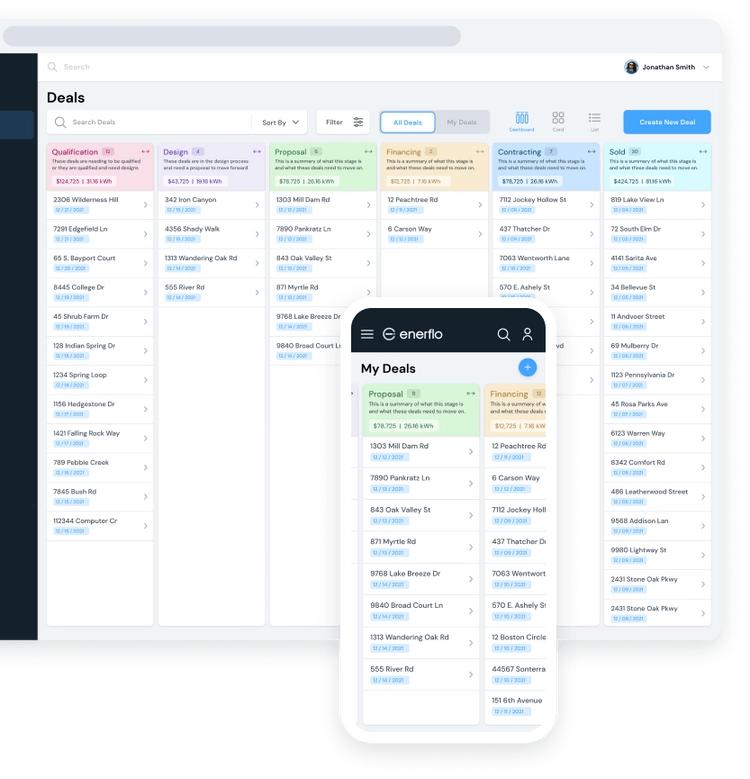
There is a lightweight tracking system for deal stages like lead, proposal sent, and closed. It is not a full CRM, but it helps keep visibility on active opportunities.
Utility rate integration
Local tariff data is used to improve savings estimates. This matters most in regions where pricing changes based on consumption or time of use.
Screenshots
Solargraf Pricing
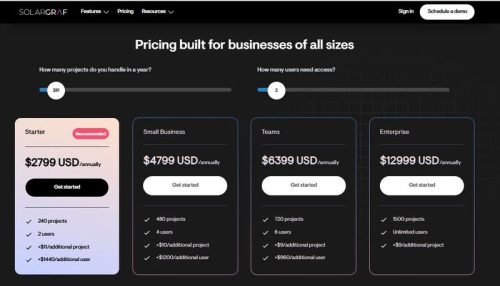
Pricing is not always uniform because access is sometimes bundled through partners, but typical ranges are:
- Small business access: $4,799 USD/annually
- Starter usage: $2,799 USD/annually
- Teams: USD $6,399/annually
- Enterprise: USD $12,999/annually
The pricing increases with the number of projects you can handle per year and the number of users needing access. In practice, many installers get access through financing or distributor partnerships, which can change how pricing is structured.
Integrations
Integrations are focused, not broad:
- Financing providers for loan offers and approvals
- Utility databases for tariff calculations
- E-signature tools for contract closure
- Select CRM connections depending on setup
It connects the core parts of the sales process but doesn’t aim to centralize full business operations.
How to Use Solargraf
Setup account
Company profile is created and branding is added. This includes logos, contact details, and default proposal settings.
Create a project
Enter the site address. Satellite imagery loads automatically.
Build system layout
Define roof sections and place panels. Adjust system size based on expected demand.
Review output data
Check energy production estimates and savings projections before proceeding.
Configure pricing and financing
Set margins, system cost, and available financing options.
Generate proposal
The system compiles everything into a structured client-facing document.
Send and close
The proposal is shared digitally. Client reviews and signs within the platform.
FAQs
Is Solargraf an engineering tool?
No. It supports early-stage design and proposal creation, not final engineering validation.
Who uses it most?
Solar installers, EPCs, and sales teams working in residential and small commercial markets.
Can it handle complex projects?
Not really. It is optimized for standard rooftop systems rather than advanced or utility-scale designs.
Does it replace CRM software?
No. It only provides basic deal tracking.
How accurate are the financial outputs?
They are suitable for sales proposals but not final financial auditing or engineering verification.
What is the main value of Solargraf?
It reduces the time between design and a signed proposal.