
 1 / 6
1 / 6
Pros and Cons
Pros
- Cloud-based architecture makes it easy to share projects and prevents files from becoming isolated on individual computers.
- Fast processing for complex multiyear energy forecasts and batch simulations.
- Bankable modeling capabilities supported by independent engineering reviews from firms such as Leidos and Black & Veatch.
- Open documentation provides greater transparency into the platform’s calculation methods.
- Sub-hourly data support offers a more realistic view of rapidly changing weather conditions.
- Programmatic control is available through the Performance API.
Cons
- Designed exclusively for utility-scale systems, making it unsuitable for residential rooftops and small commercial projects.
- The technical dashboard has a steep learning curve for inexperienced estimators and non-technical users.
- Advanced optimization modules can significantly increase annual costs for smaller engineering firms.
- Detailed 3D terrain and layout capabilities depend heavily on separately priced add-on modules.
When putting together utility-scale solar projects, engineers and developers have to tackle a major hurdle: reducing modeling uncertainty to prove that a project is financially viable. Traditional desktop programs often hinder smooth collaboration and struggle to process complex site layouts quickly. PlantPredict addresses these industry challenges with a responsive, browser-based platform built for capacity assessments, layout adjustments, and bankable performance modeling.
By focusing specifically on large-scale infrastructure, the software gives development teams the layout tools and weather-correction models they need to complete independent engineering reviews. This overview examines PlantPredict’s core features, design workflows, and pricing plans to help teams determine whether it fits their engineering requirements.
What Is PlantPredict?
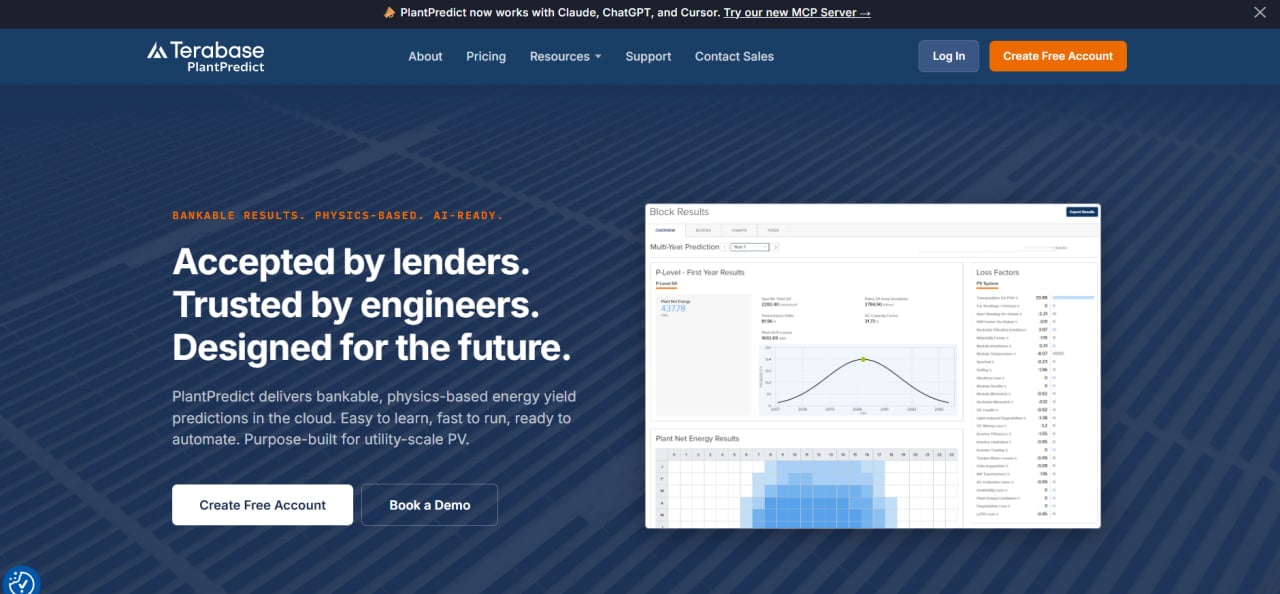
PlantPredict is a cloud-hosted Software-as-a-Service (SaaS) platform originally created by First Solar and now part of the Terabase Energy family. It is a dedicated solar simulation engine developed specifically for modeling utility-scale photovoltaic power plants. The software is primarily used by performance engineers, renewable energy developers, EPC estimators, and independent technical advisors who need to evaluate investment-grade solar data.
Unlike basic residential sales tools, PlantPredict handles complex site configurations through a nested assembly system that reflects real-world plant structures. Because it operates entirely in a secure cloud environment, teams can process multiyear energy forecasts and collaborate on shared project models in real time.
Its performance calculations have also been tested against gigawatts of field data, helping position the platform as a bankable modeling solution for international developers, independent engineers, and lenders.
Features
- Utility-scale energy prediction: Runs detailed simulations to calculate the expected net energy yield of large solar farms.
- Sub-hourly interval flexibility: Supports detailed weather files with intervals such as one minute, 15 minutes, or 30 minutes, providing more granular analysis than standard hourly datasets.
- Nested plant hierarchy builder: Models complex sites through a subassembly system that allows identical tracker rows or inverter blocks to be duplicated across large project areas.
- Advanced 3D shade modeling: Identifies and calculates spatial losses caused by uneven terrain, nearby structures, and row-to-row shading.
- Open-source algorithm documentation: Provides public access to the mathematical formulas behind the platform’s thermal and energy calculations, reducing reliance on black-box assumptions.
- Spectral and nonlinear temperature corrections: Applies detailed adjustments, including spectral shifts, to reduce uncertainty based on local weather and equipment behavior.
PlantPredict Pricing
PlantPredict offers several subscription tiers designed for individual engineers and larger development teams:
- Free account: Allows users to view shared company projects, browse the global weather database, and access selected design tools in view-only mode.
- Single-user subscription: A standard license costs $150 per month or $1,500 when billed annually.
- Three-user subscription: A team package costs $360 per month or $3,600 annually.
- CAD Ready: An advanced layout and CAD workflow add-on priced at $7,500 per year.
- PVRADAR: A soiling and performance optimization module priced at $15,000 per year.
- PowerUQ: A P50/P90 uncertainty analysis module priced at $15,000 per year.
- High-volume API subscription: Direct access to the simulation engine for automated batch processing starts at $10,000 per year.
Integrations
The platform uses an API-first architecture designed to exchange data between the cloud simulation engine and external engineering tools.
Software and CAD Integrations
- AutoCAD through dedicated CAD Ready tools.
- BricsCAD through compatible CAD Ready add-ons.
API and Development Integrations
- PlantPredict Performance SDK: Supports automated batch processing and custom simulation runs.
- Terabase APIs: Connect PlantPredict with other products across the broader Terabase software suite.
Meteorological and Dataset Connections
- SolarAnywhere sub-hourly weather data streams.
- Built-in global meteorological databases.
- Factory and custom PAN and PPM component libraries.
How to Set Up PlantPredict
- Visit the official registration page and create a free account to explore the basic dashboard.
- Upgrade to a paid subscription based on the number of user seats and API credentials required.
- Configure the company workspace and establish secure access rules for team members.
- Set up preferred component and inverter libraries by uploading custom PAN and PPM files when necessary.
- Generate developer API keys if the engineering team plans to use the Performance API.
- Create the first project folder, define its geographic location, and select the default weather dataset.
How to Use PlantPredict
A typical engineering workflow begins by selecting the project location and retrieving a verified weather file from the built-in global database. Engineers then build the site configuration with the nested hierarchy tool, selecting inverters and photovoltaic modules from the available libraries or uploading custom component files.
The next step is to configure row spacing, tracker behavior, electrical wiring, and inverter blocks according to the project blueprints. Once the physical configuration is complete, engineers can define losses associated with soiling, degradation, temperature, spectral behavior, and other site-specific factors.
The cloud simulation engine then calculates expected energy production across multiyear periods. Performance engineers can inspect node-level data, compare design options, export complete 8760 datasets to Excel, and generate PDF reports for independent engineers, lenders, and investors.
What You Can Produce with PlantPredict
- Bankable energy models: Utility-scale solar generation forecasts and long-term performance projections.
- 8760 generation reports: Hour-by-hour annual production data exported in Excel-compatible formats.
- Node-level analysis: Detailed reports showing how individual subassemblies and system components interact.
- Financial review documents: Summary reports prepared for independent engineers, lenders, and investment partners.
- Shading and terrain assessments: Evaluations of 3D shading, uneven terrain, and landscape-related energy losses.
- Project quantity and cost outputs: Automated bills of quantities and levelized cost of energy estimates.
FAQs
What does PlantPredict do?
PlantPredict is a cloud-based solar energy modeling platform designed to create detailed performance forecasts for utility-scale photovoltaic plants. It allows engineers to configure plant layouts, run sub-hourly weather simulations, and evaluate project performance through a web browser.
Who is PlantPredict best for?
The platform is designed for solar performance engineers, project developers, EPC estimators, independent engineers, and technical advisors working on utility-scale solar installations. It is not intended for residential solar installers.
Is PlantPredict free?
PlantPredict offers a basic free account that allows users to view shared projects, browse standard libraries, and access selected tools. Full simulation capabilities, advanced 3D analysis, and API integrations require a paid subscription or add-on module.
What are the main limitations of PlantPredict?
PlantPredict focuses entirely on utility-scale engineering and does not include residential roof mapping, customer proposal tools, or sales CRM features. Its tiered pricing structure also means that advanced terrain, soiling, and uncertainty analysis capabilities require additional purchases.
What are the best alternatives to PlantPredict?
Common alternatives for utility-scale solar engineering include PVcase Ground Mount, PVsyst, and RatedPower. The best option often depends on whether the team prefers an AutoCAD-based plugin, a desktop simulation application, or an automated cloud design platform.


