Sunbase
Pros
- Combines multiple business functions into a single platform.
- Includes solar-specific design and proposal capabilities.
- Modular architecture allows businesses to customize functionality.
- Improves collaboration between sales, engineering, and operations teams.
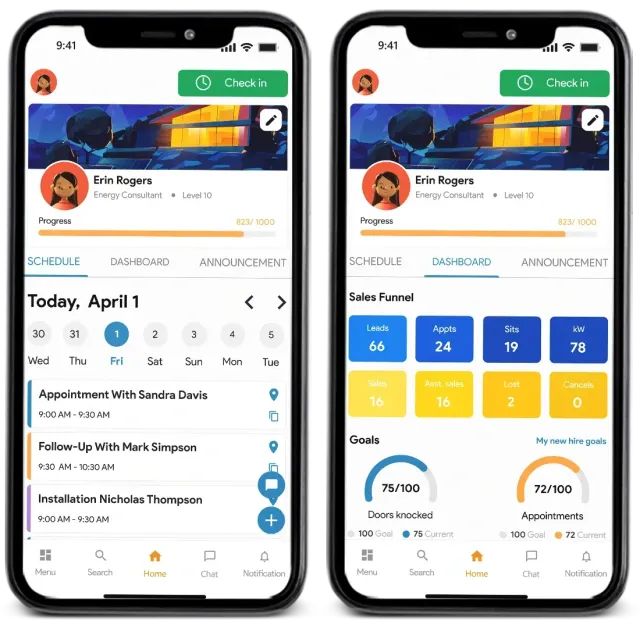
- Strong mobile support for field personnel.
- Scalable for both small contractors and larger organizations.
- Comprehensive reporting and business analytics.
Cons
- Initial setup and configuration may require significant onboarding effort.
- Modular pricing can make final costs difficult to estimate upfront.
- Advanced features require training and familiarization.
- Not intended for utility-scale solar development workflows.
- Some enterprise features are only available in higher-tier plans.
What Is Sunbase?
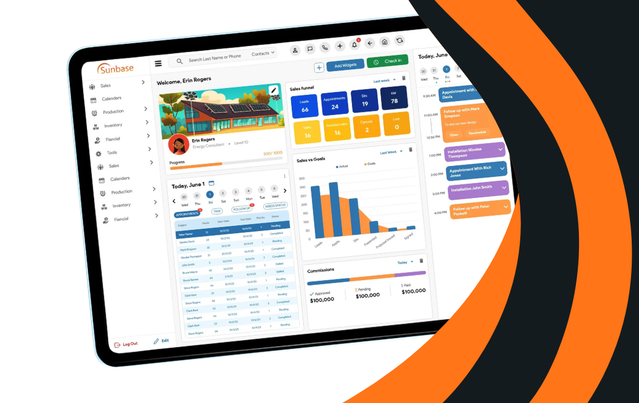
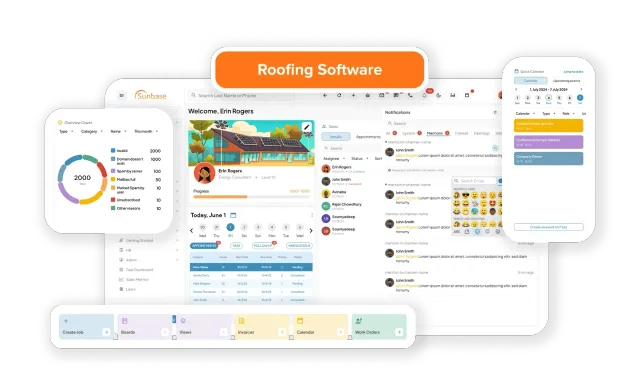
Sunbase is an all-in-one software platform designed for solar installers, roofing contractors, EPC firms, and construction businesses. The platform combines CRM, solar design, sales automation, project management, inventory tracking, and financial tools within a single cloud-based system.
Unlike businesses that rely on multiple disconnected applications, Sunbase provides a centralized environment where sales, design, operations, and management teams work from the same project data. This helps reduce administrative overhead, improve communication, and streamline the entire customer journey from lead generation to project completion.
Features
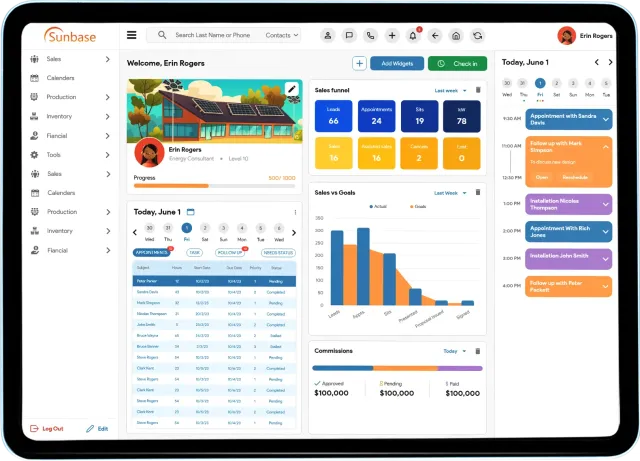
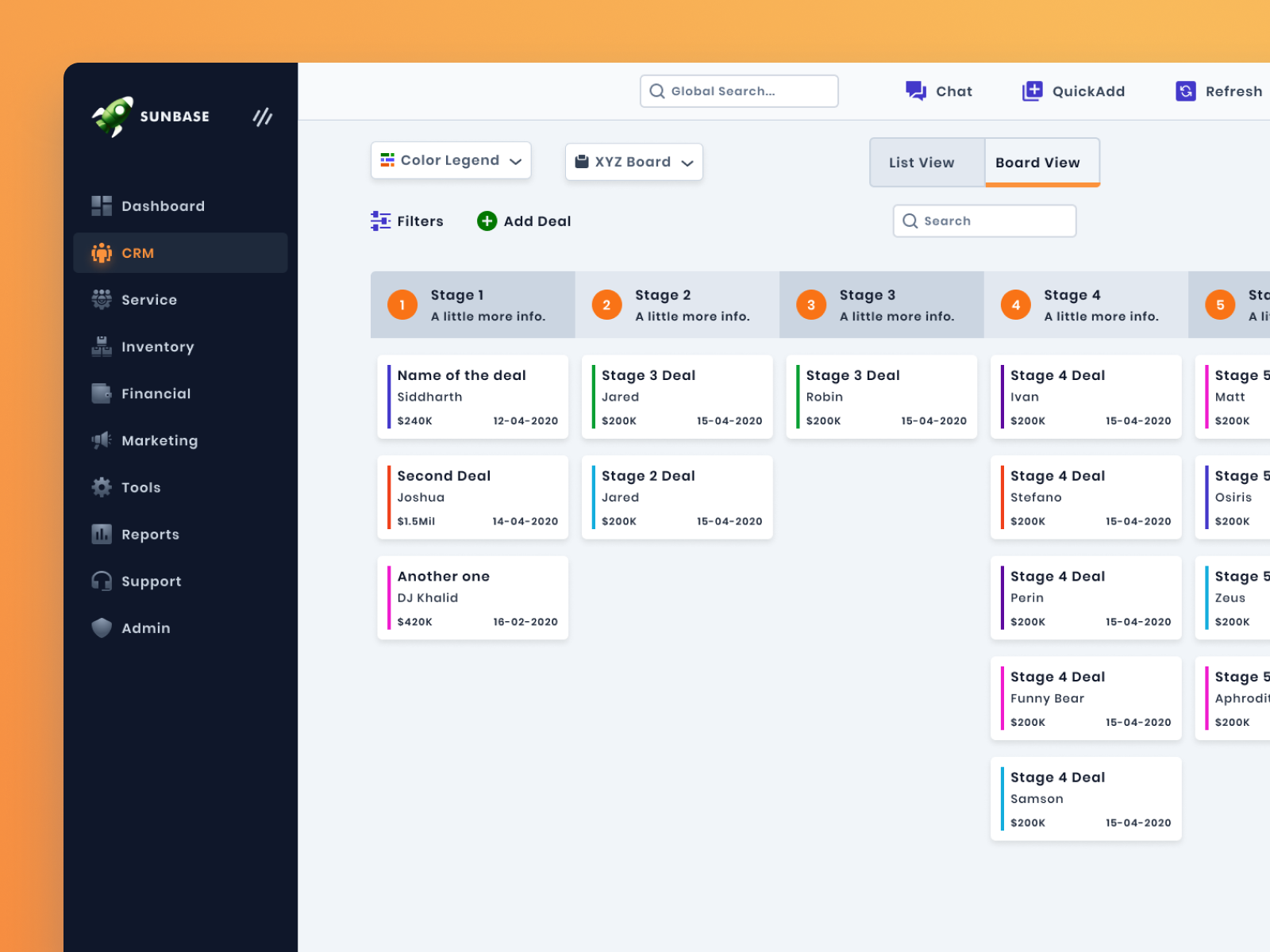
- CRM and Lead Management: Track leads, customer communications, appointments, and sales opportunities from a centralized dashboard.
- Solar Design Tools: Create 3D system layouts, perform shading analysis, and estimate solar production using aerial imagery.
- Proposal Generation: Build professional solar proposals with production estimates, financial calculations, and integrated e-signatures.
- Project Management: Manage installations, scheduling, permitting, and project milestones through customizable workflows.
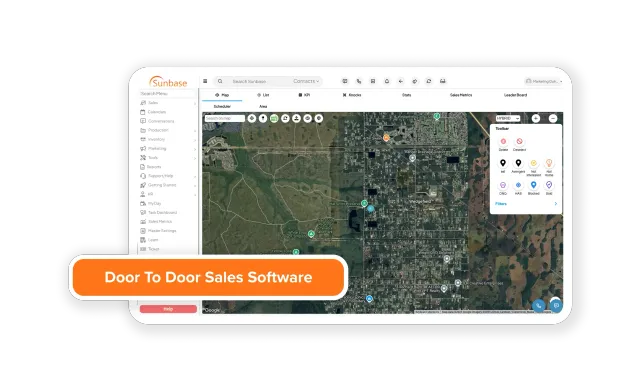
- Canvassing and Field Sales: Equip door-to-door sales teams with GPS tracking, territory management, and mobile lead capture tools.
- Inventory Management: Monitor equipment, materials, and warehouse stock levels across multiple projects.
- Financial Management: Generate invoices, quotes, and profitability reports while integrating with accounting systems.
- Reporting and Analytics: Track sales performance, project progress, revenue forecasts, and operational metrics.
Screenshots
Sunbase Pricing
Sunbase offers modular pricing that allows businesses to select the features most relevant to their operations.
- Free Demo: Live product demonstration available for prospective customers.
- Entry-Level Pricing: Plans typically start around $59 per user per month.
- Basic Plan: Approximately $159 per month with limited users and project capacity.
- Premium Plan: Approximately $259 per month with expanded functionality and higher project limits.
- Enterprise Plans: Custom pricing for larger organizations requiring advanced workflows and unlimited users.
- Annual Discounts: Annual subscriptions often include discounted pricing compared to monthly billing.
- Modular Add-Ons: Additional costs may apply for specialized modules and advanced functionality.
Integrations
- Google Workspace: Gmail and Google Calendar synchronization.
- QuickBooks Online: Accounting and financial management integration.
- Website Lead Forms: Automatic lead capture from company websites.
- SMS and Dialer Platforms: Communication tools for sales and support teams.
- API and Webhooks: Custom integrations with internal systems and third-party applications.
How to Set Up Sunbase
- Schedule a product demonstration with the Sunbase team.
- Select the modules that match your business requirements.
- Configure sales pipelines, workflows, and project stages.
- Import existing customer, lead, and project data.
- Create user accounts and assign permissions.
- Connect third-party applications such as QuickBooks and Google Workspace.
- Customize dashboards, reports, and automation settings.
How to Use Sunbase
Sales teams typically begin by managing incoming leads and appointments through the CRM. Once a customer progresses through the sales process, designers can create solar layouts and production estimates using the built-in design tools.
After proposal approval and contract signing, project information automatically transfers to operations teams. Project managers can schedule installations, monitor progress, assign crews, manage inventory, and track permitting activities. Leadership teams use reporting dashboards to monitor company performance and identify opportunities for improvement.
What You Can Manage with Sunbase
- Customer relationship management and lead pipelines.
- Solar system designs and production estimates.
- Sales proposals and digital contracts.
- Project scheduling and installation workflows.
- Inventory and equipment tracking.
- Financial reporting and invoicing.
- Field sales operations and territory management.
- Business performance analytics and forecasting.
FAQs
What does Sunbase do?
Sunbase is a business management platform that combines CRM, solar design, sales automation, project management, inventory tracking, and financial tools within a single system.
Who is Sunbase best for?
It is designed for solar installers, roofing contractors, EPC companies, and construction businesses that want to manage their operations from a unified platform.
Is Sunbase free?
No. Sunbase is a commercial software platform, although free demos and trial opportunities may be available.
How much does Sunbase cost?
Pricing typically starts around $59 per user per month, with higher-tier plans and enterprise packages available depending on business requirements.
What are the main limitations of Sunbase?
The platform requires onboarding and training, pricing can become complex due to modular features, and it is primarily focused on residential and commercial contractors rather than utility-scale developers.
What are the best alternatives to Sunbase?
Popular alternatives include Aurora Solar, HelioScope, JobNimbus, Enerflo, Monday.com, and SolarNexus, depending on whether the priority is design, CRM, project management, or workflow automation.