
SKM Power*Tools
Pros
- Highly trusted platform with decades of industry adoption.
- Comprehensive suite of electrical analysis tools.
- Centralized database automatically updates information across studies.
- Strong support for regulatory compliance and safety standards.
- Professional engineering support and training resources.
- Mobile field data collection improves project efficiency.
Cons
- Requires advanced electrical engineering knowledge.
- High licensing and maintenance costs.
- User interface feels less modern than many cloud-native platforms.
- Pricing increases significantly for larger system models.
- Windows-focused deployment may limit platform flexibility.
Designing and maintaining safe electrical power systems requires extensive engineering analysis, precise calculations, and strict compliance with industry regulations. Engineers often face challenges when evaluating fault currents, protective device coordination, motor starting impacts, and arc flash hazards, especially in large and complex facilities. SKM Power*Tools simplifies these tasks through an integrated software environment that automates calculations and provides accurate, standards-compliant engineering studies.
Widely used by consulting engineers, industrial facilities, utilities, and EPC firms, SKM Power*Tools helps organizations improve design accuracy, enhance electrical safety, and streamline regulatory compliance by centralizing power system modeling and analysis within a single platform.
What Is SKM Power*Tools?
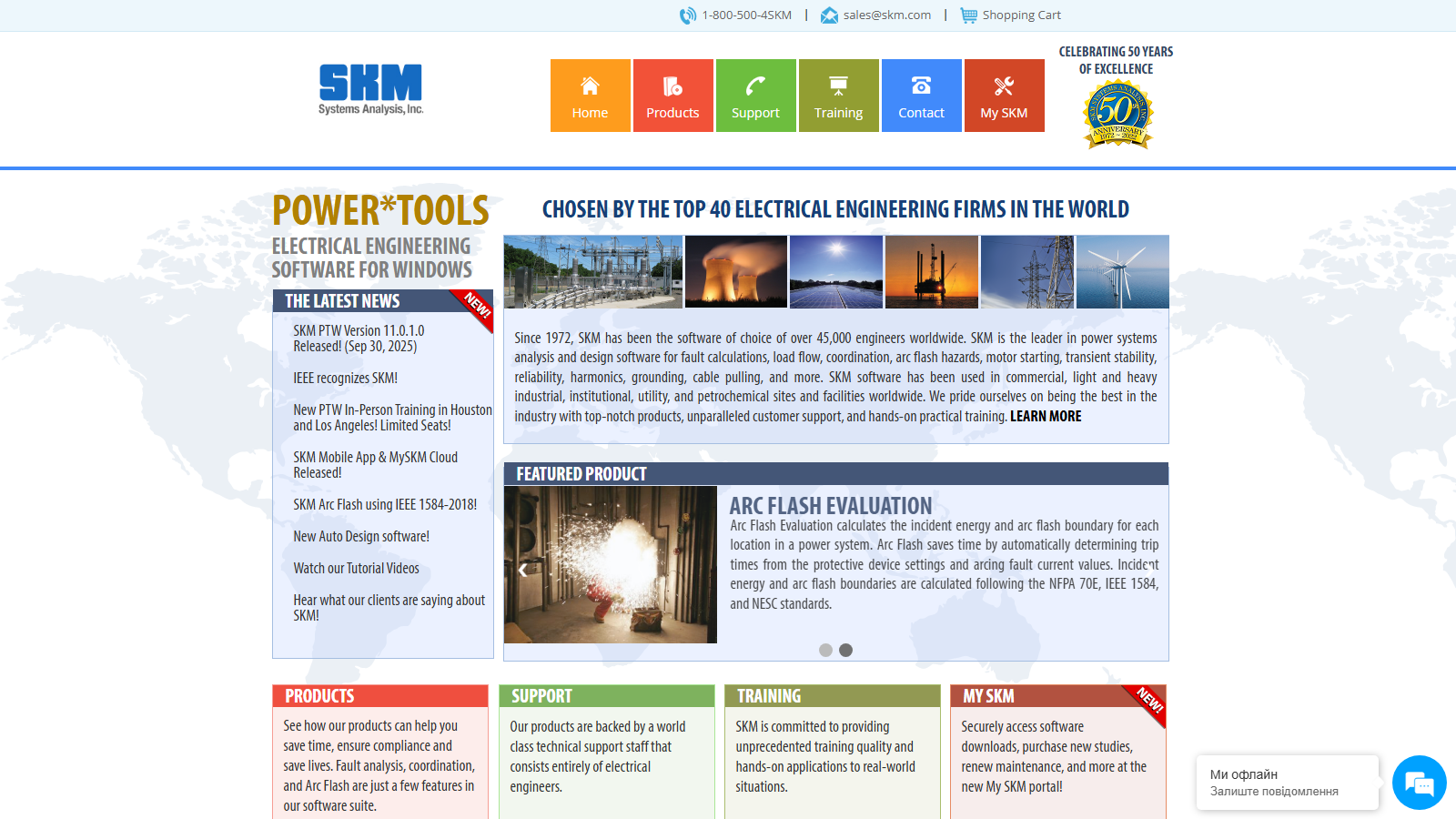
SKM Power*Tools (PTW) is a modular electrical power system analysis and simulation platform developed by SKM Systems Analysis, Inc.
The software provides a centralized project database and a collection of engineering modules used for load flow analysis, short-circuit calculations, arc flash studies, motor starting analysis, harmonic studies, and protective device coordination for commercial, industrial, and utility-scale electrical systems.
Features
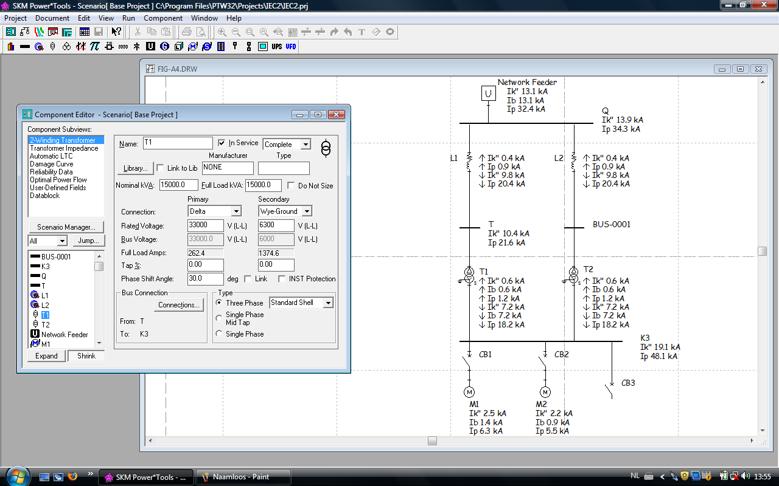
- One-Line Diagrams: Build interactive electrical system models using graphical network diagrams.
- DAPPER Load Flow and Fault Analysis: Perform voltage drop, short-circuit, load flow, and feeder sizing studies.
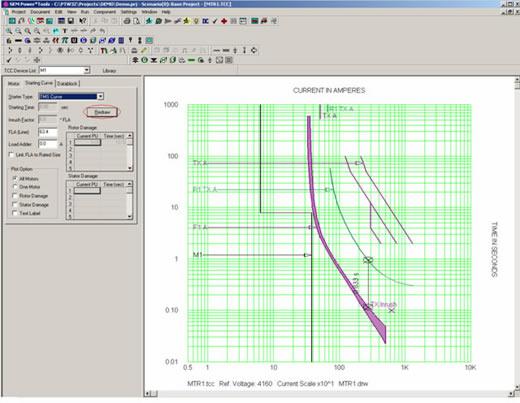
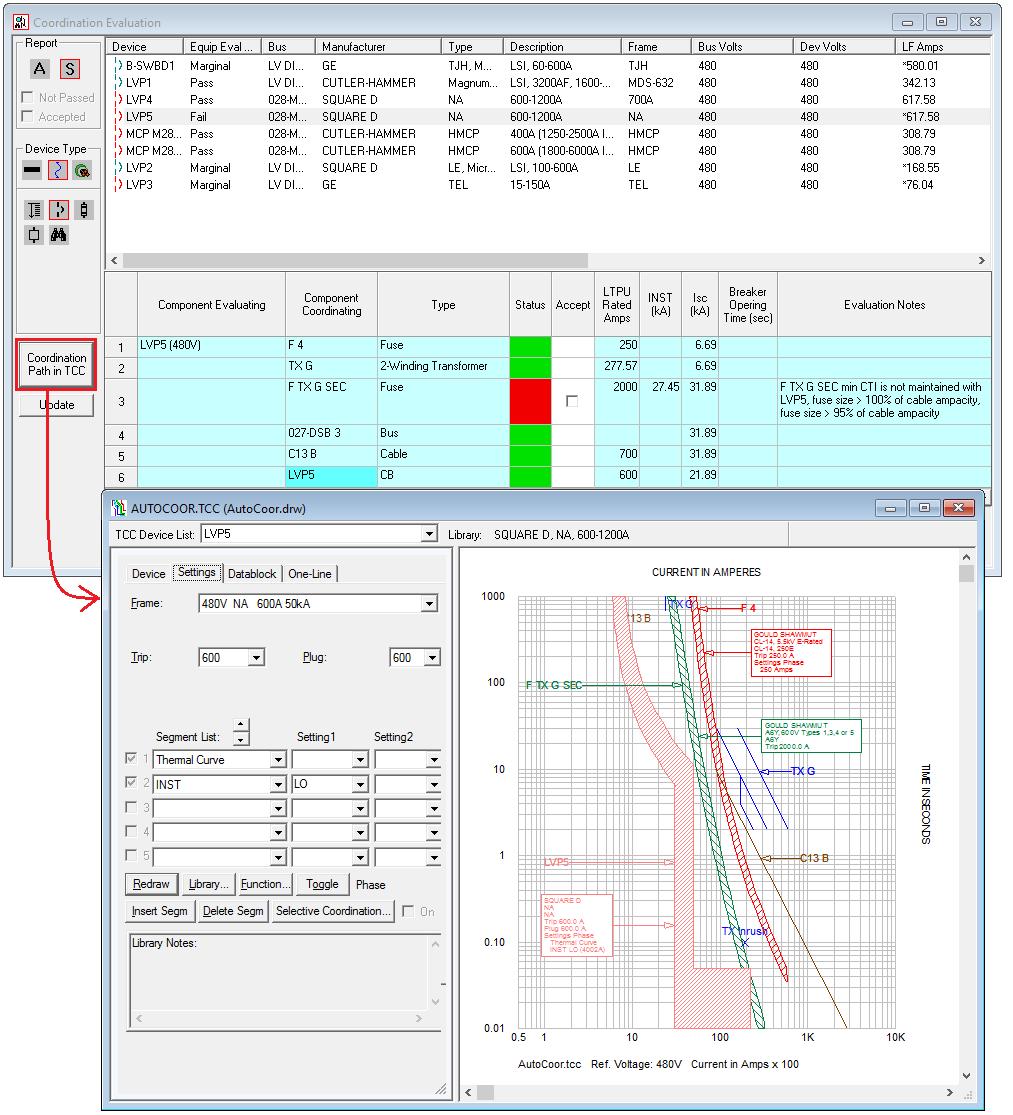
- CAPTOR Coordination Analysis: Coordinate protective devices using time-current characteristic curves.
- Arc Flash Evaluation: Calculate incident energy levels and generate safety labels according to IEEE and NFPA standards.
- Equipment Evaluation: Verify equipment ratings against calculated fault current conditions.
- TMS Motor Starting Analysis: Simulate voltage impacts caused by large motor startups.
- HI_WAVE Harmonic Analysis: Identify harmonic distortion and resonance issues within power systems.
- SKM Mobile: Collect field data and synchronize information with desktop projects.
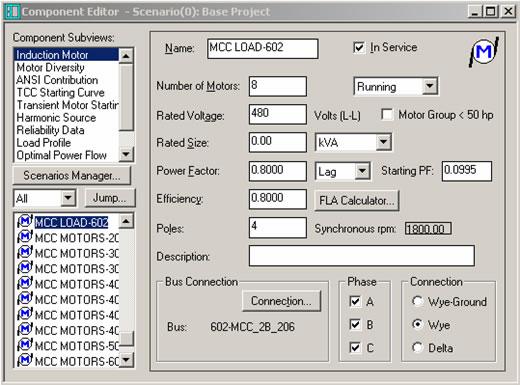
Screenshots
SKM Power*Tools Pricing
SKM Power*Tools uses modular licensing with pricing based on selected modules, bus limits, and user requirements.
- Free Trial: Demonstrations and trial access are available upon request.
- Individual Modules: Typically range from approximately $1,000 to $4,000 depending on functionality and system size.
- Combo Packages: Multi-module bundles often start around $9,695 for medium-sized systems.
- Bus-Based Licensing: Pricing scales according to the number of buses within the modeled electrical network.
- Annual Maintenance: Support and update contracts generally cost around 12% of the initial license value.
- Enterprise Licensing: Custom pricing available for large organizations and network deployments.
Integrations
SKM Power*Tools supports integration with engineering software, reporting tools, and manufacturer databases.
- AutoCAD: Export one-line diagrams and engineering documentation.
- Revit and ElumTools: Support building design and MEP workflows.
- Excel and CSV: Import and export engineering data and reports.
- PDF and Word: Generate professional study documentation and compliance reports.
- Manufacturer Libraries: Includes extensive equipment databases from ABB, GE, Schneider Electric, Siemens, and other vendors.
How to Set Up SKM Power*Tools
- Contact SKM Systems Analysis for licensing and module selection.
- Download installation packages through the SKM customer portal.
- Install Power*Tools and required licensing components.
- Configure reporting utilities and project databases.
- Customize equipment libraries and manufacturer preferences.
- Create a project and begin modeling electrical systems.
How to Use SKM Power*Tools
Engineers typically begin by creating a one-line diagram representing the electrical distribution system. Components such as transformers, switchgear, cables, motors, and protective devices are added to the model and configured using manufacturer-specific data.
Once the system model is complete, analysis modules can perform fault current studies, load flow calculations, coordination evaluations, and arc flash assessments. Results are visualized through diagrams, reports, and safety documentation that support engineering decisions and regulatory compliance.
What You Can Manage with SKM Power*Tools
- Electrical System Models: Create digital representations of complex power networks.
- Protective Device Coordination: Optimize breaker and fuse settings.
- Arc Flash Compliance: Generate labels and safety documentation.
- Fault Current Analysis: Verify equipment withstand ratings.
- Load Flow Studies: Evaluate voltage performance and system loading.
- Project Revisions: Compare alternative system configurations and operating scenarios.
FAQs
What does SKM Power*Tools do?
SKM Power*Tools performs electrical power system analysis including short-circuit studies, load flow analysis, arc flash evaluations, harmonic studies, and protective device coordination.
Who is SKM Power*Tools best for?
It is designed for electrical engineers, consultants, utilities, EPC contractors, industrial facilities, and organizations responsible for power system design and safety compliance.
Is SKM Power*Tools free?
No, SKM Power*Tools is commercial engineering software, although trial versions and demonstrations may be available.
What are the main limitations of SKM Power*Tools?
Main limitations include its high cost, steep learning curve, Windows-focused deployment model, and the advanced technical expertise required to use the software effectively.
What are the best alternatives to SKM Power*Tools?
Popular alternatives include ETAP, EasyPower, CYME, DIgSILENT PowerFactory, and Siemens PSS®E depending on project requirements and analysis scope.




