
EasyPower
Pros
- User-friendly interface with fast learning curve.
- Real-time calculation updates while editing diagrams.
- Strong automation for electrical system design.
- Comprehensive equipment manufacturer libraries.
- Flexible licensing for large industrial systems.
- Excellent customer support and technical assistance.
Cons
- Can be expensive for small firms or solo consultants.
- Modular pricing structure may be confusing.
- Some advanced simulations require additional paid modules.
- Available only for Windows operating systems.
Keeping electrical power systems safe and reliable is a top priority for any industrial, commercial, or utility site. Engineers often deal with the headache of complex calculations for short circuits, arc flash hazards, and device coordination. If these models aren’t spot on, it can lead to safety risks, expensive equipment damage, or even total power failures.
EasyPower steps in to solve these issues with a user-friendly, Windows-based suite of tools for modeling and analyzing distribution systems. It’s the go-to for professional engineers, facility managers, and consultants who need to stay compliant with standards like NFPA 70E, IEEE, and ANSI.
What Is EasyPower?
EasyPower, owned by Bentley Systems since February 2023, is an all-in-one electrical power system analysis software package used for designing, analyzing, and maintaining electrical distribution systems. It is widely used across industrial facilities, utilities, renewable energy sites, and data centers.
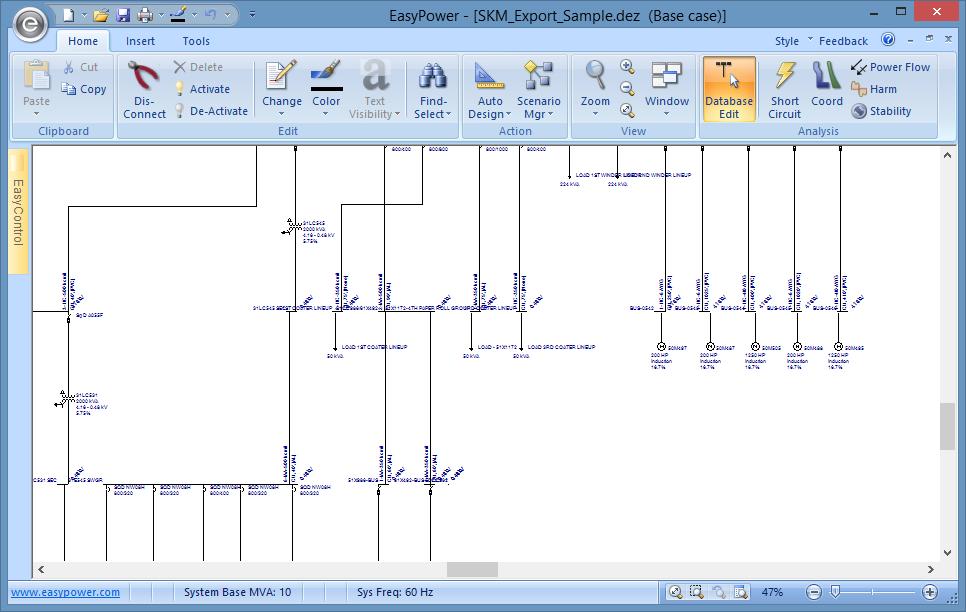
The software allows engineers to create digital one-line diagrams of electrical networks and perform simulations such as arc flash studies, short-circuit analysis, protection coordination, and power flow calculations.
Features
- Integrated one-line diagram: Build and manage complete electrical system models visually.
- Arc flash analysis: Calculate incident energy levels and generate OSHA-compliant labels.
- Short circuit calculations: Validate equipment ratings using ANSI, IEC, and NEC standards.
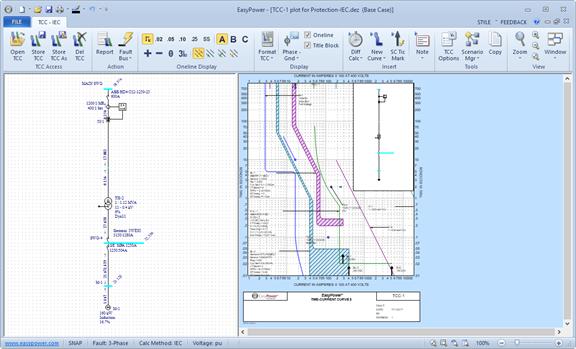
- Protection and coordination: Analyze Time Current Curves (TCCs) for breaker coordination.
- SmartDesign: Automate cable, transformer, and breaker sizing.
- ScenarioManager: Compare different operating conditions and future upgrade scenarios.
- XGSLab grounding integration: Simulate grounding and lightning protection systems.
Screenshots
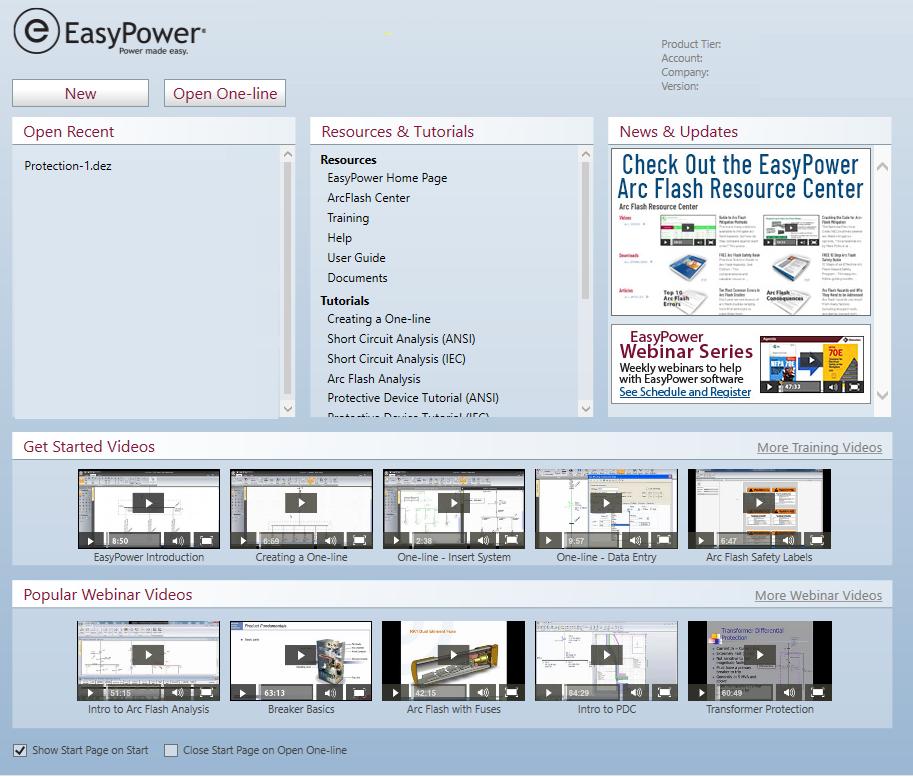
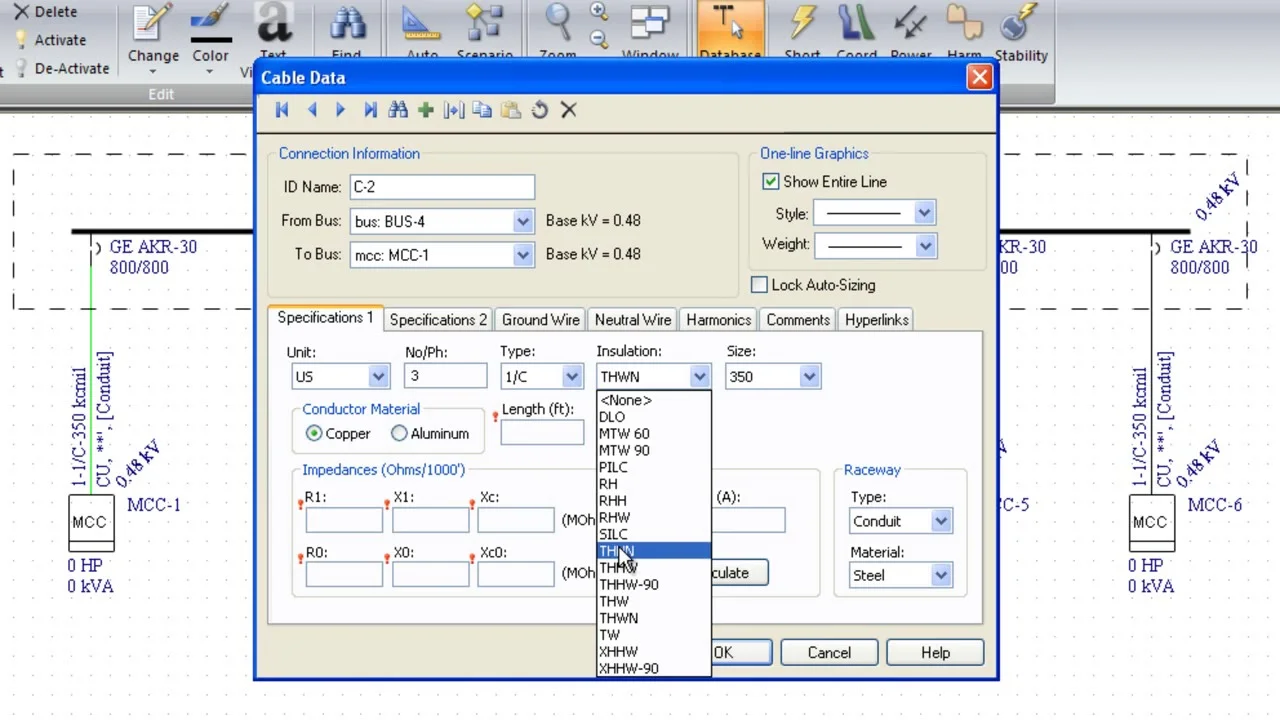
EasyPower Pricing
EasyPower uses modular pricing based on the required analysis modules and the size of the electrical system.
- Base Tier: One-line diagram creation and basic data management.
- Standard Tier: Core analysis features without advanced simulations.
- Professional Tier: Includes arc flash, short-circuit, coordination, and power flow analysis.
- Advanced Tier: Adds harmonics analysis and advanced power quality tools.
- Subscription Licenses: 12-month licensing options available.
- Perpetual Licenses: One-time purchase with optional maintenance agreements.
Integrations
EasyPower integrates with CAD, BIM, productivity, and industrial systems.
- CAD and PDF: Export diagrams directly to CAD software or PDF files.
- Revit Integrator: Synchronize electrical models with Autodesk Revit.
- Microsoft Office: Export reports to Excel and Word.
- SCADA Systems: Connect with live operational databases.
- Cloud Libraries: Access updated equipment manufacturer libraries.
How to Set Up EasyPower
- Request a quote or purchase a subscription license.
- Download and run the EasyPower installer, which also installs Bentley’s CONNECTION Client (required for license activation since EasyPower 2024).
- Sign in to the CONNECTION Client on first launch to activate the license, then pick your feature level in the Bentley Licensing Tool.
- Configure engineering standards such as ANSI or IEC.
- Import Revit or CAD data or create new one-line diagrams.
- Connect to equipment libraries and cloud resources.
How to Use EasyPower
Engineers use EasyPower to build one-line diagrams by dragging electrical equipment onto the workspace and configuring system parameters using built-in libraries.
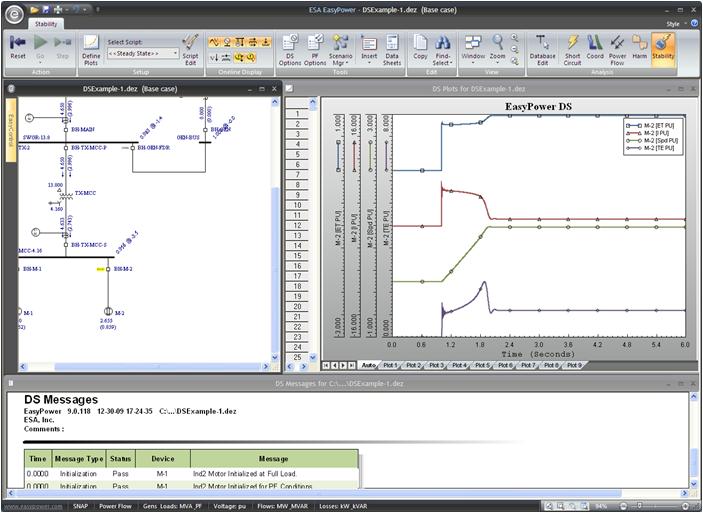
Users can switch between analysis modes to perform arc flash studies, fault calculations, coordination analysis, and power quality evaluations. Reports and safety labels can then be generated automatically.
What You Can Manage with EasyPower
- Arc Flash Safety: Generate incident energy studies and PPE labels.
- System Reliability: Analyze fault scenarios and downtime risks.
- Equipment Sizing: Automate NEC-compliant feeder and panel sizing.
- Protection Coordination: Configure and optimize breaker settings.
- Compliance Reporting: Maintain documentation for audits and inspections.
- Power Quality: Identify and resolve harmonic distortion issues.
FAQs
What does EasyPower do?
EasyPower is electrical engineering software used to model power systems and perform arc flash, short-circuit, protection coordination, and power flow studies.
Who is EasyPower best for?
It is ideal for electrical engineers, consultants, facility managers, utilities, and industrial operations requiring advanced power system analysis.
Is EasyPower free?
No, EasyPower is a commercial software platform, but free demos are available for evaluation.
What are its main limits?
Main limitations include the licensing cost, Windows-only compatibility, and the learning curve for advanced engineering modules.
What are the best alternatives?
Popular alternatives include ETAP, SKM PowerTools, PSCAD, and CDEGS for specialized grounding analysis.




