PVcase Roof Mount
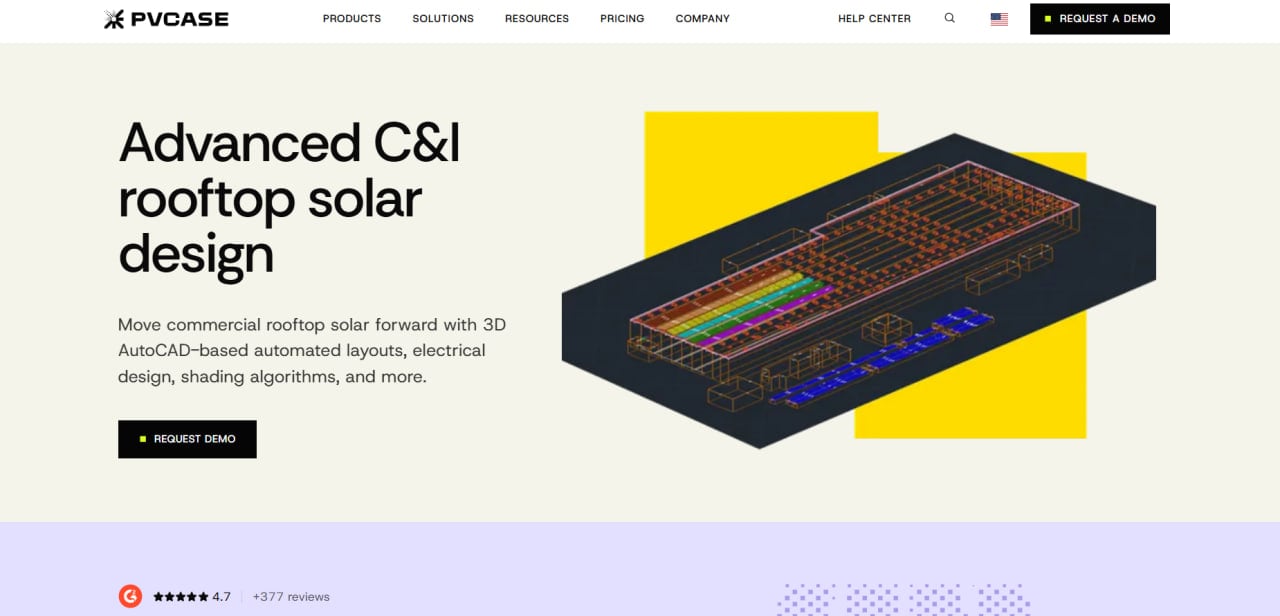
Pros
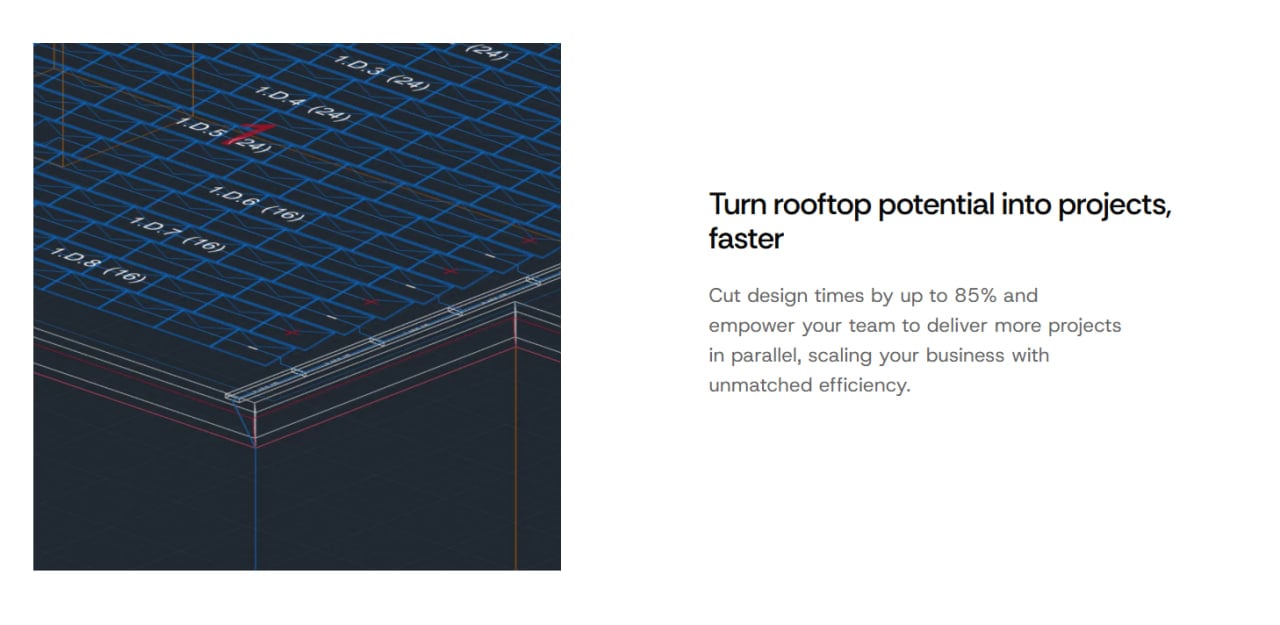
- Can reduce design time by an estimated 80% through automated layout and shading calculations.
- Operates natively within AutoCAD, allowing experienced CAD engineers to continue using a familiar environment.
- Provides precise 3D roof preparation for complex structures and obstacles.
- Includes a sophisticated two-part shading analysis workflow that evaluates shadow projections and individual module impacts.
- Simplifies downstream energy simulation through direct data exports to PVsyst.
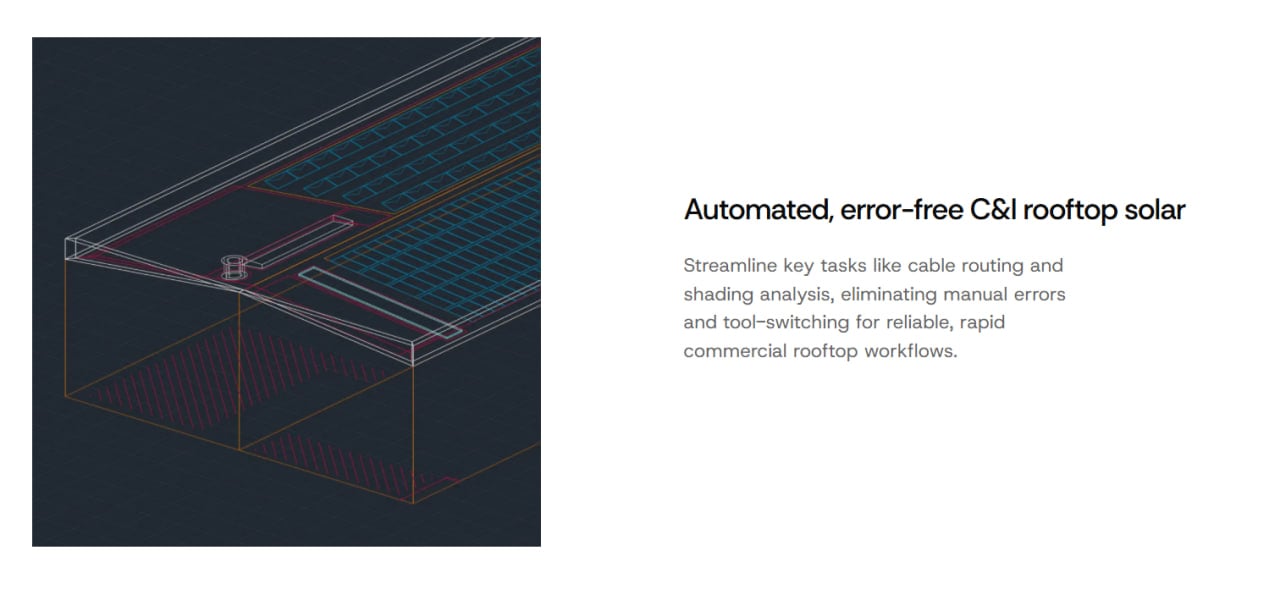
- Provides electrical automation tools, including automatic cable tray routing and Leapfrog stringing.
Cons
- Pricing is not publicly available and requires direct contact with the sales team.
- Total ownership costs are relatively high because a separate AutoCAD subscription is mandatory.
- The interface may have a steep learning curve, particularly for users without prior CAD experience.
- The desktop plugin requires compatible Windows hardware and may not support some virtual machine environments.
- Does not include a predefined manufacturer module library, requiring designers to enter physical specifications manually.
Designing commercial and industrial (C&I) rooftop solar systems involves complex engineering calculations that can slow down project delivery. Miscalculations at the early stages often cause permitting delays, costly revisions, and construction errors. PVcase Roof Mount addresses these challenges by automating time-consuming design tasks inside a familiar CAD environment.
Solar developers, engineers, and design teams use this plugin to streamline their engineering workflows and ensure layout accuracy. By integrating critical engineering calculations directly into the layout process, the tool helps teams maximize energy yield while minimizing manual drafting errors.
What Is PVcase Roof Mount?
PVcase Roof Mount is advanced CAD-based design software tailored specifically for commercial and industrial solar rooftop projects. Developed by Lithuania-based software company PVcase, the product operates as a desktop plugin for AutoCAD. It is built for engineering-led development teams, solar designers, and installers that handle complex rooftop layouts.
At a high level, the platform allows users to construct digital replicas of physical buildings and electrical systems. It uses smart algorithms to analyze spatial constraints, model obstacles, and calculate shading impacts.
The software focuses heavily on precision engineering and serves projects where exact electrical configuration and accurate structural placement are critical to performance.
Features
- 3D Roof Preparation: Allows designers to accurately model complex rooftops, establish building heights, and set exact offset boundaries around the perimeter.
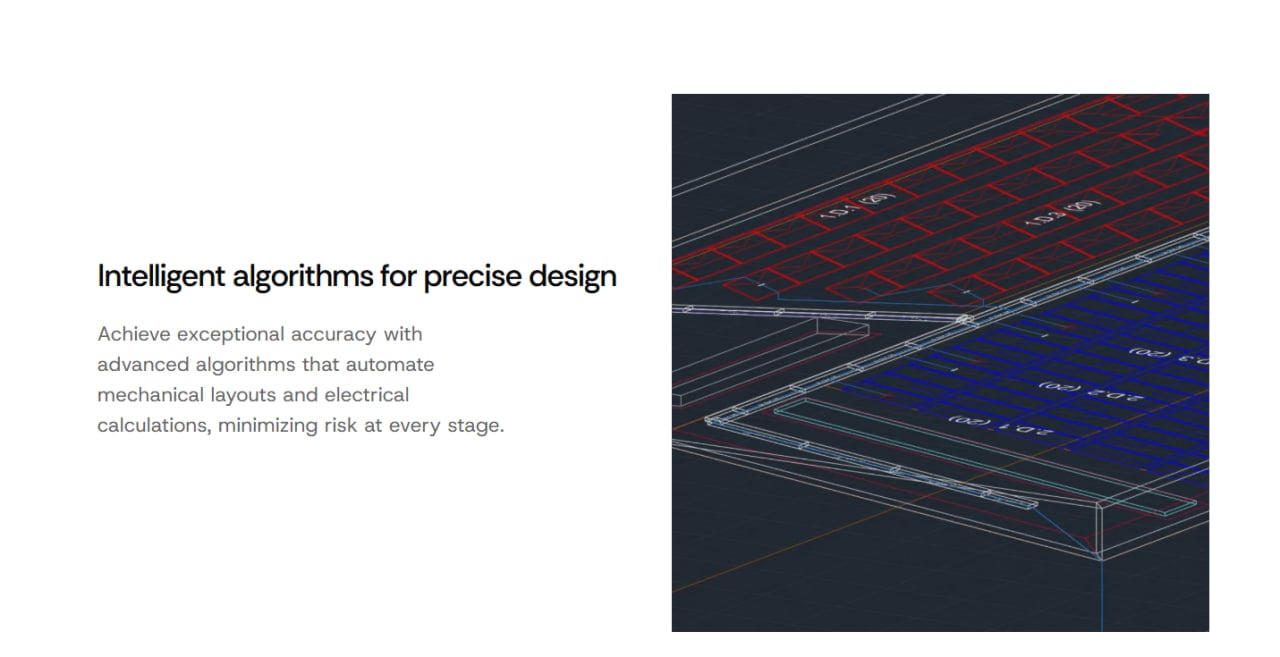
- Automated Layout Generation: Populates modules across flat or sloped roofs according to custom configurations such as flat south, flush mount, or east-west arrangements.
- Advanced Shading Calculation: Analyzes roof shadows before module placement and calculates the daily or seasonal effect of shading on individual modules.
- Electrical Design Automation: Automatically routes cables through trays and generates stringing configurations, including advanced patterns such as Leapfrog wiring.
- PVsyst Integration: Enables the export of complete layout geometry and shading data directly to PVsyst for detailed energy yield analysis.
- Bill of Materials Management: Exports comprehensive spreadsheets containing structural quantities and electrical information to reduce inventory miscalculations.
Screenshots
PVcase Roof Mount Pricing
Pricing is not publicly listed. The company asks interested users to contact sales or book a demo to receive a custom quote.
According to industry reports and competitive analysis, the software follows an enterprise-level procurement model. User estimates place the license cost at approximately $990 per user annually, although the actual price depends on team size, location, contract terms, and configuration.
Because PVcase Roof Mount operates exclusively as a desktop plugin, a separate AutoCAD license is required. With an AutoCAD subscription estimated at approximately $2,000 per year, the combined base software investment may reach roughly $2,990 per user annually.
These figures are unofficial estimates and should be confirmed directly with PVcase and Autodesk.
Integrations
- Engineering and Design Tools: Operates natively within AutoCAD and requires a compatible version of the Autodesk drafting software.
- Analysis Software: Integrates with PVsyst for comprehensive performance modeling and energy yield assessment.
- Data Import Tools: Supports drawing files and roof geometry formats, including workflows for converting data from providers such as Airteam and K2.
How to Set Up PVcase Roof Mount
- Visit the official PVcase website to request a demo and custom quote from the sales team.
- Secure an active AutoCAD subscription and install the required CAD software on a compatible Windows 10 or Windows 11 computer.
- Download the PVcase Roof Mount plugin installation file provided by the account representative.
- Run the installer to add the PVcase toolbars and menus to the local AutoCAD workspace.
- Log in with the corporate license credentials to activate the plugin features.
- Import a site drawing or orthographic base image to establish the initial design canvas.
How to Use PVcase Roof Mount
Users begin inside AutoCAD by opening a drawing file or importing an external layout, such as an Airteam orthographic model. The designer uses the 3D building tools to define roof dimensions, enter building heights, and specify architectural elements such as sloped sections, parapets, and restricted zones.
Obstacles such as chimneys, vents, and air-conditioning equipment are drawn directly onto the digital roof surface. Once the roof model is complete, the user enters custom module dimensions and defines the required layout settings.
Smart algorithms then generate an optimized array layout across the designated PV areas. The shading tools calculate shadow projections and identify modules affected by excessive shading.
Finally, the electrical tools create module strings and route cables to the appropriate trays. The completed project can then be exported to PVsyst for yield analysis or used to generate a Bill of Materials report.
What You Can Manage with PVcase Roof Mount
- 3D Roof Models: Digital replicas of complex rooftops containing exact pitches, ridges, parapets, obstacles, and safety pathways.
- Placement Configurations: Solar arrays optimized for flat south, flush mount, east-west, and other orientations.
- Shading Projections: Visual representations of shadow impacts and affected module percentages across different times and seasons.
- Electrical Schematics: Stringing patterns, cable tray runs, and automated cable path distributions.
- Bill of Materials: Detailed structural and electrical quantities exported into spreadsheet formats such as Excel.
FAQs
What does PVcase Roof Mount do?
PVcase Roof Mount is a professional AutoCAD plugin designed to automate layout creation, shading analysis, and electrical engineering for commercial and industrial rooftop solar installations. It reduces manual drafting by using smart design and optimization algorithms.
Who is PVcase Roof Mount best for?
The platform is built for engineering-led solar development teams, EPC contractors, consultants, and professional solar designers that handle large or structurally complex rooftop projects.
Is PVcase Roof Mount free?
No. PVcase Roof Mount does not offer a permanent free tier or publicly accessible free version. Interested businesses must request a product demonstration and negotiate a commercial software license.
Does PVcase Roof Mount support integrations?
Yes. PVcase Roof Mount operates inside AutoCAD, integrates directly with PVsyst, and supports the import of roof drawings and geometry from external sources such as Airteam and K2 workflows.
What are the main limitations of PVcase Roof Mount?
The primary limitations are its learning curve, dependence on a separate paid AutoCAD license, lack of a predefined manufacturer module database, and desktop-focused architecture. Compatibility with cloud-based virtual environments may also be limited.
What are the best alternatives to PVcase Roof Mount?
Common alternatives include Branch, PV*SOL, HelioScope, and other commercial rooftop solar design platforms. The best choice depends on project complexity, CAD requirements, yield modeling needs, and available integrations.