Fieldwire

Pros
- Easy for field crews to learn and use.
- Strong offline functionality for remote jobsites.
- Automatic plan versioning reduces drawing errors.
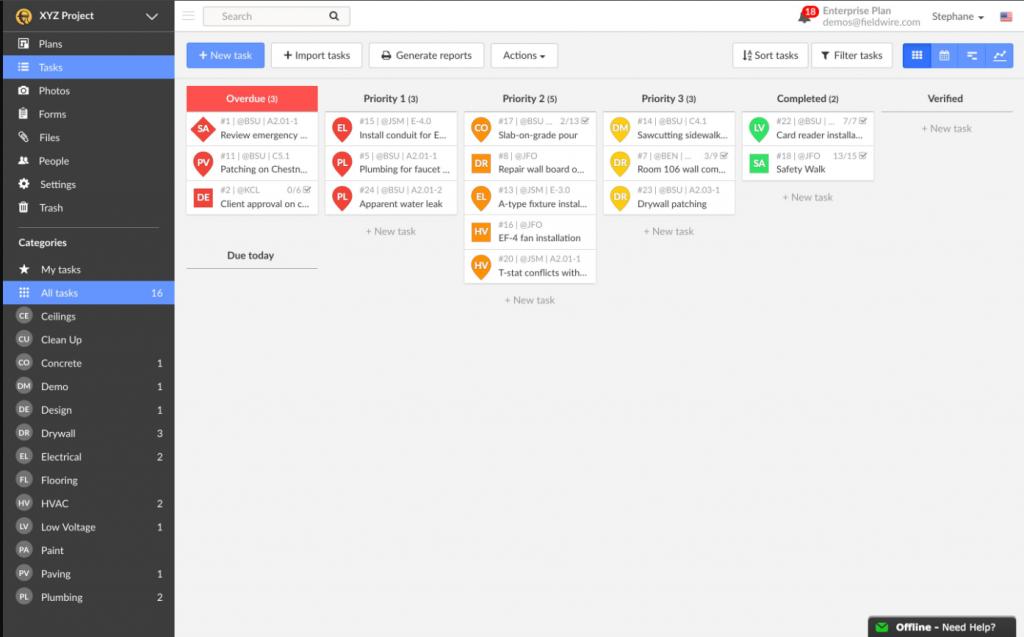
- Flexible task views including Kanban, Gantt, and calendars.
- Fast communication between field and office teams.
- Excellent mobile apps for iOS and Android.
- Scales from small contractors to enterprise operations.
Cons
- Per-user pricing can become expensive for large teams.
- Free plan has strict project and sheet limitations.
- Advanced RFI and submittal tools require premium plans.
- Scheduling tools lack advanced dependency management.
- Large project setup may require additional configuration time.
Construction projects often struggle with messy communication and outdated paperwork, leading to expensive mistakes and delays. Fieldwire solves this by offering a central hub where everyone—from the office to the field—can work together on the latest project plans and tasks.
By moving workflows like punch lists, inspections, and scheduling into a digital format, Fieldwire helps teams save time and maintain a clear record of project progress. The platform is designed for mobile-first jobsite management, ensuring workers and managers always have access to current information.
What Is Fieldwire?
Fieldwire is a cloud-based construction jobsite management platform built for contractors, subcontractors, architects, engineers, and project owners.
The software combines plan management, task tracking, inspections, reporting, and communication tools into one collaborative environment accessible from both desktop and mobile devices.
Features
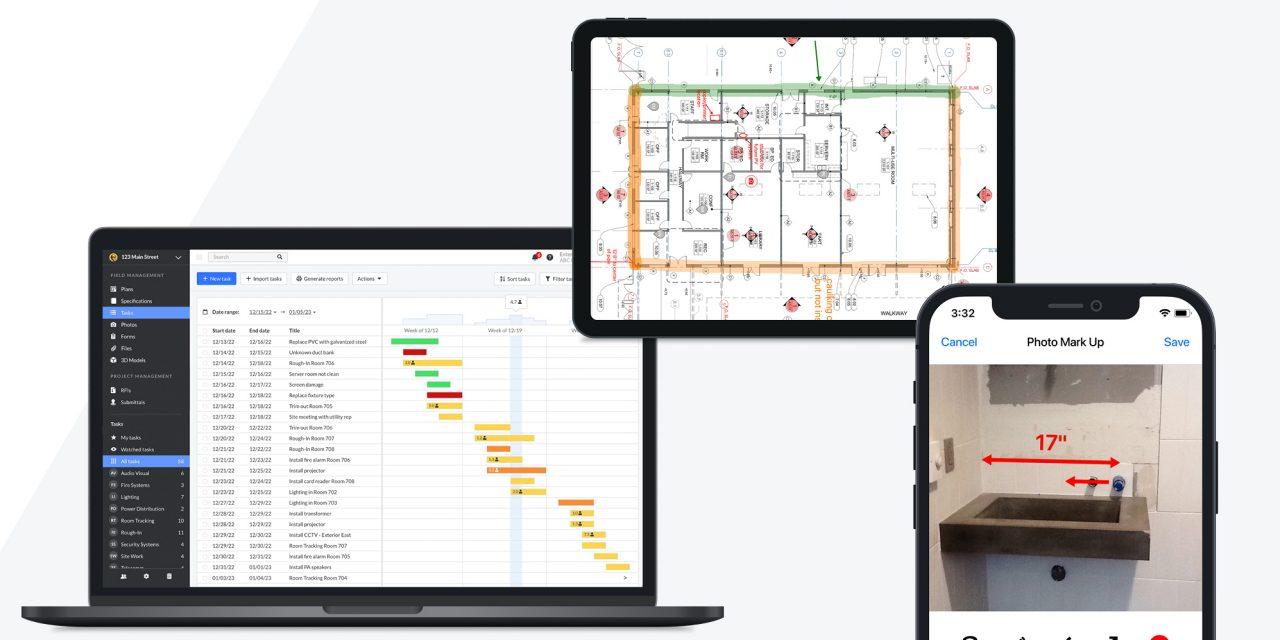
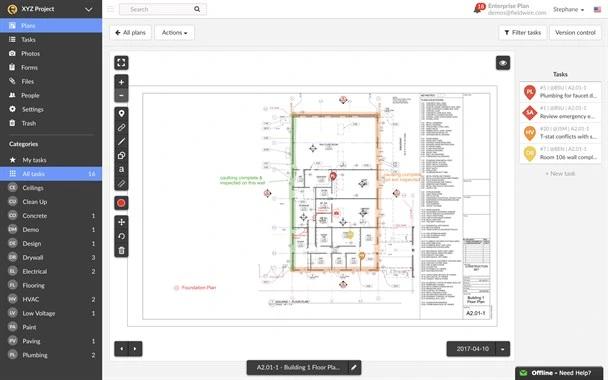
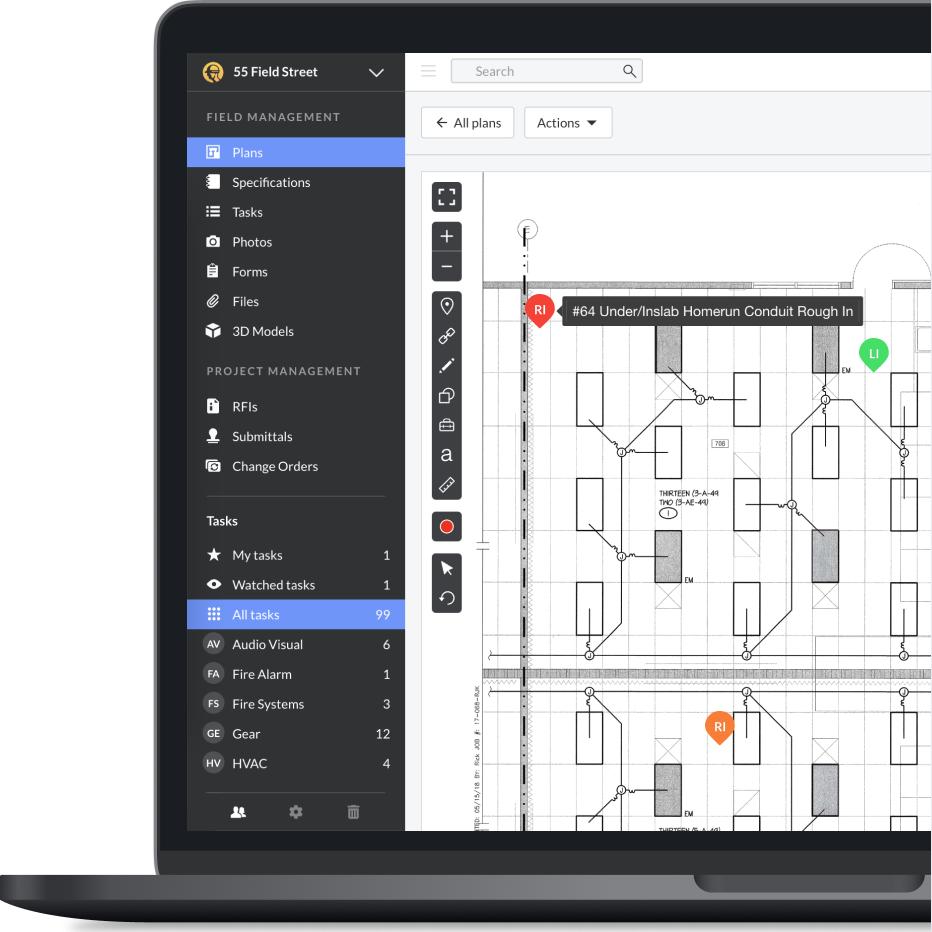
- Plan Viewing and Versioning: Automatically sync updated blueprints across all devices.
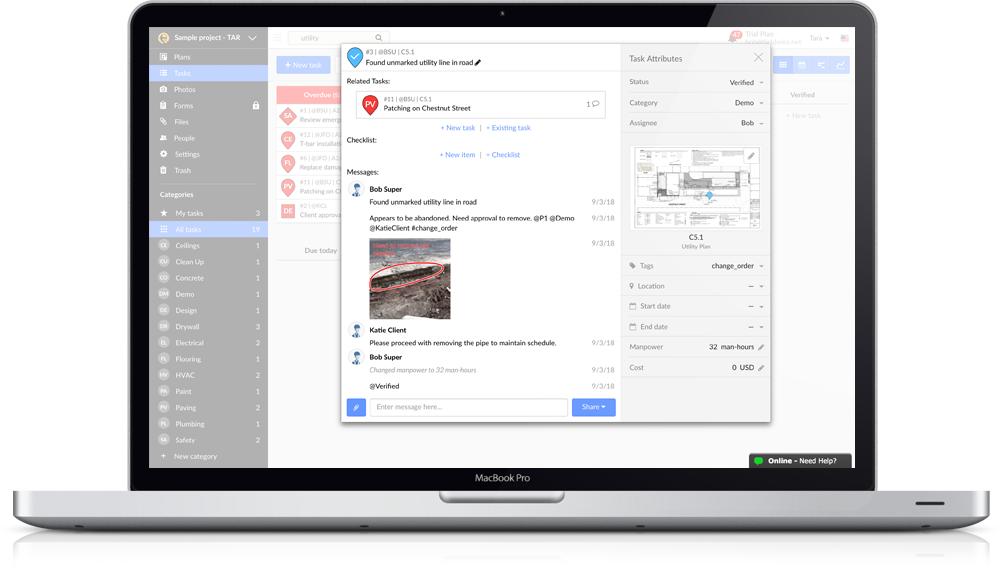
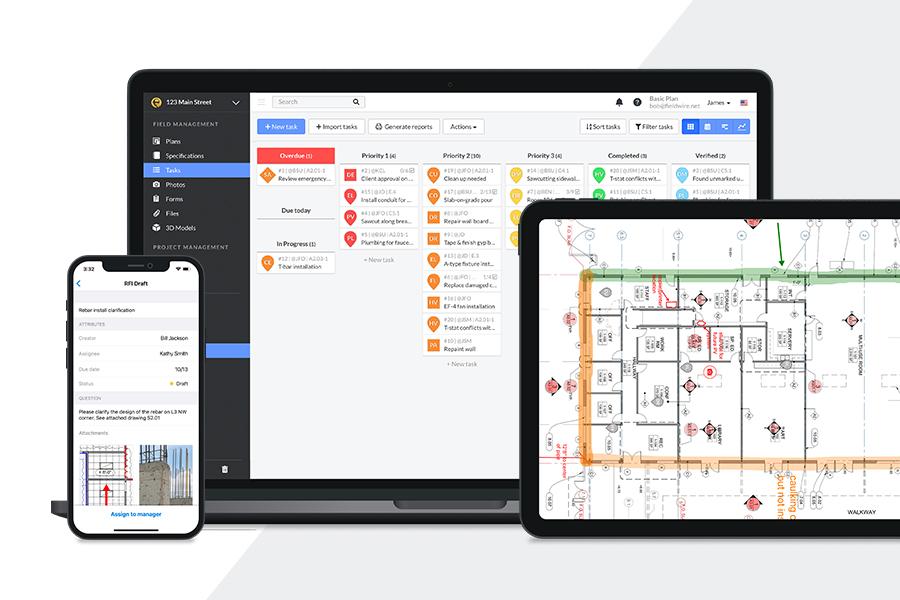
- Task Management: Create, assign, and track construction tasks visually.
- Mobile Markups: Add notes, shapes, and photos directly onto plans.
- Custom Forms and Checklists: Digitize reports, inspections, and safety workflows.
- Punch Lists and Inspections: Manage defects and field walkthroughs with photo documentation.
- BIM Viewer: Navigate 3D building models and connect tasks to BIM objects.
- Automated Reporting: Generate PDF and CSV reports instantly.
Screenshots
Fieldwire Pricing
Fieldwire uses tiered subscription pricing based on features and team size.
- Basic Plan: Free for up to 5 users, 3 projects, and 100 sheets.
- Pro Plan: Starts around $39/user/month annually.
- Business Plan: Starts around $59/user/month annually.
- Business Plus Plan: Starts around $89/user/month annually.
- Enterprise Pricing: Custom contracts with API access and account management.
Integrations
Fieldwire integrates with cloud storage, communication, and project management platforms.
- Cloud Storage: Box, Dropbox, Google Drive, OneDrive, SharePoint.
- Collaboration Tools: Microsoft Teams and Outlook Calendar.
- Project Management: Smartsheet, Microsoft Project, ArcGIS.
- Analytics: Power BI integration.
- API and Webhooks: REST API access for custom workflows.
How to Set Up Fieldwire
- Create a Fieldwire account through the website or mobile app.
- Start a project and configure project preferences.
- Upload plans and construction drawings.
- Customize task categories and workflow statuses.
- Invite project team members and assign permissions.
- Sync projects to mobile devices for field use.
How to Use Fieldwire
Project managers use Fieldwire to review plans, assign tasks, monitor inspections, and track project progress in real time.
Field crews can open updated plans onsite, create punch items, upload photos, and complete assigned tasks directly from mobile devices, even while offline.
What You Can Manage with Fieldwire
- Construction Plans: Centralized blueprint and document management.
- Project Tasks: Track deadlines, defects, and assignments.
- Punch Lists: Manage closeout items and inspections.
- Field Reports: Create digital logs and inspection records.
- Project Schedules: Visualize timelines using calendars and Gantt charts.
- RFIs and Submittals: Track approvals and documentation workflows.
- 3D BIM Models: Navigate and review building information models.
FAQs
What does Fieldwire do?
Fieldwire is a construction management platform that helps teams manage plans, tasks, inspections, reports, and communication between office and field staff.
Who is Fieldwire best for?
It is designed for contractors, subcontractors, architects, engineers, and construction project owners.
Is Fieldwire free?
Yes, Fieldwire offers a free Basic plan for small teams with limited projects and sheet storage.
How much does Fieldwire cost?
Paid plans start around $39 per user/month annually, with higher tiers unlocking BIM, RFIs, and advanced workflow tools.
Does Fieldwire support integrations?
Yes, Fieldwire integrates with cloud storage platforms, Microsoft Teams, ArcGIS, Power BI, and custom APIs.
What are the best alternatives to Fieldwire?
Popular alternatives include Procore, Autodesk Construction Cloud, PlanGrid, Buildertrend, and Jobber.