ArcGIS
Pros
- Industry-leading spatial analysis tools.
- Scales from small projects to global operations.
- Huge library of ready-to-use geographic data.
- Advanced 3D mapping and digital twin capabilities.
- Strong integration with Microsoft and SAP ecosystems.
- Excellent documentation and large community support.
Cons
- Steep learning curve for beginners.
- Licensing and pricing can become expensive.
- Complex licensing structure.
- ArcGIS Pro requires powerful hardware.
- Credit-based cloud services can increase costs unexpectedly.
Handling geographic data and pinpointing the best locations for new business or infrastructure takes more than just a basic digital map. Many organizations—from renewable energy startups to government agencies—struggle to turn scattered datasets into a clear, spatial picture. ArcGIS solves this by providing a reliable framework to visualize and manage this data, helping teams make smarter decisions based on real-world patterns and relationships.
Professionals turn to ArcGIS when they need pinpoint accuracy and a massive toolkit for analysis. Whether you are a solar developer scouting the best land or a city manager mapping out utility lines, the platform offers a one-stop shop for spatial data. By trading static images for dynamic, data-rich models, you can simulate real-world scenarios and predict results with much higher confidence.
What Is ArcGIS?
ArcGIS is a modular geographic information system (GIS) developed by Esri. It is considered the industry standard for creating, managing, and studying spatial data. The platform supports a huge range of users, including solo researchers, GIS technicians, and large enterprises in sectors like telecommunications and site selection.
Essentially, ArcGIS works by stacking different layers of information—like terrain, property lines, and census data—onto a geographic grid. You can access it through three main components: ArcGIS Pro, ArcGIS Online, and ArcGIS Enterprise.
Features
- Mapping and cartography: Build interactive 2D and 3D maps with advanced styling tools.
- Spatial analytics and data science: Access over 1,000 specialized analysis tools.
- Data management and editing: Work with CAD files, imagery, and live sensor feeds.
- Imagery and remote sensing: Analyze satellite and drone imagery using AI models.
- Field operations: Keep office and field teams connected through mobile apps.
- 3D and indoor GIS: Create digital twins of buildings and environments.
- Customization and automation: Automate tasks with Python scripting and ModelBuilder.
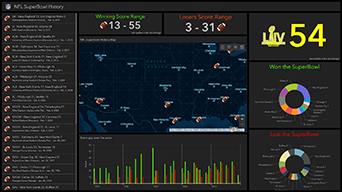
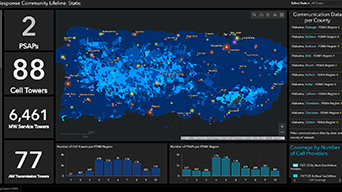
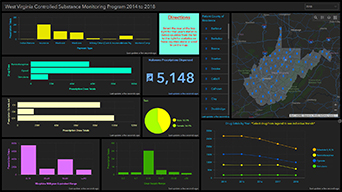
Screenshots
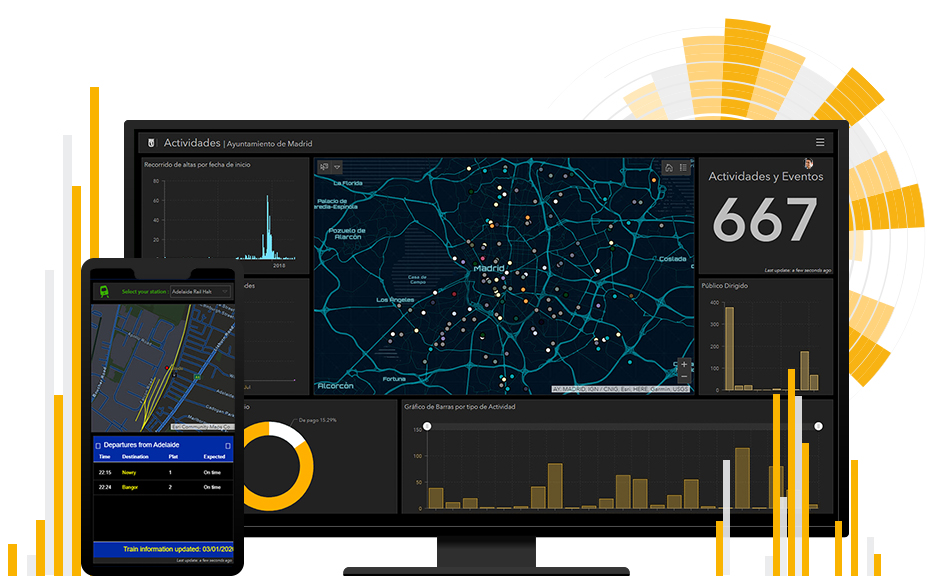
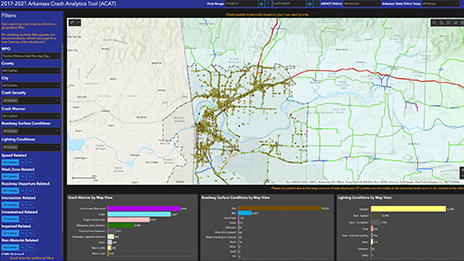
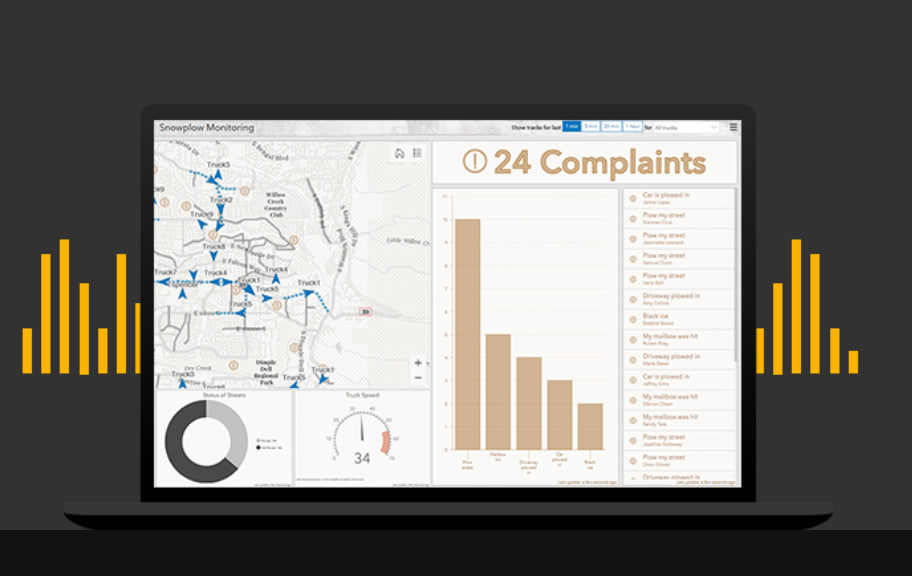
ArcGIS Pricing
ArcGIS uses a user-type licensing model, meaning pricing depends on the tools and features each user needs.
- Free Trial: 21-day access to ArcGIS Online and ArcGIS Pro.
- Personal and Student Use: Around $100 per year.
- Viewer User Type: Starts around $100 per year.
- Editor User Type: Roughly $200 per year.
- Field Worker User Type: Around $350 per year.
- Creator / Professional Basic: Typically between $500 and $700 per year.
- Professional Standard and Advanced: From $2,750 to over $3,800 annually.
Integrations
ArcGIS integrates with a wide range of platforms and enterprise tools:
- Business and CRM: Microsoft 365, Salesforce, SAP, Adobe Creative Cloud.
- Cloud Platforms: AWS, Microsoft Azure, Google BigQuery, Snowflake.
- Design and Construction: Autodesk, Revit, AutoCAD.
- Developer Tools: ArcGIS Maps SDK for JavaScript, ArcPy, REST API.
How to Set Up ArcGIS
- Sign up through the Esri website or contact sales for enterprise licensing.
- Assign user roles and licenses to your team.
- Install ArcGIS Pro for advanced desktop analysis.
- Configure ArcGIS Online or ArcGIS Enterprise.
- Connect your local, cloud, or third-party data sources.
- Create your first maps and collaboration projects.
How to Use ArcGIS
A typical workflow starts by importing spreadsheets, GPS coordinates, drone imagery, or satellite data. Analysts then use ArcGIS Pro or the web-based Map Viewer to style and visualize the information.
Teams can run spatial analysis, generate dashboards, share interactive maps, and update field data in real time using connected mobile applications.
What You Can Manage with ArcGIS
- Interactive Maps: Dynamic web and desktop mapping tools.
- Spatial Databases: Centralized geographic data storage.
- Professional Reports: Spatial analysis and demographic reporting.
- Operational Dashboards: Real-time monitoring of assets and field activity.
- Custom Web Apps: Applications for site scouting and public reporting.
- Imagery Libraries: Organized satellite and drone image management.
- Automated Workflows: Automated geoprocessing and analysis pipelines.
FAQs
What does ArcGIS do?
ArcGIS helps organizations create, manage, analyze, and visualize geographic data through maps, dashboards, and spatial analysis tools.
Who is ArcGIS best for?
It is widely used by GIS professionals, urban planners, utilities, government agencies, renewable energy companies, and real estate analysts.
Is ArcGIS free?
ArcGIS offers a free trial, but professional and enterprise features require paid subscriptions.
How much does ArcGIS cost?
Pricing starts around $100 per year for basic plans and can exceed several thousand dollars annually for advanced enterprise licenses.
What are the main limitations of ArcGIS?
The biggest challenges are the high cost, steep learning curve, and potentially unpredictable cloud service credit usage.
What are the best alternatives to ArcGIS?
Popular alternatives include QGIS, Google Earth Pro, Mapbox, and CARTO.