SolarPILOT
Pros
- High computational efficiency, capable of simulating large fields of 10,000+ heliostats in seconds using analytical methods.
- Completely free and open-source, removing financial barriers for startups and academic researchers.
- Dual-engine approach provides both speed (Hermite expansion) and high-fidelity accuracy (ray tracing).
- Highly customizable, supporting complex land shapes, varied heliostat designs, and custom aiming strategies.
- Transparent and peer-reviewed algorithms backed by NREL’s decades of CSP expertise.
- Strong automation potential through Python and LK scripting interfaces.
- Cross-platform compatibility for Windows and Linux environments.
Cons
- Steep learning curve for users who are not familiar with CSP physics and optical modeling principles.
- Hardware-intensive for very large ray-tracing simulations, requiring significant CPU resources.
- Limited focus; it is a specialized tool for optical layout and does not perform full power block or financial modeling, which must be done in SAM.
- User interface can be intimidating for casual users compared to modern commercial SaaS design tools.
- Technical support is primarily community-based rather than a dedicated enterprise help desk.
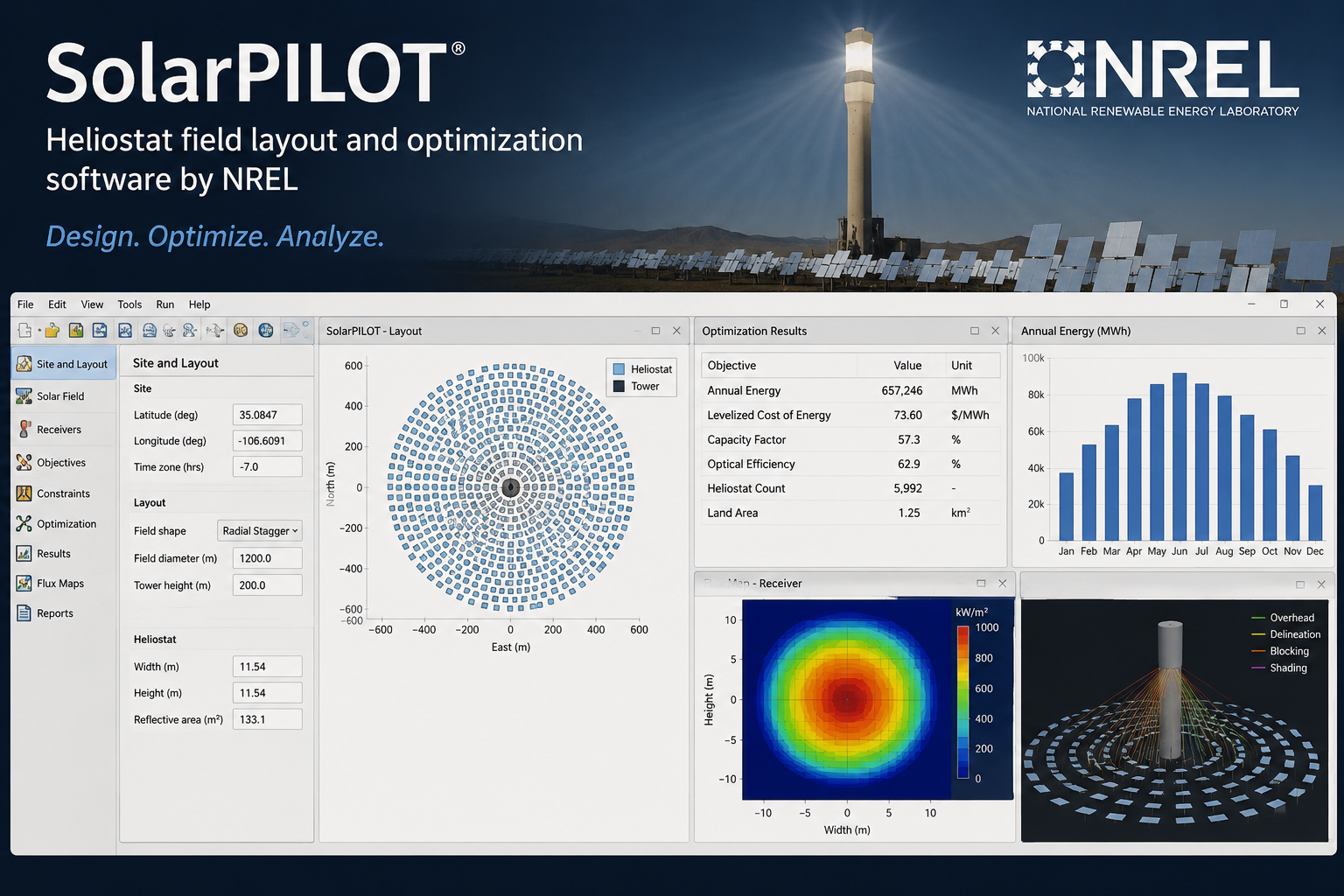
Designing a concentrating solar power (CSP) plant requires high-precision modeling to ensure that thousands of heliostats correctly reflect sunlight onto a central receiver. SolarPILOT (Solar Power tower Integrated Layout and Optimization Tool) solves the complex geometric and optical challenges associated with heliostat field layout and performance characterization.
This software is primarily used by researchers, industrial technology developers, and academic institutions to quantify the value of CSP technologies and evaluate performance under various conditions. By providing a platform that balances computational efficiency with high-fidelity simulation, SolarPILOT allows users to move from abstract concepts to optimized, site-specific solar field designs.
What Is SolarPILOT?
SolarPILOT is a specialized solar design and optimization software package developed by the National Renewable Energy Laboratory (NREL). It belongs to the category of Concentrating Solar Power (CSP) modeling tools, specifically focusing on “power tower” or central receiver systems.
The software works by simulating the interaction between the sun, a field of heliostats (tracking mirrors), and a central receiver. It employs a sophisticated analytical Hermite expansion technique to characterize the flux images generated by individual heliostats, allowing for rapid analysis of large-scale fields. For users requiring even higher precision, SolarPILOT integrates NREL’s SolTrace engine for Monte Carlo ray-tracing simulations.
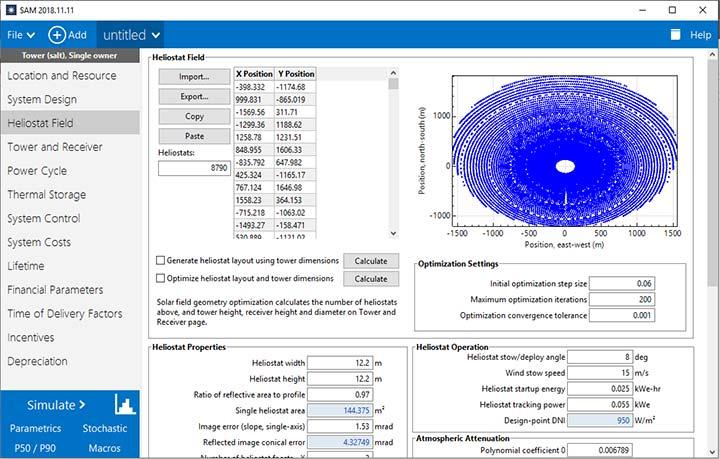
As an open-source project hosted on GitHub and funded by the U.S. Department of Energy, SolarPILOT serves as a transparent and verifiable standard for the CSP industry. It is available as a standalone desktop application for Windows and Linux and is also integrated into NREL’s broader System Advisor Model (SAM) for simplified performance simulations.
Features
- Heliostat Field Layout Generation: Automatically creates solar field layouts based on local solar conditions, tower height, and receiver geometry to maximize energy collection.
- Optical Performance Characterization: Simulates how light reflects off mirrored surfaces to predict how much energy actually reaches the receiver, accounting for shading and blocking.
- Customizable Land Boundaries: Allows users to define complex land shapes using KML files, ensuring that the software only places heliostats within realistic site constraints.
- Analytical and Ray-Tracing Engines: Offers a choice between a fast analytical method for quick design iterations and a robust ray-tracing method (via SolTrace) for validating complex geometries.
- Smart Aiming Algorithms: Automatically determines the best point on the receiver for each heliostat to aim at, preventing “hot spots” that could damage equipment.
- Parametric Analysis: Enables users to run multiple simulations back-to-back to see how changing a single variable, like heliostat size or tower height, impacts the overall system cost.
- Multi-Threaded Execution: Utilizes modern computer processors to run complex calculations in parallel, significantly reducing the time required to simulate thousands of individual mirrors.
- API and Python Support: Provides a Python-based interface (CoPylot) and a built-in scripting language (LK) for advanced users who need to automate workflows or integrate SolarPILOT with other modeling tools.
Screenshots
SolarPILOT Pricing
SolarPILOT is open-source software provided by the National Renewable Energy Laboratory (NREL).
- Free Availability: The software is free to download, use, and modify for both commercial and non-commercial purposes.
- Source Code Access: The C++ source code is publicly available on GitHub, allowing organizations to audit the algorithms or contribute new features.
- No Subscription Fees: There are no licensing costs, monthly fees, or usage-based charges associated with the official NREL distributions.
- Support: While the software is free, technical support is generally limited to the provided documentation and community-driven issue tracking on GitHub.
Integrations
SolarPILOT is designed to function within a broader renewable energy research ecosystem, supporting several key technical integrations:
Modeling and Simulation Integrations
- System Advisor Model (SAM): SolarPILOT is integrated into SAM to provide the underlying layout and characterization for its power tower models.
- SolTrace: The software includes an embedded version of the SolTrace ray-tracing engine for detailed optical validation.
- CoPylot (Python API): A full-featured Python interface allows for seamless integration with data science libraries and custom research scripts.
Data and File Formats
- Google Earth (KML): Supports KML files for defining land boundaries and site locations.
- CSV/Text: Allows for the export of layout data and simulation results for further analysis in spreadsheet or database tools.
How to Set Up SolarPILOT
- Download the installer for Windows or Linux from the official NREL SolarPILOT website or the GitHub releases page.
- Run the installation wizard and agree to the open-source license terms.
- Launch the application and select “New Project” to start with a blank configuration.
- Define your site location by entering latitude, longitude, and importing a weather data file.
- Specify the heliostat geometry, tower height, and receiver dimensions in the configuration tabs.
- Run the “Layout” command to generate the solar field based on your inputs.
How to Use SolarPILOT
The typical workflow starts in the “Weather” tab, where the user defines the solar resource for a specific location. Once the environmental data is set, the user moves to the “Heliostat” and “Receiver” tabs to define the physical characteristics of the plant.
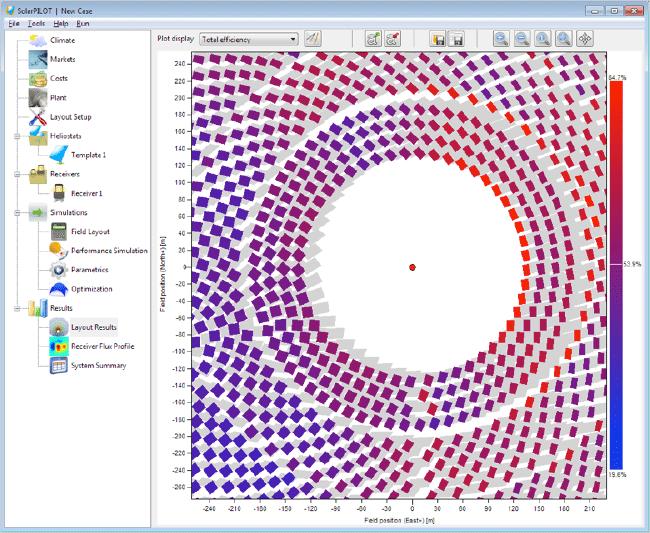
After entering these parameters, the user executes the layout routine. SolarPILOT populates the field with mirrors, optimizing their placement to minimize shadowing and blocking. The user then views the field in the interactive 3D plotter to ensure the layout fits within land constraints.
To verify performance, the user runs a “Flux Simulation,” which calculates the intensity of light hitting the receiver at various times of the day. If the flux is too high in certain areas, the user applies aiming algorithms to redistribute the energy. Finally, the user may run a parametric simulation to see how variations in wind speed or mirror reflectivity affect the annual energy collection.
What You Can Manage with SolarPILOT
- Heliostat Field Layouts: Generates the coordinates and orientations for thousands of individual tracking mirrors.
- Receiver Flux Profiles: Produces detailed maps showing the intensity of solar radiation hitting the central tower.
- Land Boundaries: Manages site constraints and exclusion zones for solar plant construction.
- Optical Performance Data: Generates reports on intercept factors, shadowing, blocking, and cosine losses.
- Design Optimization: Manages the trade-offs between tower height, receiver size, and heliostat count to minimize the levelized cost of energy.
- Simulation Scripts: Manages automated LK or Python scripts for complex, multi-case research studies.
FAQs
What does SolarPILOT do?
SolarPILOT is a design and characterization tool specifically for concentrating solar power tower systems. It helps engineers and researchers create optimal heliostat field layouts and simulate the optical performance of solar collectors using advanced analytical and ray-tracing methods.
Who is SolarPILOT best for?
It is best suited for CSP researchers, solar field designers, and academic students who need high-precision optical modeling. It is an industry-standard tool for those developing new solar thermal technologies or optimizing large-scale utility projects.
Is SolarPILOT free?
Yes, SolarPILOT is free and open-source software developed by NREL and funded by the U.S. government. Both the compiled desktop application and the original source code are available at no cost.
What are the main limitations of SolarPILOT?
The main limitation is that it focuses almost exclusively on the “front end” of the solar plant (the solar field and receiver). It does not simulate the steam turbine, thermal energy storage, or the financial performance of the plant, though it can export data to NREL’s SAM software which handles those aspects.
What are the best alternatives to SolarPILOT?
Common alternatives include other CSP modeling tools like Tonatiuh (open-source), SolTrace (also by NREL), and various proprietary software packages developed by CSP technology providers. For broader system analysis, NREL’s System Advisor Model (SAM) is the standard companion tool.