
Solargis Evaluate
Pros
- Industry-leading solar resource data accuracy.
- High-resolution 15-minute datasets improve modeling precision.
- Unified workflow reduces data inconsistencies between project stages.
- Strong acceptance by lenders and financial institutions.
- Advanced bifacial and tracker modeling capabilities.
- Cloud-based architecture eliminates the need for powerful local hardware.
- More than 30 years of historical weather and solar resource information.
Cons
- Pricing is primarily targeted toward commercial and utility-scale projects.
- Advanced features require technical expertise and training.
- Less suitable for small residential installers.
- Does not provide detailed electrical design or construction-level CAD functionality.
- Custom pricing may make budgeting more difficult during early evaluation stages.
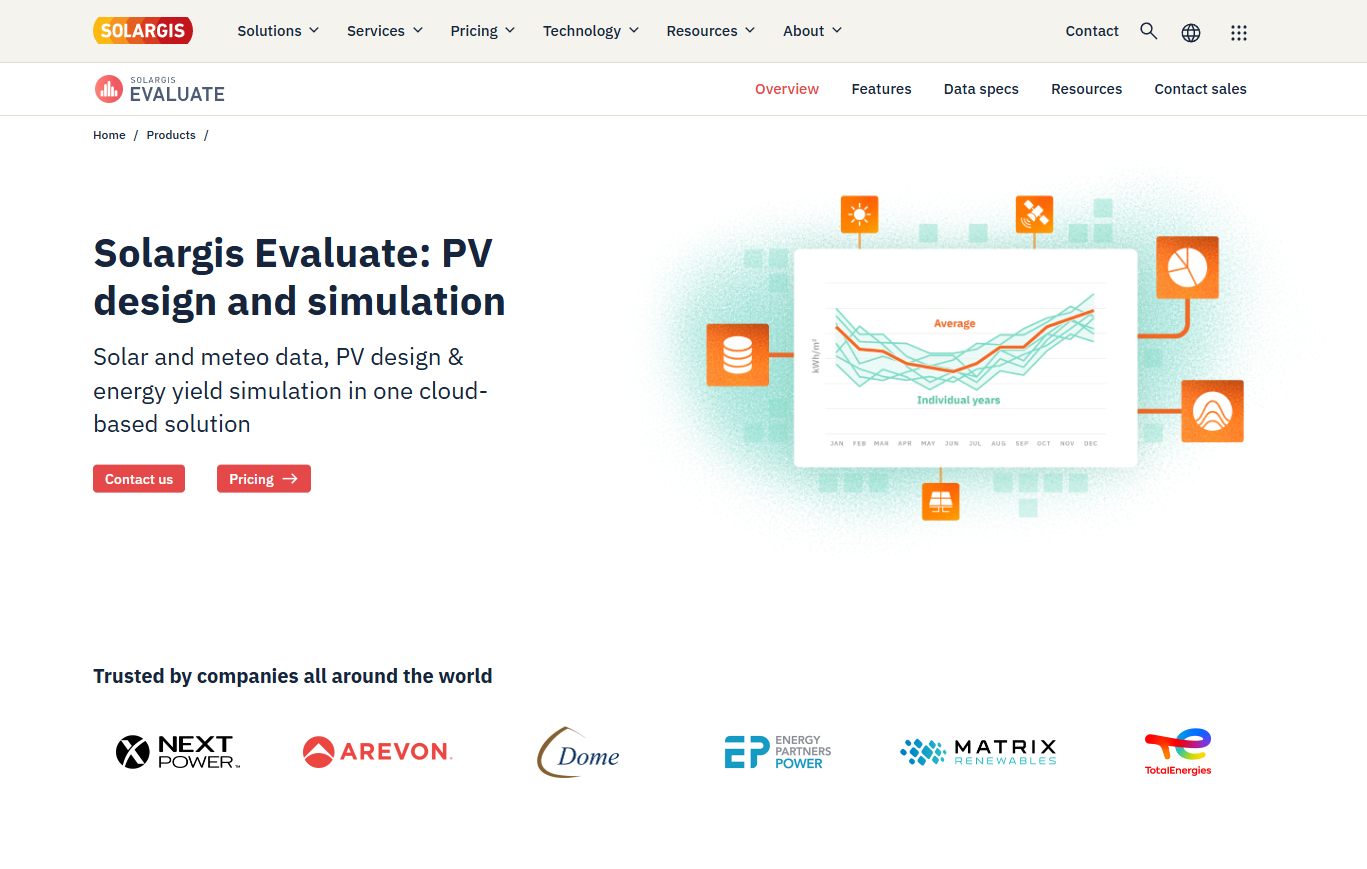
Developing utility-scale solar projects requires accurate solar resource assessment, reliable energy yield forecasts, and detailed financial analysis. Inaccurate weather data, inconsistent modeling assumptions, or simplified design workflows can introduce significant uncertainty that affects project financing and investment decisions. Solargis Evaluate addresses these challenges by combining industry-leading solar resource data, advanced photovoltaic simulation tools, and project design capabilities within a single cloud-based platform.
Built for developers, EPC contractors, technical advisors, consultants, and investors, Solargis Evaluate enables users to move from site screening and feasibility analysis to bankable energy yield assessments without relying on multiple disconnected software tools. The result is greater consistency, reduced risk, and more reliable project decision-making.
What Is Solargis Evaluate?
Solargis Evaluate is a cloud-based solar resource assessment, photovoltaic design, and energy yield simulation platform developed by Solargis.
The platform combines over 30 years of high-resolution solar and meteorological data with advanced PV modeling capabilities to help professionals evaluate project viability, optimize system designs, and generate bankable reports for financing and due diligence purposes.
Features
- 15-Minute Historical Time Series Data: Access detailed solar and weather datasets covering more than 30 years of historical conditions.
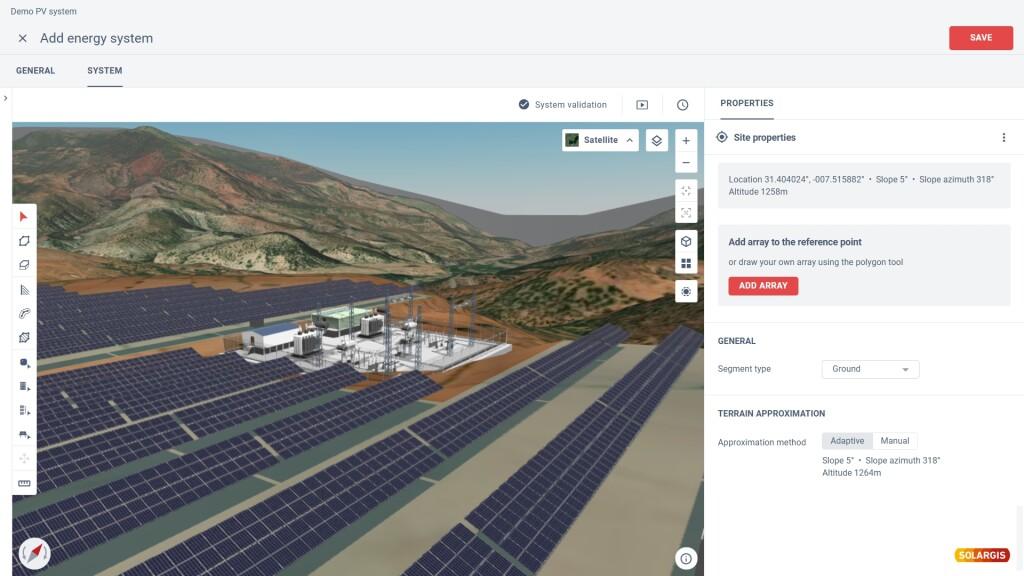
- 3D PV Design Module: Create photovoltaic layouts that account for terrain, spacing, and shading effects.
- Advanced Bifacial Modeling: Simulate rear-side irradiance and bifacial energy gains using ray-tracing techniques.
- PV Component Catalog: Utilize verified module and inverter databases for realistic performance simulations.
- Automated Bankable Reporting: Generate professional energy yield and performance reports suitable for investors and lenders.
- Horizon and Near-Shading Analysis: Assess shading impacts from terrain features and nearby structures.
- Probability of Exceedance Analysis: Calculate P50, P90, and other risk-adjusted production estimates.
Screenshots
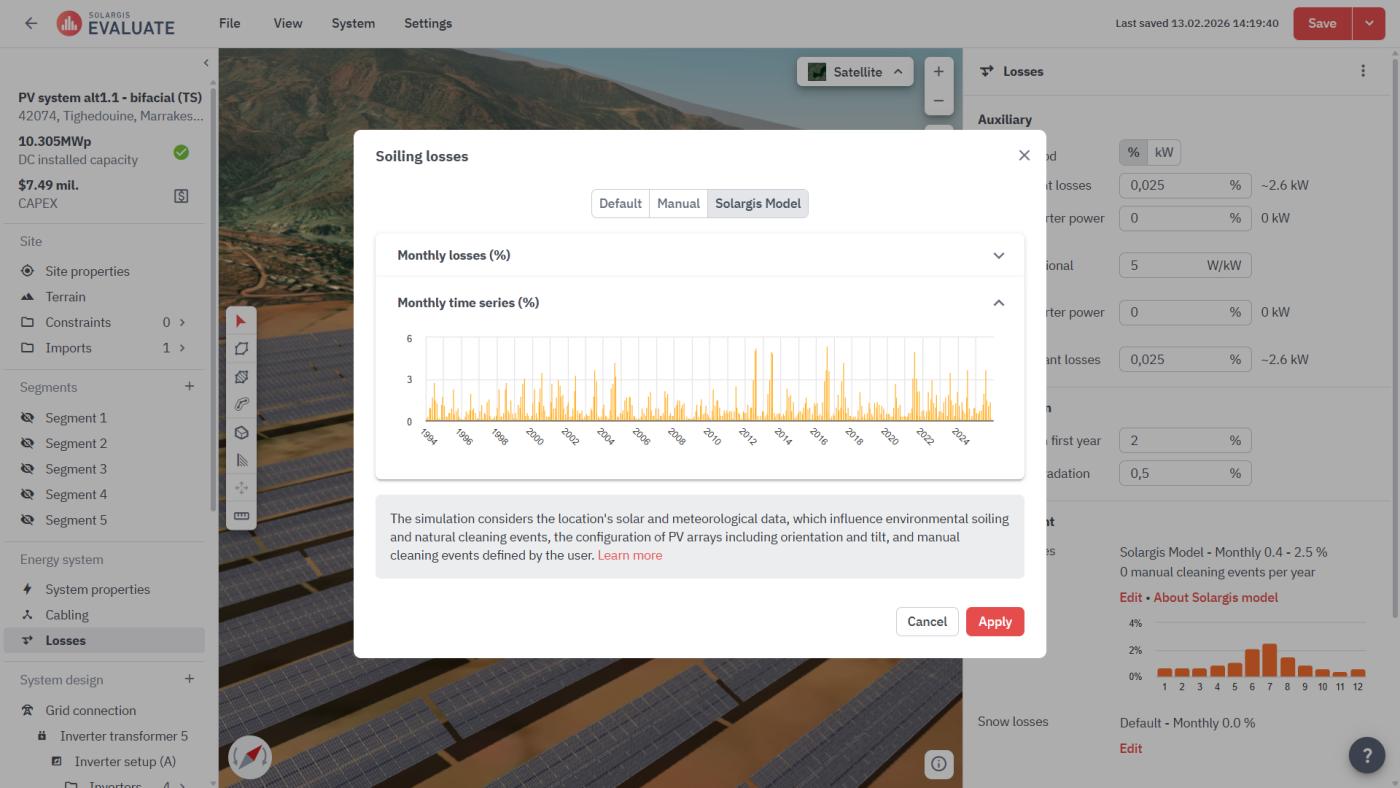
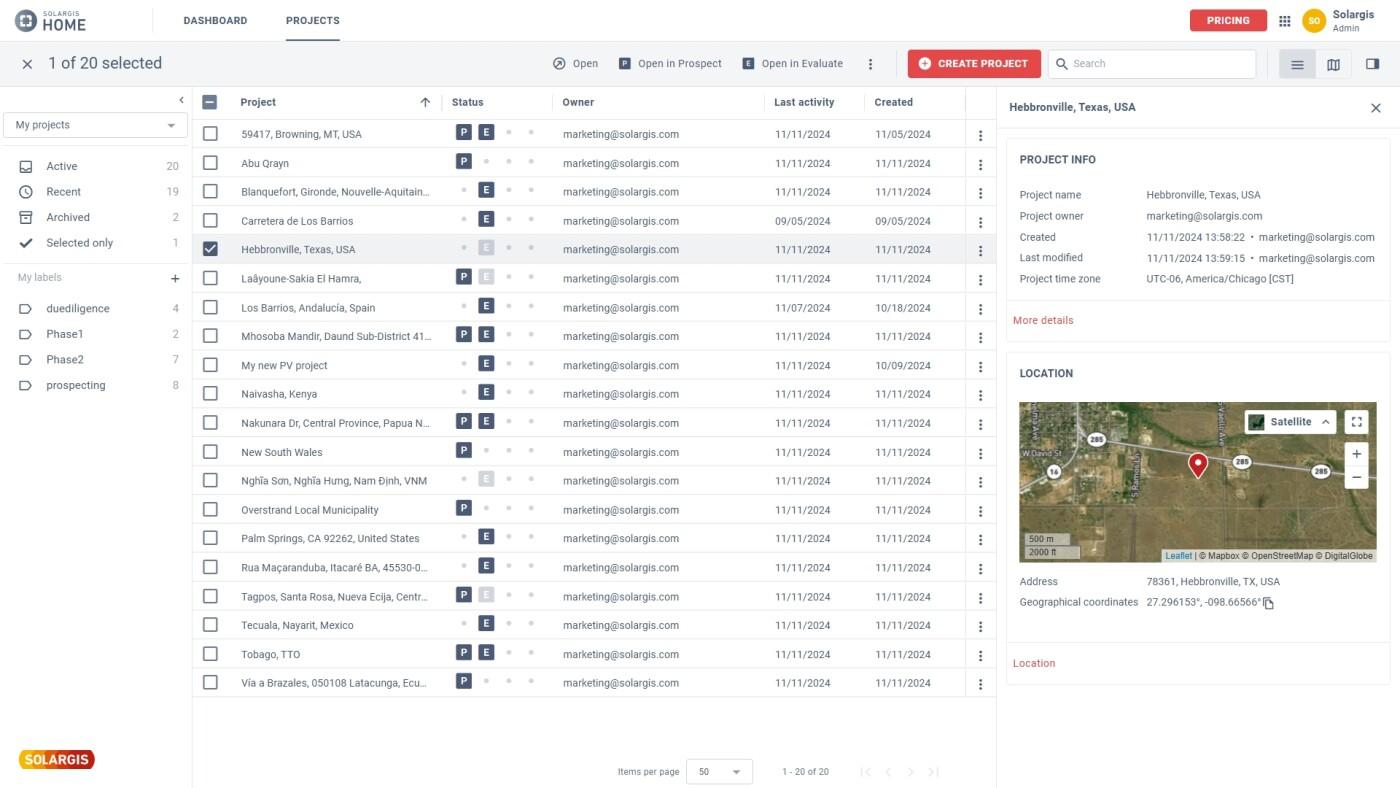
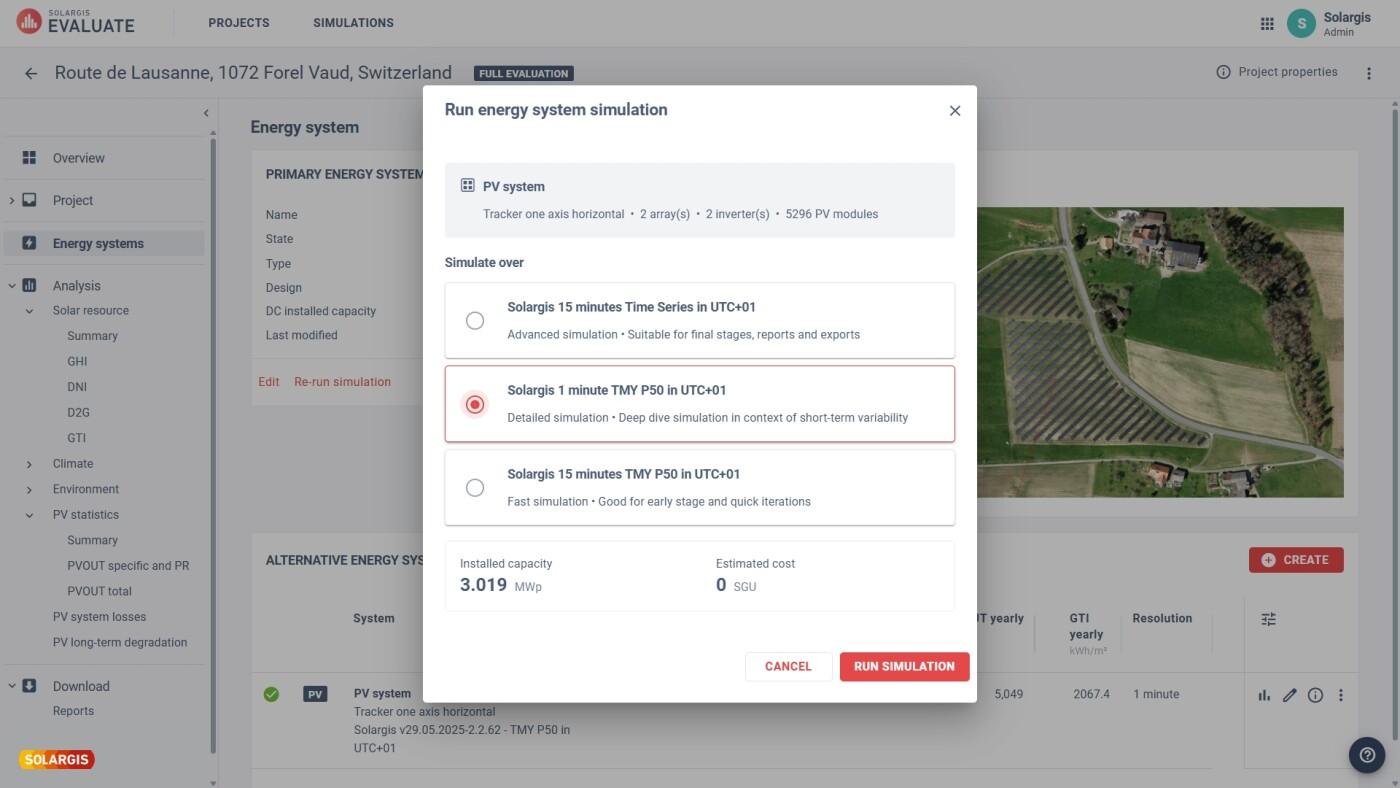
Solargis Evaluate Pricing
Solargis Evaluate uses a subscription-based licensing model designed primarily for professional and utility-scale users.
- Demo Access: Demonstrations and sample reports are available upon request.
- Standard Subscription: Public information indicates plans typically start around €12,000 annually.
- Project-Based Licensing: Subscriptions often include a fixed number of projects with unlimited simulations.
- Full Evaluation Upgrades: Additional project-specific analysis can be purchased when needed.
- Team Collaboration: Many plans support multiple users and shared workspaces.
- Premium Add-Ons: Specialized datasets and advanced meteorological parameters may require additional licensing.
Integrations
Solargis Evaluate integrates with solar engineering, data management, and performance monitoring workflows.
- Solargis API: Access solar resource and meteorological data programmatically.
- PVsyst Compatibility: Export project data for additional energy modeling workflows.
- Excel and CSV Exports: Transfer simulation results to financial and analytical tools.
- Solargis Monitor: Compare operational performance against modeled expectations.
- Solargis Prospect: Support site selection and project development workflows.
- Equipment Databases: Integrate with verified component specifications and performance data.
How to Set Up Solargis Evaluate
- Request a subscription or demonstration from Solargis.
- Create a workspace for your organization and team.
- Select a project location using coordinates or interactive mapping tools.
- Assign project licenses and configure simulation settings.
- Invite team members and establish collaboration permissions.
- Define project assumptions including system losses, soiling, and operational parameters.
How to Use Solargis Evaluate
Users typically begin by selecting a project location and accessing the platform’s historical solar resource database. Site conditions, irradiance levels, and climate data are immediately available for feasibility assessment and early-stage screening.
Once a project advances, engineers can build detailed photovoltaic layouts using the 3D design tools, select equipment from the component catalog, and run energy yield simulations. The platform analyzes decades of historical weather patterns to generate production forecasts, uncertainty assessments, and financial-grade reports suitable for project financing and investment reviews.
What You Can Manage with Solargis Evaluate
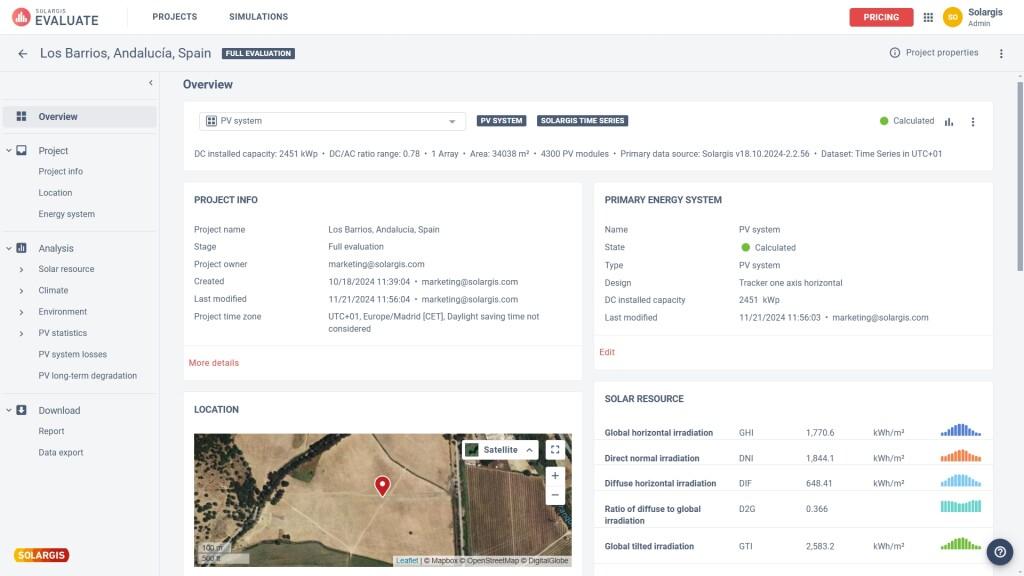
- Solar Resource Assessments: Analyze GHI, DNI, GTI, and long-term climate conditions.
- PV System Designs: Create detailed photovoltaic layouts and equipment configurations.
- Energy Yield Simulations: Generate high-resolution production forecasts.
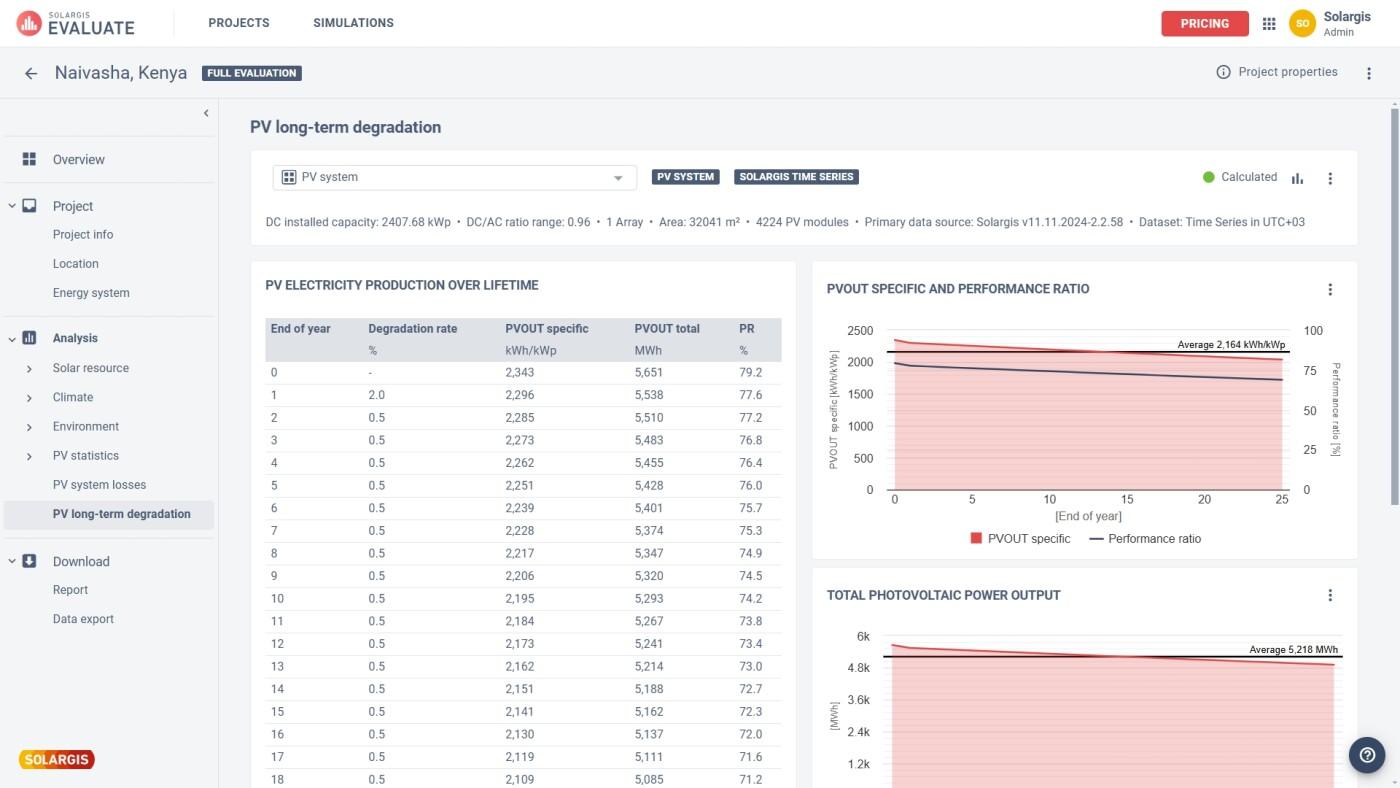
- Loss Analysis: Evaluate shading, soiling, temperature, and conversion losses.
- Financial Documentation: Produce bankable reports for investors and lenders.
- Portfolio Management: Compare multiple development opportunities across a centralized workspace.
- Risk Assessments: Analyze uncertainty and probability-based performance scenarios.
FAQs
What does Solargis Evaluate do?
Solargis Evaluate combines solar resource assessment, photovoltaic design, and energy yield modeling to help developers and investors evaluate project feasibility and generate bankable performance forecasts.
Who is Solargis Evaluate best for?
It is designed for solar developers, EPC contractors, consultants, technical advisors, lenders, and utility-scale project stakeholders who require highly accurate solar resource and production analysis.
Is Solargis Evaluate free?
No, Solargis Evaluate is a professional subscription platform, although demonstrations and sample reports are typically available.
What are the main limitations of Solargis Evaluate?
Main limitations include its premium pricing, technical complexity for inexperienced users, and the need for separate tools when detailed electrical engineering or construction-level design work is required.
What are the best alternatives to Solargis Evaluate?
Popular alternatives include PVsyst, Aurora Solar, HelioScope, SolarFarmer, PVcase, and other solar resource assessment and energy yield modeling platforms.




