SolarCloud

Pros
- Cloud-based access supports workflows across desktop computers, tablets, and mobile devices.
- Detailed 3D modeling is supported by drone photogrammetry and 3D Google Maps data.
- Automated permit packages reduce administrative work for design and engineering teams.
- Shared cloud projects allow team members to view updated designs without manually exchanging files.
- Production analysis can account for module-level shading across 8,760 hours of the year.
- Multi-language support makes the platform suitable for international teams.
- Automated calculations make complex engineering workflows more accessible to newer designers.
Cons
- Public pricing is unavailable, requiring prospective customers to contact the sales department.
- Complex 3D models may perform slowly on older mobile devices or low-powered computers.
- Public documentation about CRM, financial, and project management integrations is limited.
- The cloud-based architecture requires a stable internet connection for project access and synchronization.
SolarCloud is a specialized solar design software solution created to help solar professionals streamline the transition from site survey to bankable design. The platform addresses the common industry challenge of fragmented data by providing a unified environment for 3D modeling, energy production simulation, and automated permitting.
For many solar installers and engineering teams, the traditional design process involves switching between multiple CAD tools and spreadsheet-based calculators. SolarCloud simplifies this workflow through a browser-accessible interface that allows users to create accurate 3D layouts, calculate complex shading patterns, and generate official drawing packages without requiring high-end local hardware.
What Is SolarCloud?
SolarCloud is a cloud-based 3D CAD platform categorized under Solar Design Software. It is primarily designed for solar installers, EPC firms, engineers, and sales teams that need to visualize photovoltaic systems quickly and accurately.
The platform operates as a Software-as-a-Service solution, meaning project data is stored on remote servers instead of individual local computers. Users can access their projects through a web browser or a dedicated mobile application available through the Google Play Store.
SolarCloud supports residential solar sales, commercial rooftop engineering, remote site assessments, and the creation of localized permit packages. Its browser and mobile accessibility enables teams to begin a design on an office computer and review or present it on a tablet while visiting a customer.
The platform also includes advanced capabilities such as drone photogrammetry and access to 3D Google Maps data for creating accurate digital representations of project sites.
Features
- 3D CAD layout engine: Allows users to design, edit, and visualize three-dimensional solar layouts while accounting for physical site constraints.
- AI-assisted modeling: Uses drone surveys and photogrammetry to create detailed roof models and reduce errors associated with manual measurements.
- Automated permit packages: Generates documentation such as panel layouts, electrical diagrams, and structural reports based on local permitting requirements.
- Shading and production analysis: Evaluates the effects of nearby trees, buildings, chimneys, and other obstructions on expected energy production.
- Electrical component calculations: Calculates wiring requirements, electrical loads, string configurations, and inverter capacities for residential and commercial systems.
- Multi-language support: Provides an interface in languages including English, Spanish, Simplified Chinese, and German.
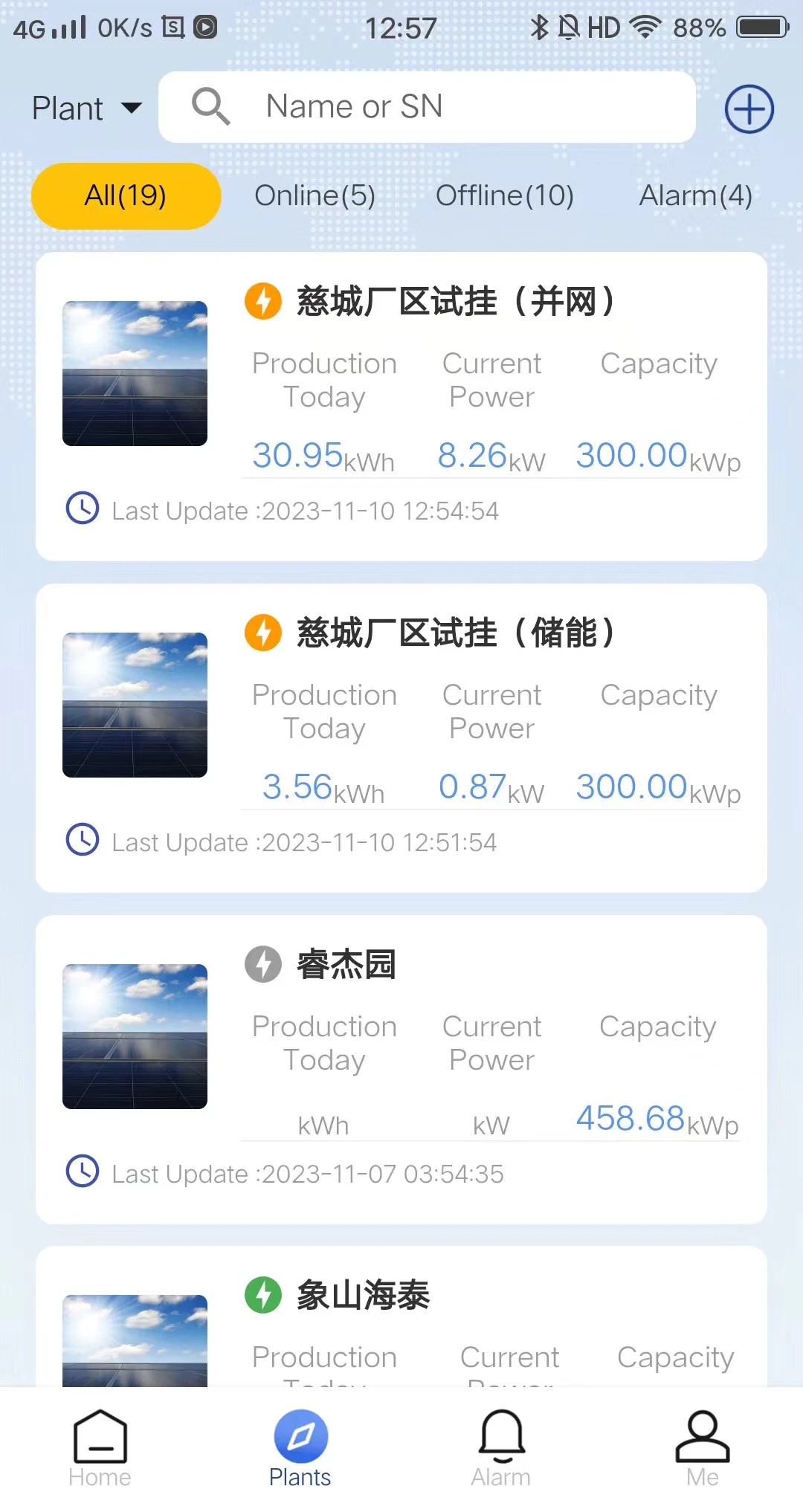
- Mobile-friendly design: Makes project information, system status, and selected remote controls accessible through a mobile application.
Screenshots




SolarCloud Pricing
SolarCloud does not publish standard pricing on its primary landing pages. Prospective users generally need to contact the sales department for a custom quote based on team size, project volume, and required functionality.
- Free trial or demo: New users may be able to test selected 3D modeling and shading features before purchasing a subscription.
- Custom enterprise quotes: Subscription costs may depend on the number of user seats and selected modules, such as permit generation or sales layouts.
- Usage-based add-ons: Advanced site assessments, high-resolution imagery, or other premium services may involve additional charges.
Integrations
Public information about SolarCloud integrations is limited, so teams should confirm compatibility with their existing software and hardware before subscribing.
- 3D Google Maps: Imports terrain and building information to support remote site assessments and preliminary modeling.
- Drone imagery: Processes aerial photographs and photogrammetry data to create detailed 3D site and rooftop models.
- PV monitoring tools: Connects with compatible monitoring products to display the operating status and efficiency of inverters and other installed equipment.
Organizations that require CRM, financial software, or project management integrations should verify the available API and data exchange options directly with SolarCloud.
How to Set Up SolarCloud
- Create an account through the SolarCloud website or download the mobile application from the Google Play Store.
- Contact a sales representative to select a plan based on team size and expected project volume.
- Configure the company profile, branding, proposal templates, and permit documentation settings.
- Upload initial site information, such as project addresses, map data, or drone imagery.
- Invite team members and assign roles such as Designer, Sales Representative, or Project Manager.
- Configure the equipment database with preferred solar modules, inverters, and other system components.
How to Use SolarCloud
A typical workflow begins by entering a project address to import available terrain and building data. If a drone survey has been completed, the designer can upload the aerial imagery to create a more detailed 3D model of the roof or project site.
The user then places photovoltaic modules through the visual design interface. SolarCloud can suggest layouts based on available space, setbacks, roof geometry, and exclusion zones.
After creating the initial layout, the designer performs a shading analysis to determine how trees, chimneys, nearby buildings, and other obstructions may affect annual production. The electrical design can then be refined by configuring strings, selecting inverters, and calculating wiring requirements.
Once the design is ready, the user can generate a branded proposal to share with the customer. After project approval, SolarCloud can compile layouts, single-line diagrams, and structural information into a downloadable permit package.
What You Can Manage with SolarCloud
- 3D solar designs: Visual layouts for residential rooftops, commercial buildings, and ground-mounted photovoltaic systems.
- Energy production reports: Simulations showing estimated AC output, system efficiency, and performance ratios.
- Permit documentation: Drawing packages containing panel layouts, electrical diagrams, and structural reports.
- Project pipelines: Solar projects progressing from initial site survey and design to engineering and permitting.
- Monitoring data: Operating status and equipment health information for compatible installed systems and inverters.
- Proposal templates: Branded sales documents containing system visualizations, production estimates, and financial projections.
FAQs
What does SolarCloud do?
SolarCloud is a cloud-based 3D CAD and solar design platform that helps professionals create photovoltaic layouts, simulate energy production, and generate permit documentation. It combines engineering tools with an interface accessible from desktop and mobile devices.
Who is SolarCloud best for?
The platform is designed for solar installers, EPC contractors, sales teams, and engineers working on residential and commercial photovoltaic projects. It is especially relevant for teams that use drone surveys or need to automate permit documentation.
Is SolarCloud free?
SolarCloud is professional paid software, although a trial or product demonstration may be available to new users. Full access to the 3D modeling, engineering, and permit-generation features requires a custom subscription.
What are the main limitations of SolarCloud?
The primary limitations are the lack of transparent pricing, limited public information about third-party integrations, and possible performance issues when rendering detailed 3D models on older devices. The platform also requires an internet connection to access and synchronize cloud projects.
What are the best alternatives to SolarCloud?
Common alternatives include Aurora Solar for residential design and sales, HelioScope for commercial engineering, and OpenSolar for teams seeking a free-to-use platform. PVcase and PVsyst may be more suitable for utility-scale projects.