Helios 3D
Pros
- Generates complete solar field layouts and array models much faster than traditional manual drafting.
- Can reduce civil engineering costs by optimizing local grading and minimizing major earthworks.
- Provides electrical calculations for voltage drops, cable routes, and power losses.
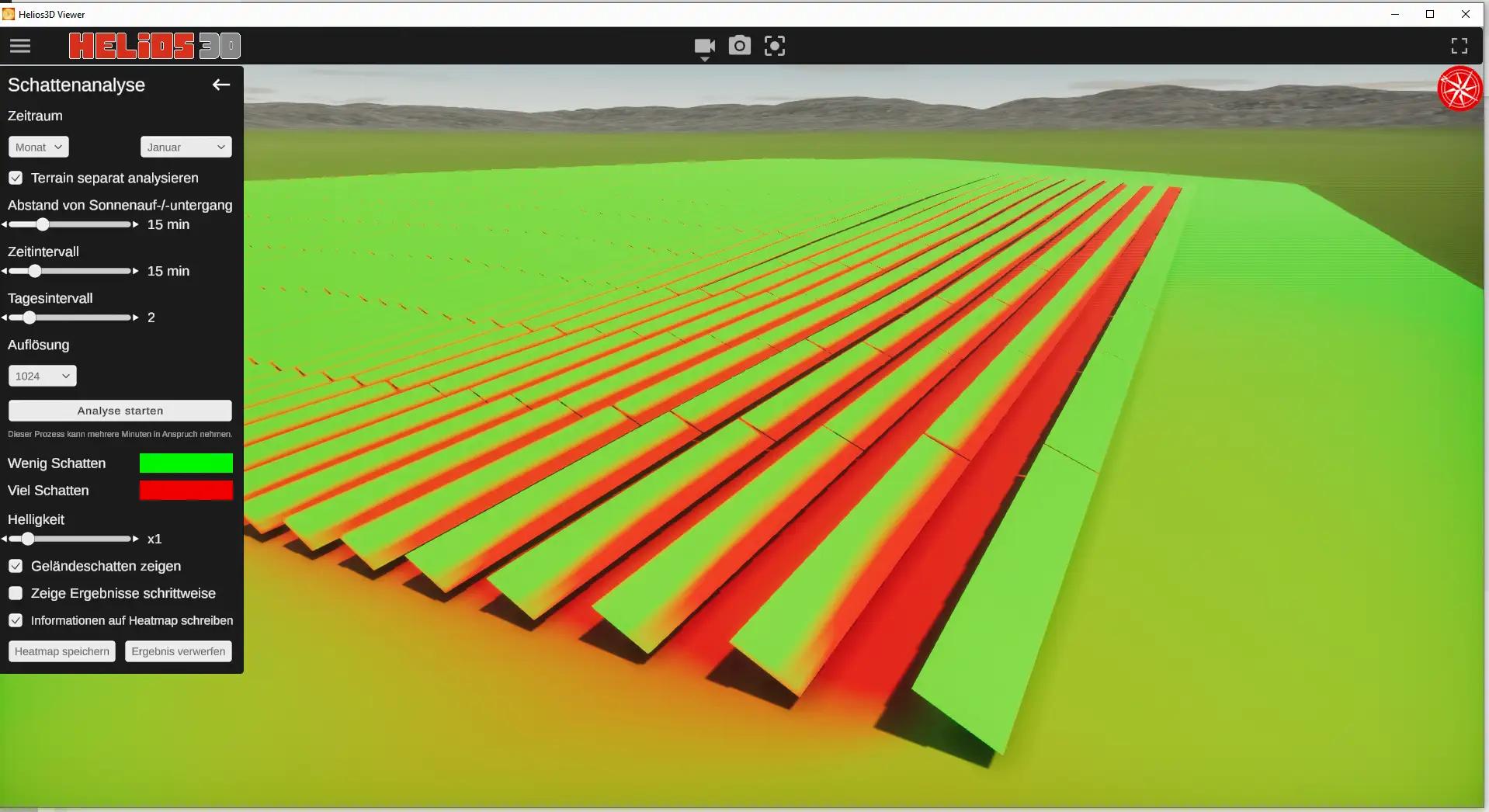
- Includes a dedicated high-fidelity VR tool for project visualization and shading analysis.
- Centralized SQL architecture simplifies project data management and user permissions for large teams.
- High-resolution exports support detailed permit-ready and construction-ready documentation.
Cons
- High initial licensing costs may make the software unsuitable for smaller engineering firms.
- Full performance requires a powerful workstation with a dedicated graphics card and sufficient VRAM.
- Public pricing documentation and detailed licensing tiers are limited.
- The platform has a steep learning curve and requires knowledge of civil topography and electrical engineering.
- Its utility-scale focus makes it unsuitable for most residential and small commercial rooftop projects.
Engineering large-scale solar projects requires a careful balance between intricate electrical layouts and complex, uneven terrain. Minor calculation errors or drafting delays can lead to expensive changes once physical construction begins. Helios 3D addresses these challenges by offering automated engineering tools that reduce layout time while providing detailed project data.
Solar project managers, EPC professionals, and electrical engineers use the platform to streamline designs and protect data across distributed teams. By replacing manual spacing calculations and basic drafting workflows, teams can evaluate multi-megawatt systems efficiently and maintain an accurate pre-construction process.
What Is Helios 3D?
Helios 3D is a specialized planning and engineering platform developed by STÖHR+SAUER for utility-scale PV plants. Operating within the Solar Design and Engineering software category, it supports development teams throughout different stages of a large-scale project’s lifecycle. Its primary purpose is to convert geographical models and electrical data into detailed, construction-ready layouts.
The platform processes terrain files and component databases to generate optimized arrangements for solar tables, electrical strings, cable routes, and inverter connections.
Helios 3D also uses a centralized SQL database to manage component lists, user permissions, and project revisions. This structure makes it suitable for large engineering organizations with distributed teams working on complex solar projects.
Features
- Advanced terrain analysis: Evaluates complex topographic surfaces to support precise local grading, helping reduce earthworks, material transportation costs, and construction disruption.
- Automated array layouts: Generates large solar field layouts significantly faster than manual drafting by applying custom row spacing and racking restrictions.
- Customizable layout parameters: Allows engineers to define module shading limits, row spacing thresholds, orientation rules, and total power limits for individual project zones.
- Digital twin electrical design: Creates an intelligent digital model of the electrical system to optimize table placement and string configurations.
- Electrical performance calculations: Automatically calculates voltage drops and power losses across cable routes to support system efficiency and project profitability.
- Helios 3D Viewer: Provides a virtual reality visualization tool for terrain fly-throughs, shading analysis, energy checks, and high-resolution project screenshots.
- Centralized SQL database: Gives distributed engineering teams a secure source of truth for component data, user permissions, and shared project files.
Screenshots
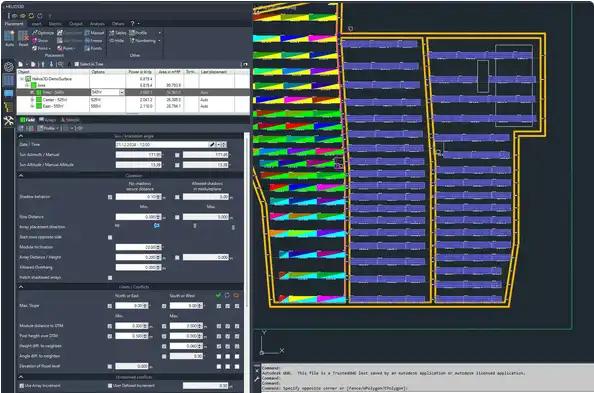
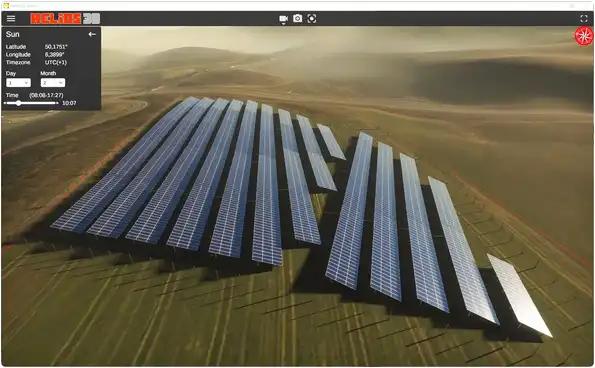
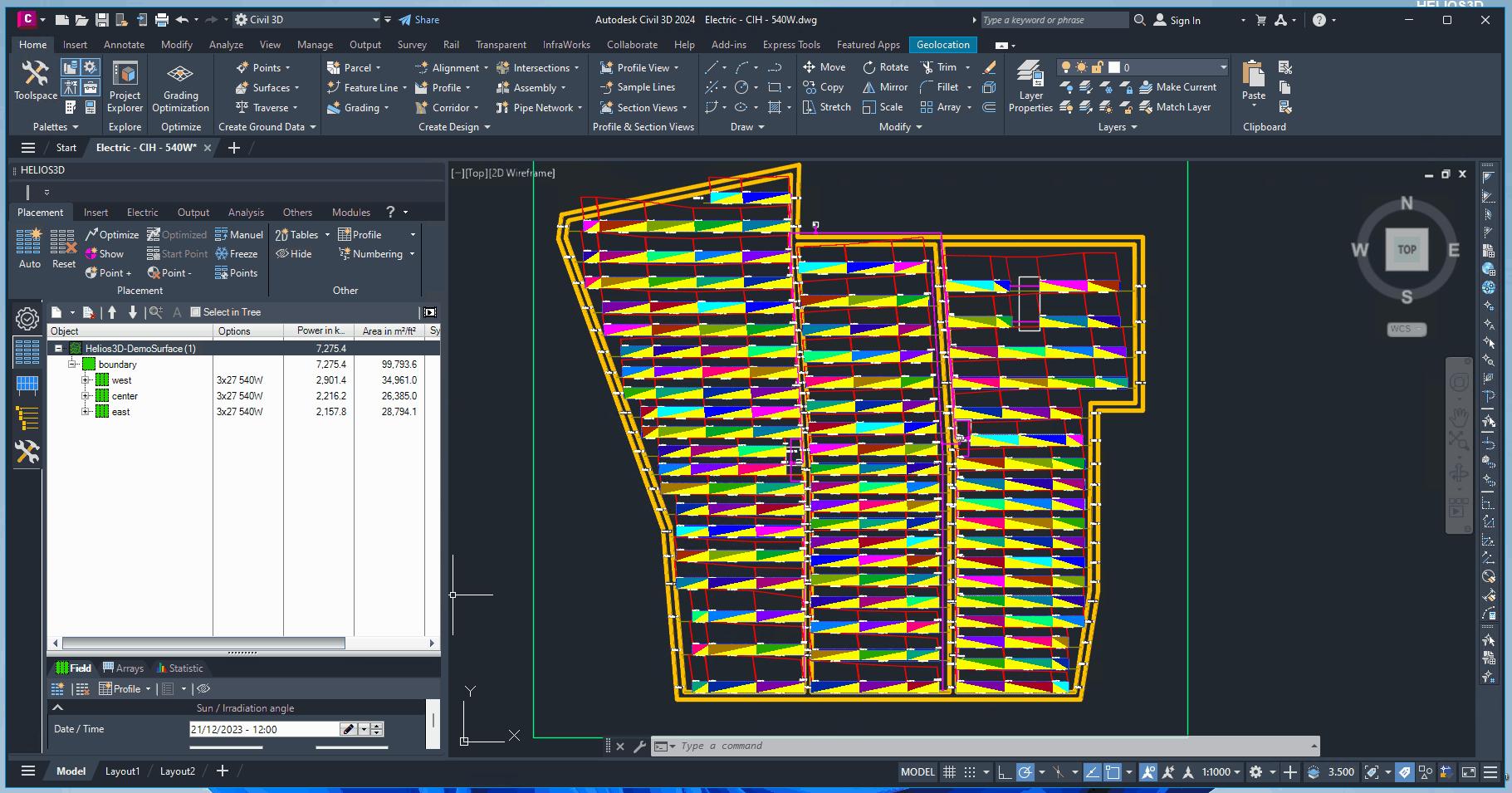
Helios 3D Pricing
Helios 3D uses a commercial licensing model designed for professional engineering teams. There is no permanent free version or standard public trial.
- Paid License: A commercial license for the Helios 3D Solar Plant Layout package costs approximately €11,800.
- License Key Maintenance: Modifying, transferring, or resetting a license key under certain conditions may involve a fee of approximately €500 per instance.
- Custom Deployment: Large engineering organizations that require multi-user SQL server deployments or corporate network licensing must request a custom quote from the STÖHR+SAUER sales team.
Integrations
The platform includes targeted compatibility options designed to maintain security and data consistency across corporate engineering environments:
- CAD and infrastructure: Works alongside professional engineering and drafting tools as a specialized solar layout and calculation engine.
- Database integrations: Uses a centralized SQL database to synchronize component records, user permission profiles, and shared project repositories.
- Network and security: Supports Virtual Private Network environments for secure license management and remote access to sensitive project data.
How to Set Up Helios 3D
- Submit an inquiry through the STÖHR+SAUER website or contact a product specialist to arrange a demonstration.
- Complete the procurement process to obtain the required software licenses and activation keys.
- Install Helios 3D on workstations that meet the required graphics card and VRAM specifications.
- Configure a centralized SQL database server to store component data, project information, and user profiles.
- Set up secure VPN access if engineers need to use licenses or access project data from remote offices.
- Import topographic models and equipment databases to begin creating solar layout projects.
How to Use Helios 3D
Users begin by importing terrain data or digital elevation models to define the project surface and boundaries. After analyzing the topography, engineers configure parameters such as maximum racking limits, acceptable module shading, row spacing, and preferred orientations.
The automated layout engine then populates the available area with optimized solar table placements based on the selected restrictions.
Once the array layout is complete, design teams use the electrical tools to configure strings, combiner boxes, inverter connections, and cable routes. The platform calculates power losses and voltage drops, allowing engineers to modify routes or resize cable bundles when necessary.
Finally, project managers can load the completed design into Helios 3D Viewer to identify potential shading or terrain conflicts. Bills of materials, cable lists, and coordinate data can then be exported for procurement and field installation.
What You Can Manage with Helios 3D
- Array layout configurations: Automated placement of utility-scale solar tables according to physical site boundaries and engineering restrictions.
- Electrical layout models: Digital twins showing string configurations, combiner boxes, inverter connections, and primary circuits.
- Topographic grading plans: Localized earthwork strategies designed to minimize grading and reduce the construction footprint.
- Project engineering documentation: Bills of materials, cable routing lists, and GPS coordinate files for procurement and site teams.
- Security and access rights: User permissions and data access restrictions managed through a centralized SQL environment.
FAQs
What does Helios 3D do?
Helios 3D is a planning and engineering platform for utility-scale solar PV projects. It helps engineering teams analyze terrain, automate table placement, calculate electrical losses, configure cable routes, and generate construction-ready project data.
Who is Helios 3D best for?
The platform is designed for solar engineers, EPC contractors, utility developers, and project planners working on large ground-mounted solar power plants. It is less suitable for residential contractors and basic rooftop installers.
Is Helios 3D free?
No, Helios 3D is a premium commercial application and does not provide a permanent free tier or standard public trial. A complete layout license is a significant enterprise investment, with reported pricing starting at approximately €11,800.
What are the main limitations of Helios 3D?
The main limitations are its high upfront cost, demanding hardware requirements, and steep technical learning curve. Users need a powerful workstation with a dedicated graphics card and expertise in terrain modeling, civil engineering, and electrical system design.
What are the best alternatives to Helios 3D?
Common alternatives for utility-scale solar layout and engineering include PVcase, PVsyst, and OpenSolar. Teams primarily focused on electrical grid simulation or energy performance analysis may also consider DIgSILENT PowerFactory or RETScreen.