
Arka360
Pros
- Genuinely replaces multiple tools rather than just claiming to
- 3D proposals make a real difference in client conversations
- Proposals can be ready in under five minutes
- Rated #1 by Solar Power World
- Onboarding support and training are included in every plan
Cons
- New users can find the number of modules overwhelming at first
- The Enterprise pricing jump is steep for smaller teams
- Some advanced features take time to learn if you're new to solar design software
Running a solar business means wearing a lot of hats. You’re designing systems, chasing leads, building proposals, and trying to keep permits from falling through the cracks — often across three or four different tools. ARKA 360 was built to fix that. Here’s what it actually delivers.
What Is ARKA 360?
ARKA 360 is a solar business platform that handles design, proposals, CRM, and project management from one place. It’s built for solar installers, EPCs, and sales teams who want to stop paying for five separate tools and start working faster. To date, the platform claims to have supported over 700,000 solar projects and 900,000-plus design workflows across more than 4,000 installers in 27 countries.
Features
The solution offers the following features:
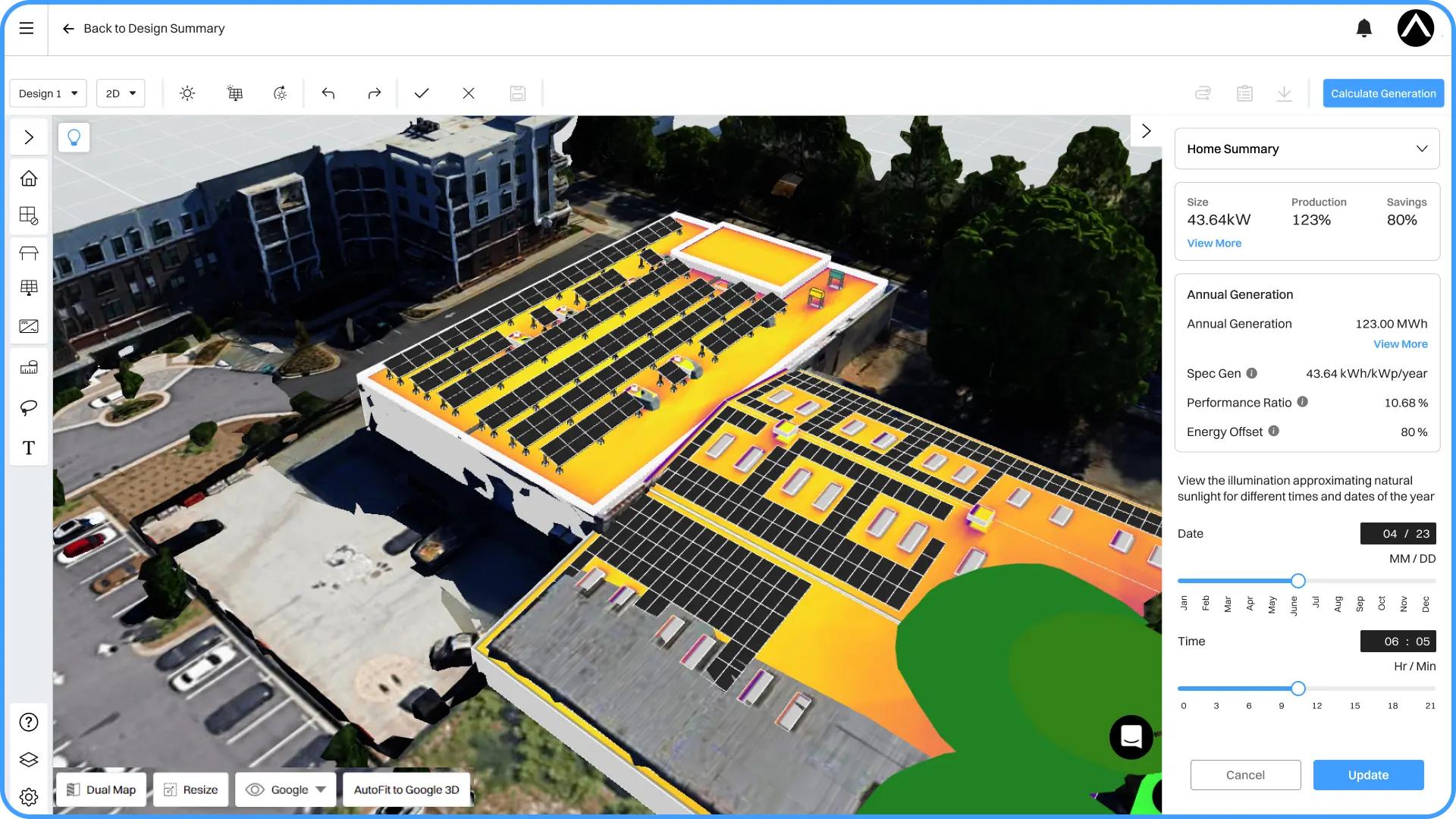
- AI-assisted 3D modeling for residential and commercial rooftop layouts
- Shading analysis with detailed shade reports to identify production losses
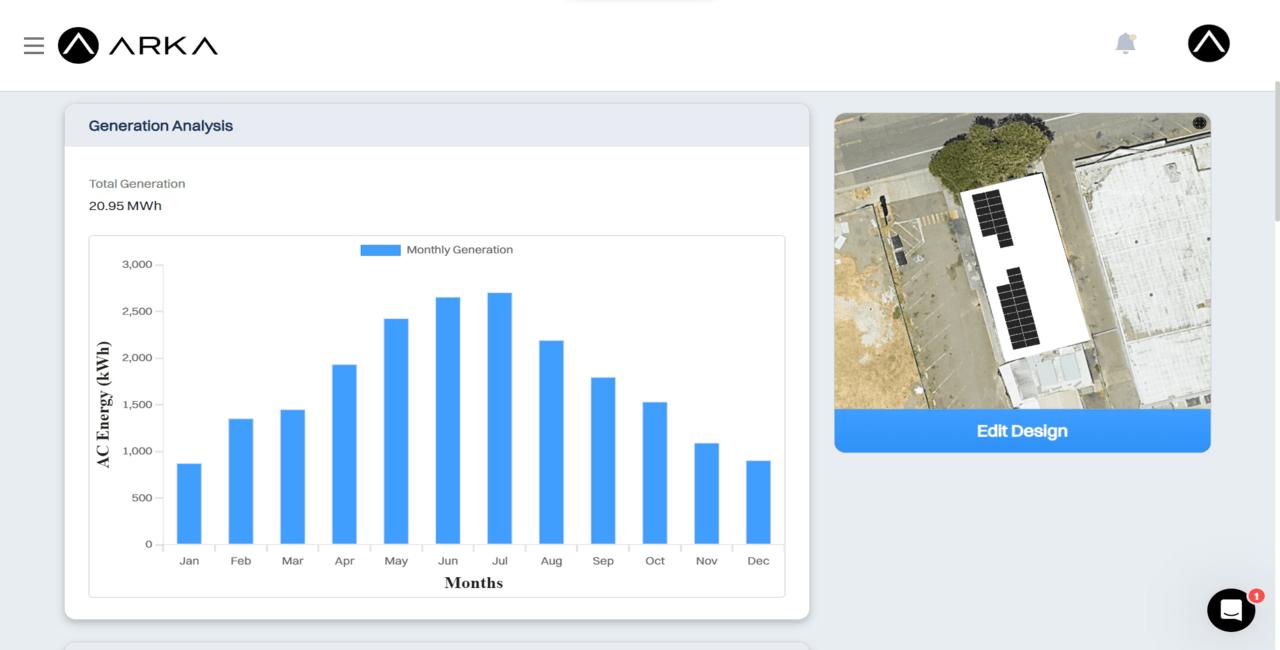
- 8,760-hour annual production report for accurate energy generation forecasting
- PV layout CAD export and SLD (single line diagram) export for permit documentation
- 3D model export compatible with SketchUp and PVsyst
- Sales proposal tool with financing options including cash, loan, lease, and PPA
- Customizable proposals with adders, discounts, and incentives
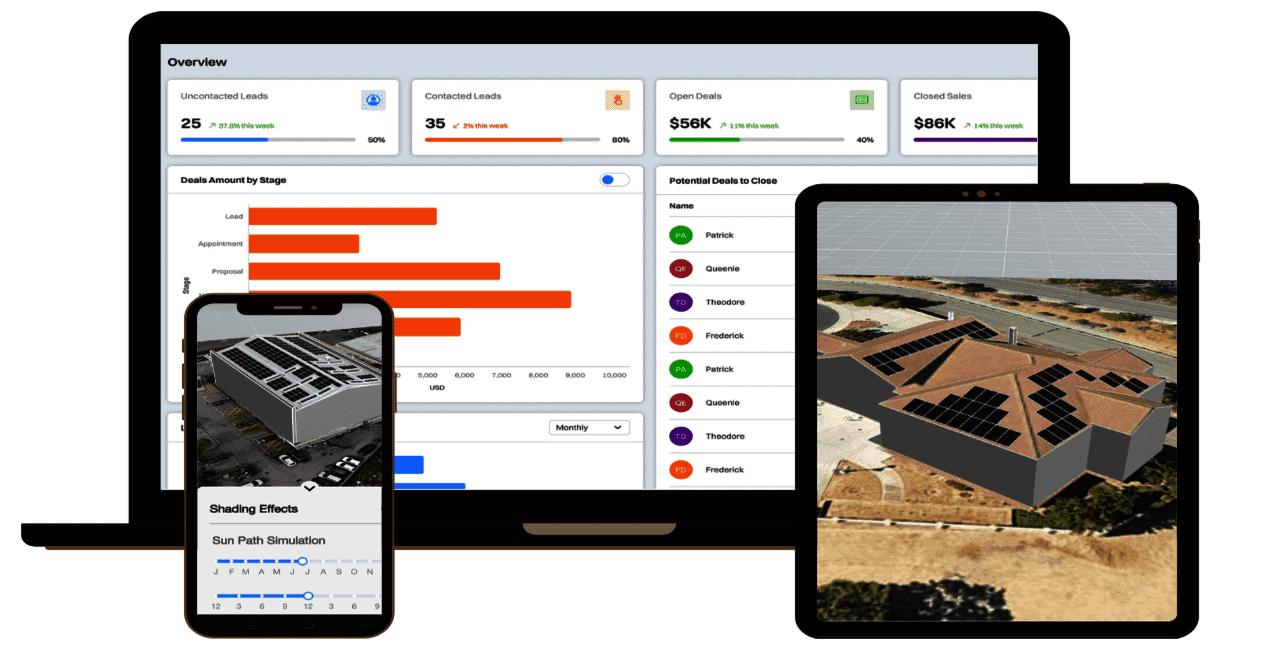
- Tablet-friendly proposal interface for on-site client presentations
- Lead management with task management and customized site survey forms
- Battery storage and backup sizing tools
- Utility rate finder, payback, and ROI reporting
- API integration for CRM, financial tools, and design workflows (Premium and Enterprise)
Screenshots
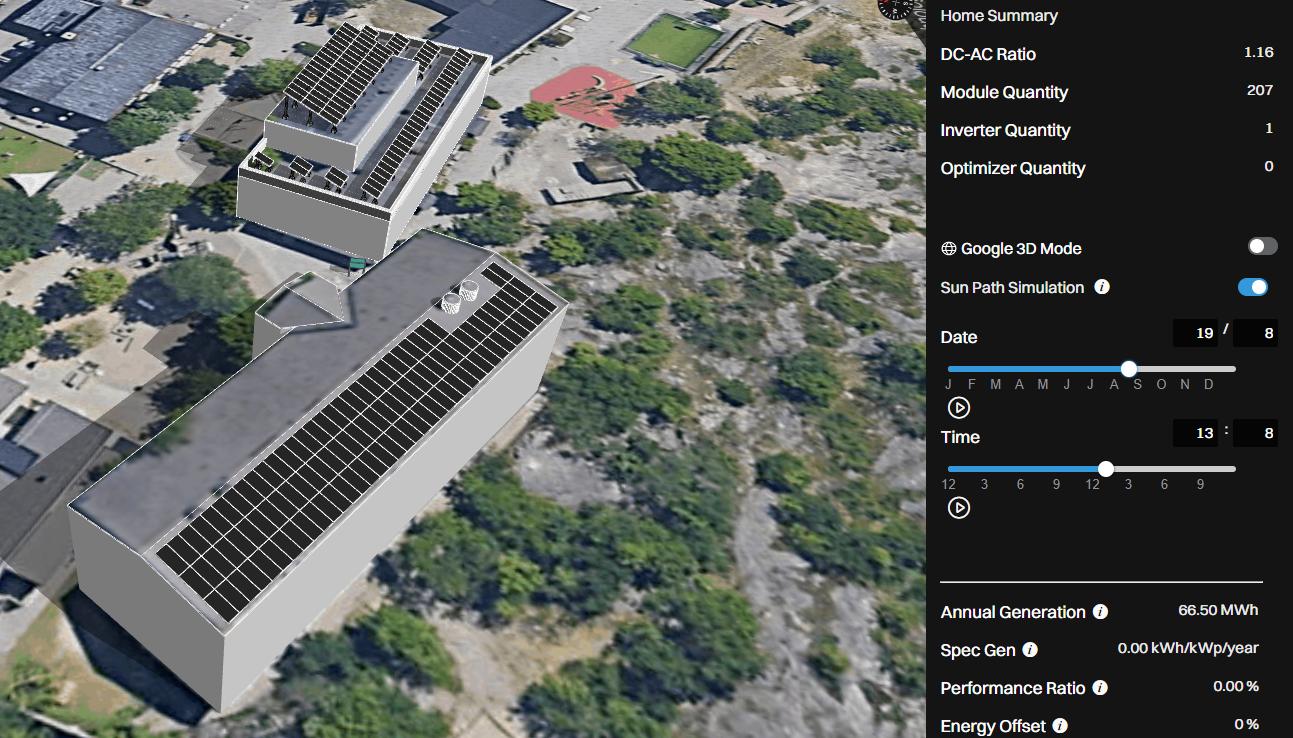
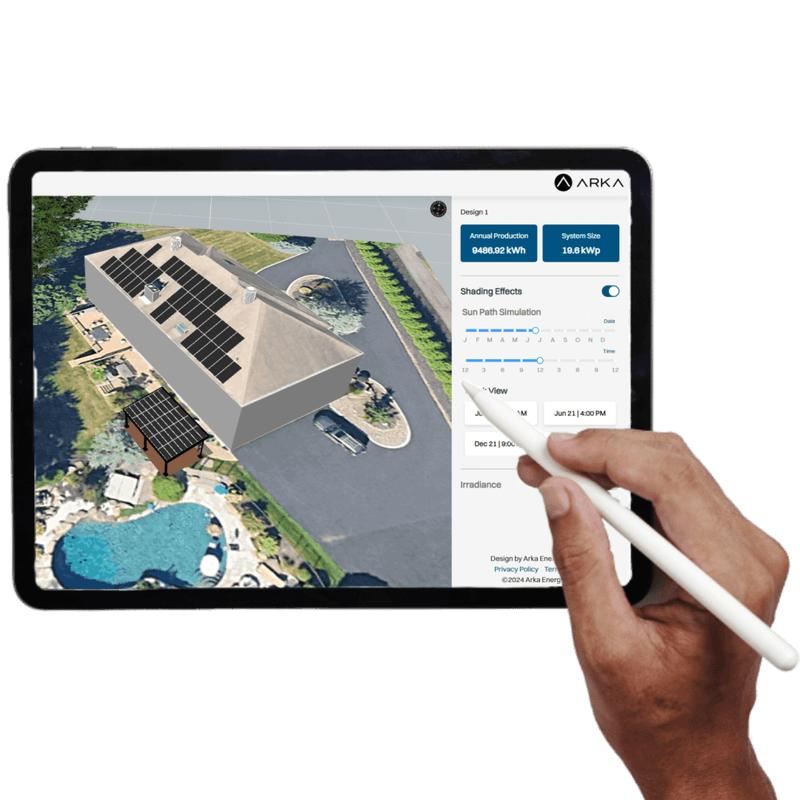
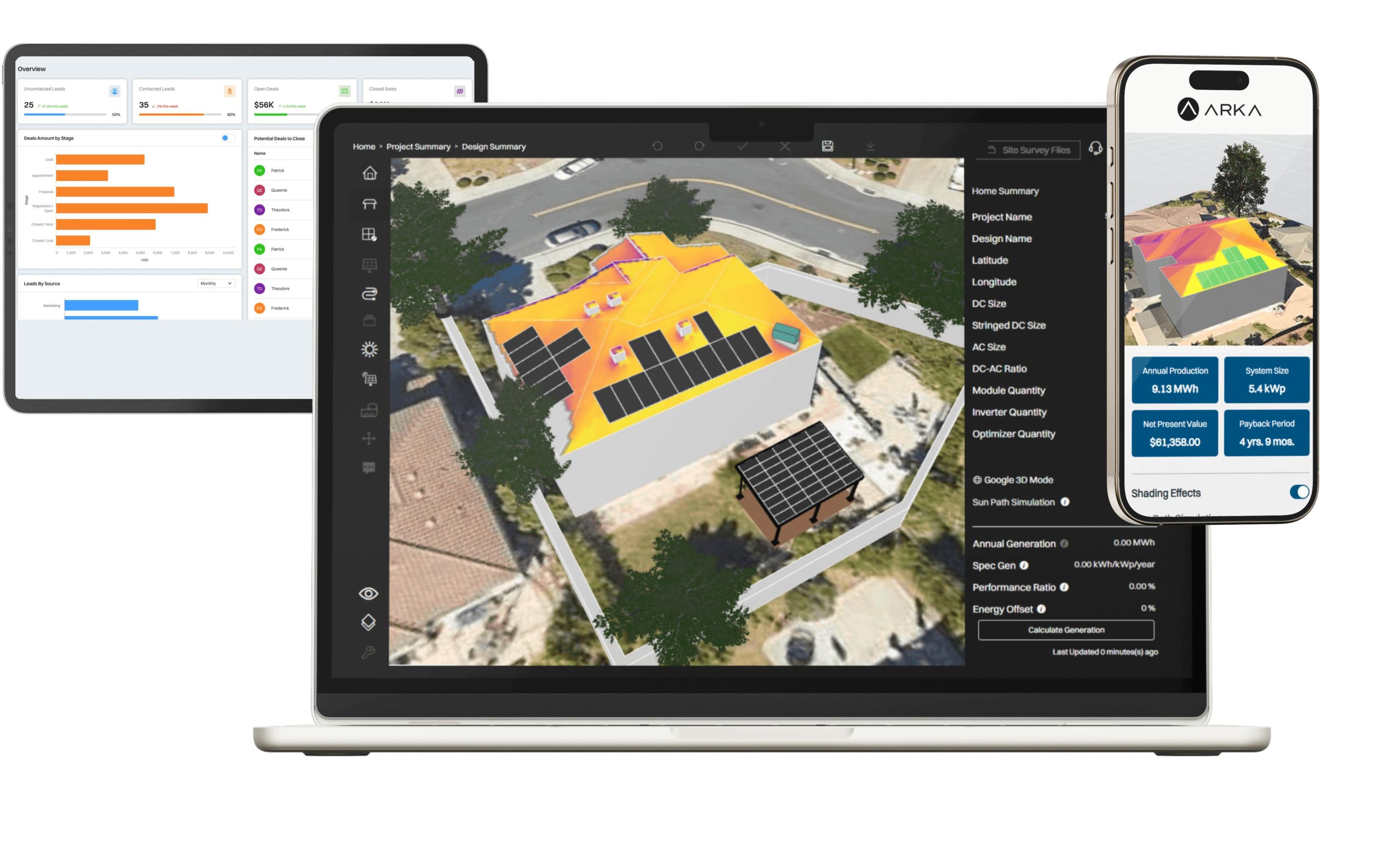
ARKA 360 Pricing
ARKA 360 offers three plans on monthly or annual billing, with annual saving you up to 50%.
Basic — $159/month or $1,699/year
- Unlimited residential and commercial projects
- Shading reports, 3D visualization, CAD export
- Sales proposals and generation reports
- Micro-inverter design and lead management
Premium — $199/month or $1,999/year
- Everything in Basic, plus:
- API integration and SLD export
- Optimizer design and manual stringing
- 3D exports to SketchUp and PVsyst
- Customizable proposals
Enterprise — $999/month or $9,999/year
- Everything in Premium, plus:
- Premium support and custom requests
- Additional add-ons for larger teams
CRM is available as an add-on across all tiers. A free demo is available before you commit. Always confirm current rates at arka360.com/pricing-int as pricing is subject to change.
Integrations
ARKA connects with several widely used platforms. Confirmed integrations include Salesforce, Zoho, GoHighLevel, DocuSign, and Nearmap. API access for CRM, financial tools, and design workflows is available on the Premium and Enterprise plans. The Enterprise tier also unlocks a Design API for teams that need deeper custom development.
How to Set Up ARKA 360
Go to arka360.com/start and book a demo or sign up directly. ARKA includes 1-on-1 onboarding and training at no extra charge — this matters more than it sounds, because the platform covers a lot of ground. After registering, follow these steps to get started:
- Set up your company profile with your branding and business details.
- Add team members and assign roles.
- Load your equipment library with the panels, inverters, and components you use.
- Connect any third-party integrations, such as your CRM or financial tools.
- Run through the onboarding session with your dedicated ARKA support contact.
How to Use ARKA 360
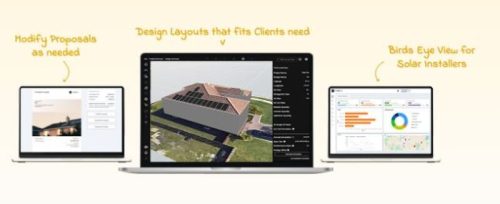
Using the platform is easy. Just follow these steps:
- Log in and create a new project by entering client and site details.
- Use the Sales Design tool to pull up the site and begin layout on the rooftop.
- Run a shading analysis to identify obstructions and assess production impact.
- Build the proposal with pricing, financing options, and energy generation data.
- Present the proposal on-site using the tablet-friendly interface.
- Track lead progress and follow-up tasks through the Lead Management dashboard.
How to Create With ARKA 360
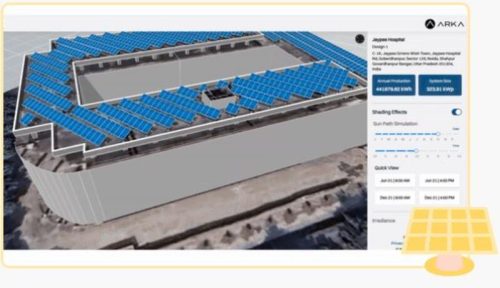
Creating a full solar proposal from scratch is straightforward once you know the flow:
- Enter the site address and pull up aerial imagery.
- Build the roof model, place panels, and run the shading simulation.
- Move into the proposal builder and add your pricing and financing preference.
- Review the auto-calculated financials.
- Then send the finished proposal to your client.
The whole process can realistically be done the same day you visit a site.
FAQs
Does ARKA 360 work for commercial and ground-mount projects?
Yes. The platform handles residential, commercial, and ground-mount installs without project size caps on the Premium and Enterprise plans.
Is battery storage included?
Battery storage and backup sizing are built into all plans and can be included in proposals alongside the financial analysis.
Can I brand proposals with my company logo and colors?
Yes — customizable proposals are available on Premium and Enterprise plans and include your logo, color scheme, and layout preferences.
Does ARKA 360 offer a free trial?
There’s no self-serve free trial, but ARKA 360 offers a free live demo where you can walk through the platform with the team before committing.
What support is included?
Every plan includes dedicated customer support and 1-on-1 onboarding. Users consistently highlight the permit support team as especially fast and knowledgeable.




