
SketchUp
Pros
- Easy-to-learn interface compared to traditional CAD software.
- Excellent 3D visualization and client presentation capabilities.
- Accurate shading simulations based on geographic location.
- Extensive plugin ecosystem for solar-specific workflows.
- Large library of reusable components through 3D Warehouse.
- Supports projects ranging from residential rooftops to utility-scale developments.
- Strong community support and educational resources.
Cons
- Professional solar functionality often requires additional paid plugins.
- Large and complex models can impact performance.
- Does not include built-in advanced financial modeling.
- Plugin compatibility depends on third-party developers maintaining updates.
Accurate solar design depends heavily on understanding site geometry, roof complexity, surrounding obstructions, and shading behavior throughout the year. Many solar professionals struggle to model these conditions precisely using traditional 2D tools, leading to less accurate production estimates and system layouts. SketchUp, when combined with solar-specific plugins, addresses these challenges by providing a highly visual 3D design environment capable of creating realistic digital models of solar project sites.
Widely used by solar EPCs, designers, architects, and engineers, SketchUp transforms from a general-purpose modeling platform into a powerful solar design solution through extensions such as Skelion, SunHours, and Solar North. These tools help users optimize panel placement, perform shading analysis, and generate professional visualizations for clients and project stakeholders.
What Is SketchUp (with Solar Plugins)?
SketchUp is a 3D modeling platform developed by Trimble that becomes a solar design and engineering solution through third-party solar extensions.
Using plugins available through the Extension Warehouse, solar professionals can create site-specific digital twins, perform shading studies, automate photovoltaic layouts, and generate energy production reports for residential, commercial, and utility-scale projects.
Features
- 3D Site Modeling: Create realistic models of buildings, terrain, vegetation, and surrounding obstacles.
- Geolocation and Terrain Import: Import site coordinates, maps, and elevation data for accurate solar positioning.
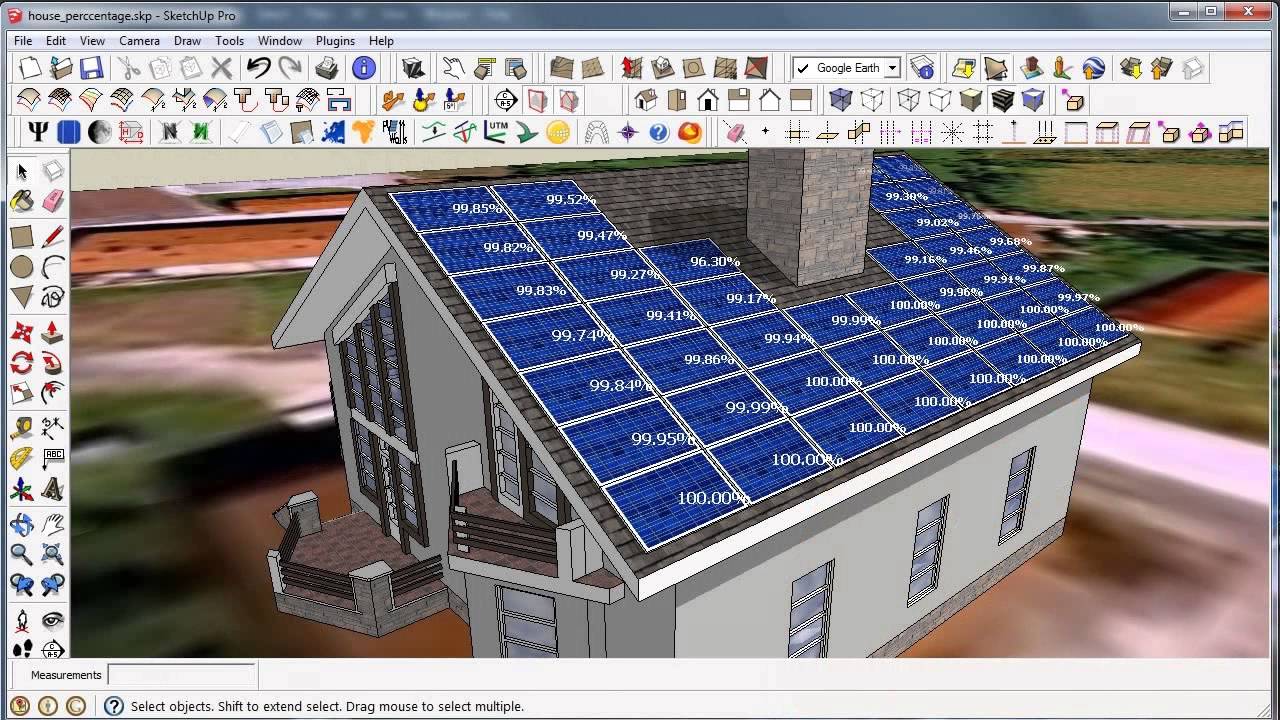
- Shading Analysis: Analyze annual sunlight exposure and identify shading impacts on system performance.
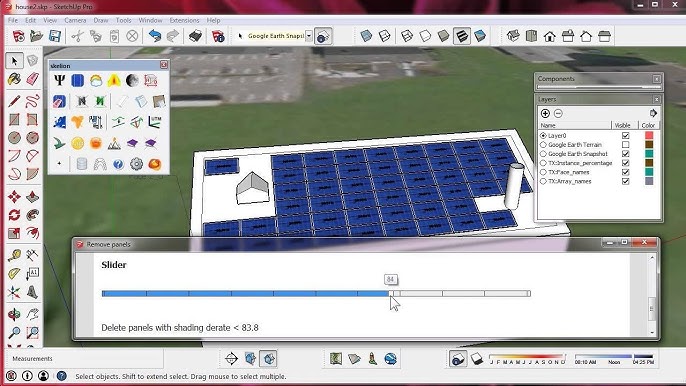
- Automatic PV Module Placement: Use plugins such as Skelion to automatically generate solar layouts.
- 3D Warehouse Access: Utilize thousands of pre-built solar components and construction elements.
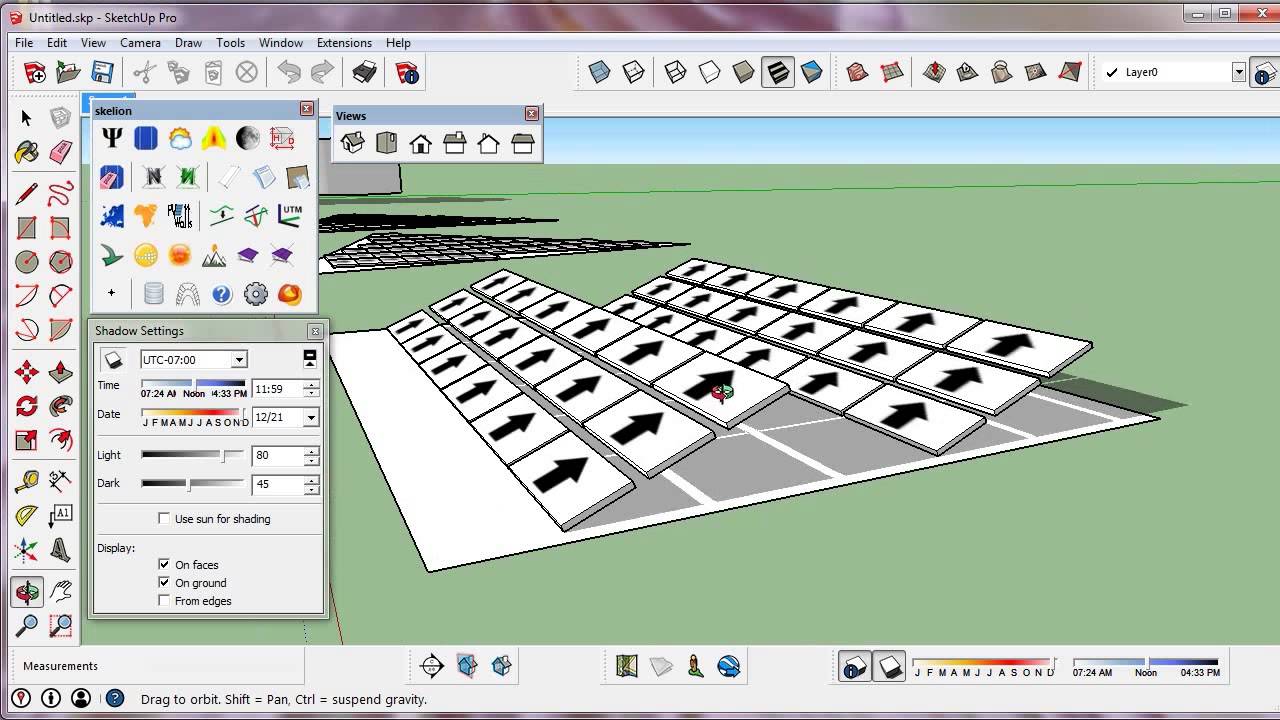
- Solar North Adjustment: Align projects accurately with true solar orientation.
- Energy Production Reporting: Generate professional reports that estimate energy output and shading losses.
Screenshots
SketchUp (with Solar Plugins) Pricing
Solar-focused SketchUp deployments typically require both a SketchUp subscription and optional plugin licenses.
- SketchUp Free: Basic web version with limited support for professional solar workflows.
- SketchUp Pro: Approximately $349 per year with desktop access and Extension Warehouse support.
- SketchUp Studio: Around $749 per year with advanced BIM and point cloud capabilities.
- Skelion Pro: Typically costs between $150 and $200 depending on licensing options.
- SunHours and Solar North: Free or low-cost solar analysis extensions.
- Additional Solar Plugins: Pricing varies depending on reporting and analysis requirements.
Integrations
SketchUp integrates with mapping, engineering, simulation, and documentation tools commonly used in solar development.
- Mapping and GIS: Google Maps and Nearmap imagery support.
- CAD Platforms: Import and export AutoCAD DWG and DXF files.
- BIM Workflows: Integration with Revit through SketchUp Studio.
- Solar Simulation Software: Export compatible models to PVsyst.
- Documentation Tools: Use LayOut to generate permit-ready drawings and reports.
- Spreadsheet Workflows: Export data to Microsoft Excel for financial modeling and analysis.
How to Set Up SketchUp (with Solar Plugins)
- Purchase and install SketchUp Pro or SketchUp Studio.
- Open the Extension Warehouse and install solar plugins such as Skelion and SunHours.
- Activate plugin licenses if required.
- Use the Add Location tool to import site imagery and geolocation data.
- Configure units, toolbars, and solar-specific settings.
- Verify Solar North alignment for accurate shading studies.
How to Use SketchUp (with Solar Plugins)
Most workflows begin by importing site imagery and geolocating the project. Designers then create a detailed 3D representation of the building, terrain, and nearby obstructions using SketchUp’s modeling tools.
Once the digital model is complete, solar plugins automate panel placement based on user-defined module specifications, tilt angles, and spacing requirements. Shading simulations can then evaluate annual solar access, while reporting tools generate production estimates, visual presentations, and permit-ready documentation.
What You Can Manage with SketchUp (with Solar Plugins)
- 3D Site Models: Create accurate digital representations of project locations.
- Solar Layouts: Design optimized PV array configurations.
- Shading Analysis: Evaluate sunlight availability and energy losses.
- Client Presentations: Produce realistic visualizations and renderings.
- Permit Documentation: Generate site plans and construction drawings.
- Solar Simulations: Export models for advanced production forecasting workflows.
FAQs
What does SketchUp do for solar design?
SketchUp provides a 3D modeling environment that allows solar professionals to create site models, analyze shading, and optimize photovoltaic system layouts using specialized plugins.
Who is SketchUp best for in the solar industry?
It is ideal for solar designers, engineers, EPC companies, architects, and sales teams that require detailed 3D visualizations and site-specific modeling.
Is SketchUp free to use for solar?
A free web version exists, but most professional solar workflows require SketchUp Pro and solar-specific plugin licenses.
How much does a professional solar setup cost?
A typical professional setup includes SketchUp Pro at approximately $349 per year plus solar plugin licenses that often range from $150 to $200.
What are the best alternatives to SketchUp for solar?
Popular alternatives include Aurora Solar, HelioScope, PVcase, AutoCAD, Revit, and other solar-focused design platforms.
Is SketchUp easy to learn for solar design?
Yes, SketchUp is known for its user-friendly interface, although effective solar design still requires an understanding of shading, orientation, and photovoltaic system principles.




