Solstice

Pros
- Completely free and open-source for commercial, academic, and research use.
- Provides highly accurate results through a professional Monte Carlo ray-tracing solver.
- Supports simple geometric shapes and complex custom external meshes.
- Uses a lightweight and portable command-line interface without unnecessary software overhead.
- Provides detailed optical loss calculations that help identify specific design weaknesses.
- Offers numerical accuracy information for calculated results.
- Can scale across large teams without additional per-user license costs.
- Can be incorporated into automated optimization and research workflows.
Cons
- Has a steep learning curve because it does not include a built-in graphical user interface.
- Requires knowledge of command-line tools, configuration files, and technical data formats.
- Standard support is primarily community-based unless a professional service agreement is arranged.
- Documentation is highly technical and primarily intended for engineers and researchers.
- Preparing detailed plant geometries may require external CAD software or custom scripts.
- The software is specialized for concentrated solar power and is unsuitable for most residential PV projects.
Designing efficient concentrated solar power (CSP) facilities requires high-precision modeling to account for complex geometries and optical efficiencies. Solstice addresses this need by providing a specialized simulation environment that calculates total power collection and evaluates loss factors such as shadowing, masking, and surface irregularities.
Engineers and researchers typically use Solstice to optimize solar plant layouts and reflector orientations. By using a Monte Carlo ray-tracing approach, the software offers a rigorous scientific method for predicting performance, helping teams refine their designs before moving into the construction phase.
What Is Solstice?
Solstice is a high-performance solar simulation and design tool specifically engineered for concentrated solar power applications. Unlike general photovoltaic software, it handles the unique physical requirements of CSP systems, where mirrors or other reflectors concentrate sunlight onto a receiver.
The software is primarily used by solar plant designers, researchers, and engineers working on utility-scale solar thermal projects.
Solstice operates as a command-line application that processes text-based input data to perform complex optical calculations. It uses a Monte Carlo solver, a statistical method that provides each calculated result with a measure of numerical accuracy.
Solstice is open-source software distributed under the GNU General Public License. Users can download, use, modify, and redistribute the software without purchasing a commercial license.
Solstice Features
Monte Carlo Ray-Tracing Solver
Simulates individual light rays to calculate solar power collection and optical efficiency. The solver provides statistically reliable results accompanied by numerical accuracy estimates.
Complex Geometry Modeling
Allows users to model solar plants containing different geometric shapes, including parabolas, cylinders, spheres, cuboids, planar polygons, and custom external meshes.
Reflector Efficiency Evaluation
Calculates optical losses caused by the cosine effect, shadowing, masking, atmospheric transmission, and surface properties. This helps engineers identify where energy is lost within a proposed design.
Automatic Reflector Orientation
Includes algorithms that calculate the optimal reflector orientation according to the sun’s position, target location, and specified tracking constraints.
Material Properties
Supports different material types and optical characteristics, including mirror, matte, and dielectric surfaces, to reproduce realistic component behavior.
STL Mesh Support
Allows users to import custom component geometries stored in STereoLithography (STL) files created with compatible CAD and 3D modeling applications.
Command-Line Interface
Provides a lightweight, text-based interface suitable for scripts, automated simulations, remote computing environments, and customized engineering workflows.
Raw ASCII Output
Exports simulation results in raw ASCII format, making the data accessible to external analysis, visualization, and post-processing applications.
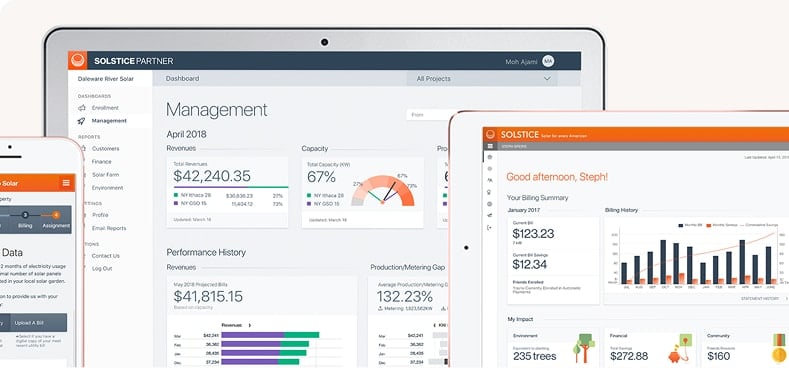
Screenshots
Solstice Pricing
Solstice is available free of charge for unlimited use. As an open-source project, it does not require a monthly subscription, annual payment, or one-time license fee.
Free Open-Source Version
The standard software can be downloaded, used, modified, and redistributed without payment under the terms of the GNU General Public License.
Custom Development
Organizations may pay for custom interfaces, specialized functionality, integrations, or other development services tailored to their research or engineering requirements.
Professional Support
Paid technical support may be available through custom service arrangements for organizations that require guaranteed assistance, training, or implementation support.
Community Development Model
Features developed through paid contracts may subsequently be released to the wider user community, allowing the standard platform to continue evolving without introducing mandatory license costs.
Solstice Integrations
Solstice integrations focus on technical data exchange, scripting, CAD geometry, and automated engineering workflows rather than connections with commercial CRM or project management platforms.
3D Modeling and CAD Software
Solstice supports external 3D meshes through the STL file format. This allows custom geometries created in compatible CAD applications to be imported into CSP simulations.
Python Integration
Raw ASCII output can be processed using Python scripts for statistical analysis, visualization, batch processing, and automated design optimization.
MATLAB Integration
Simulation results can be imported into MATLAB for advanced numerical analysis, graphical evaluation, and research workflows.
Automation and Scripting
The command-line architecture allows Solstice simulations to be launched through shell scripts, optimization algorithms, remote servers, and larger automated design systems.
Network and Data Processing Tools
Text-based input and output simplify data transmission across networks and integration with custom engineering applications.
How to Set Up Solstice
- Download the source code or available precompiled binaries from the official project repository.
- Review the technical documentation and system requirements for your operating system.
- Install the dependencies required by the Monte Carlo ray-tracing solver.
- Prepare the solar plant description using the supported text-based input format.
- Import any required custom component geometries as STL files.
- Configure the sun direction, reflector properties, materials, targets, and tracking constraints.
- Run the Solstice command-line application to test the configuration.
- Review the generated ASCII output and verify that the simulation completed successfully.
How to Use Solstice
A typical Solstice workflow begins with the preparation of a solar plant description. This input can be created manually or generated automatically with a custom script. It defines the position, geometry, materials, and behavior of reflectors and receivers.
The project may contain components such as heliostats, parabolic troughs, planar reflectors, or custom polygonal surfaces. Users also specify the sun position, target parameters, tracking rules, and number of rays required for the simulation.
After preparing the input files, the user runs Solstice from a terminal or automated script. The Monte Carlo solver traces individual light rays through the defined environment and calculates the power reaching the receiver.
When the simulation is complete, Solstice generates text-based results covering total power collection, optical efficiencies, energy losses, and numerical accuracy.
The engineer can process these results using Python, MATLAB, or another analysis tool. Based on the findings, the reflector geometry, spacing, materials, or orientation can be modified before running another simulation.
What You Can Manage with Solstice
- Concentrated Solar Plant Designs: Model utility-scale solar thermal facilities and their optical components.
- Optical Efficiency Reports: Analyze power collection and individual energy loss factors.
- Reflector Orientation: Configure automated or manual tracking logic for mirrors and receivers.
- Custom 3D Meshes: Import specialized component geometries created in external CAD software.
- Material Properties: Define mirror, matte, and dielectric surface behavior.
- Simulation Accuracy: Review numerical accuracy metrics for calculated results.
- Automated Experiments: Run batches of simulations to compare different geometries and plant configurations.
Solstice FAQs
What does Solstice do?
Solstice calculates the total power collected by a concentrated solar power plant. It uses Monte Carlo ray tracing to evaluate optical efficiency and losses caused by shadowing, masking, atmospheric transmission, geometry, and material properties.
Who is Solstice best for?
Solstice is best suited to solar engineers, academic researchers, software developers, and industrial designers working on concentrated solar power projects. Its command-line interface makes it most appropriate for users with technical, engineering, or programming experience.
Is Solstice free?
Yes. Solstice is free and open-source software distributed under the GNU General Public License. Users can use, modify, and redistribute the software without paying a subscription or license fee.
How much does Solstice cost?
The core Solstice software is free for unlimited use. Organizations may incur costs if they require custom development, professional training, specialized integrations, or contracted technical support.
What are the main limitations of Solstice?
The main limitation is the absence of a built-in graphical interface. Users must be comfortable working with command-line operations and text-based input and output files. Solstice is also designed specifically for concentrated solar power and is not intended for standard rooftop photovoltaic system design.
What are the best alternatives to Solstice?
SolarPILOT is a common alternative specifically designed for CSP plant modeling and optimization. Other solar engineering applications include Tonatiuh, SolTrace, PVsyst, and HelioScope, although PVsyst and HelioScope focus primarily on photovoltaic rather than concentrated solar thermal systems.