
MATLAB/Simulink
Pros
- Handles both analysis and system modeling in one environment
- Strong support for engineering applications
- Large ecosystem of toolboxes
- Reduces time between concept and testing
- Supports deployment into real systems
Cons
- Cost increases quickly with add-ons
- Not ideal if you’re only doing basic tasks
- Requires time to learn properly
- Can feel heavy on system resources
- Licensing structure takes time to understand
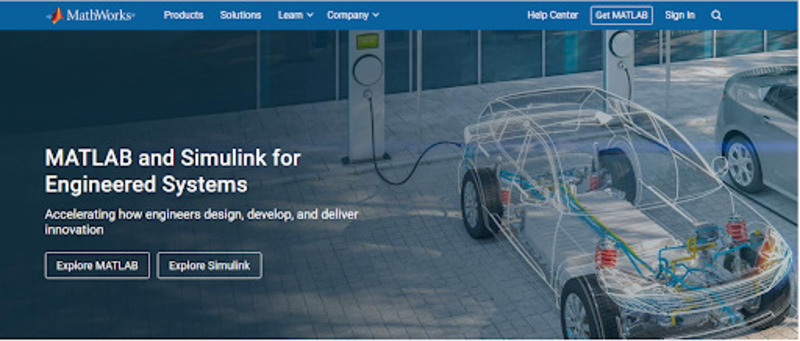
Most solar engineering teams don’t use one tool for everything. Data might sit in one place, models in another, and simulation somewhere else. That split creates extra work—moving inputs around, rechecking results, and rebuilding parts of the same system more than once. Matlab/simulink works to ensure calculations, models and simulations all stay in one environment. It is where systems are tested, adjusted, and observed before anything is finalized.
What is MATLAB/Simulink?
MATLAB is basically a computing software and programming language used for numerical work—data, matrices, and calculations. It’s where engineers handle the math side of a solar energy problem. Simulink is used to model systems visually and run simulations over time. Components are represented as blocks (solar panels, inverters, and storage) and connected in a way that reflects how energy actually moves through the system.
In practice, they show up in solar modeling, inverter control, and grid-related studies where behavior over time matters more than a single output value.
Features
Here are the parts that tend to matter once you’re actually using the tools:
Energy Resources
Solar systems don’t operate under fixed conditions. MATLAB/Simulink allows different resource scenarios to be modeled—changing irradiance, temperature shifts, even hybrid setups that combine solar with other sources. It’s less about static output and more about how production moves across time.
Modeling and simulation
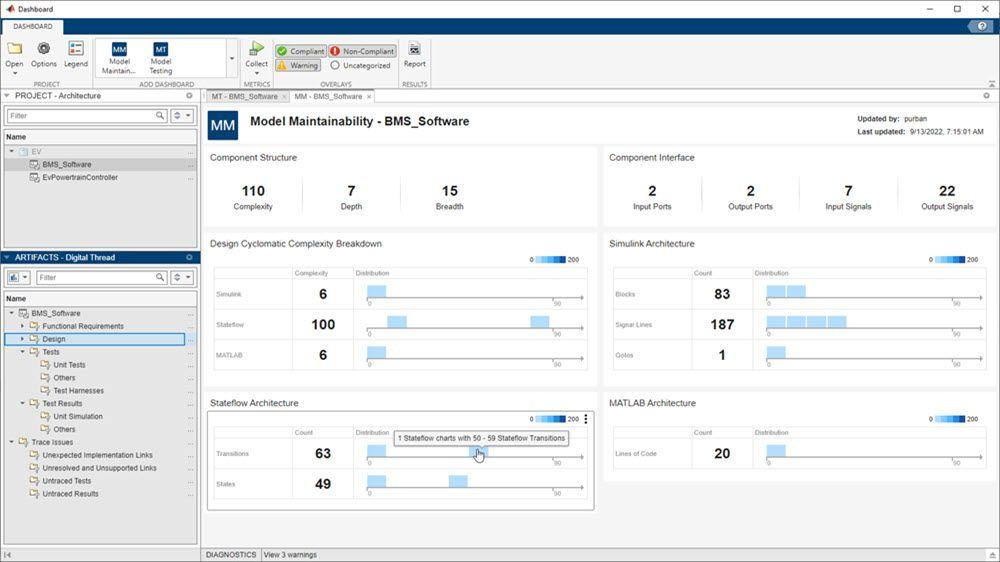
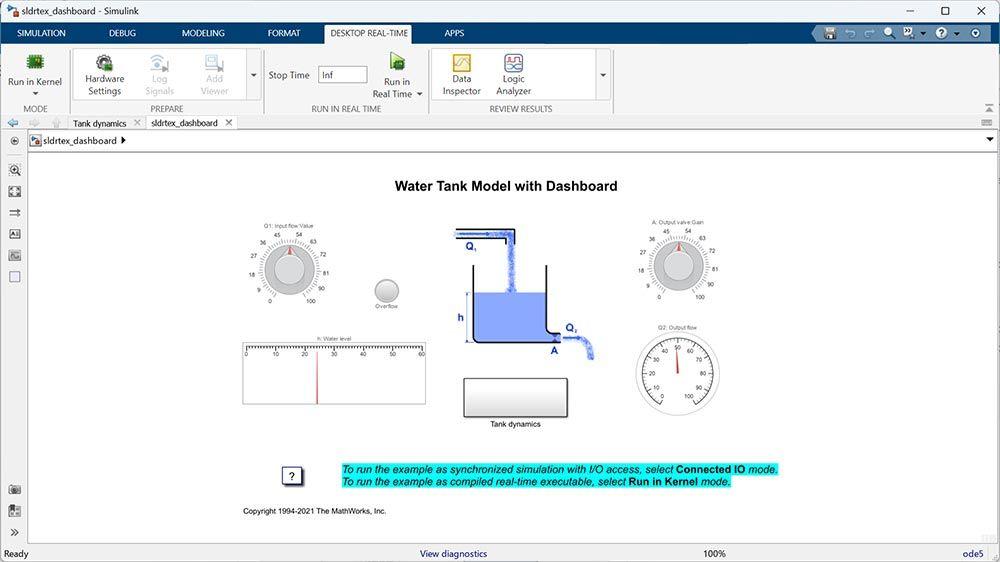
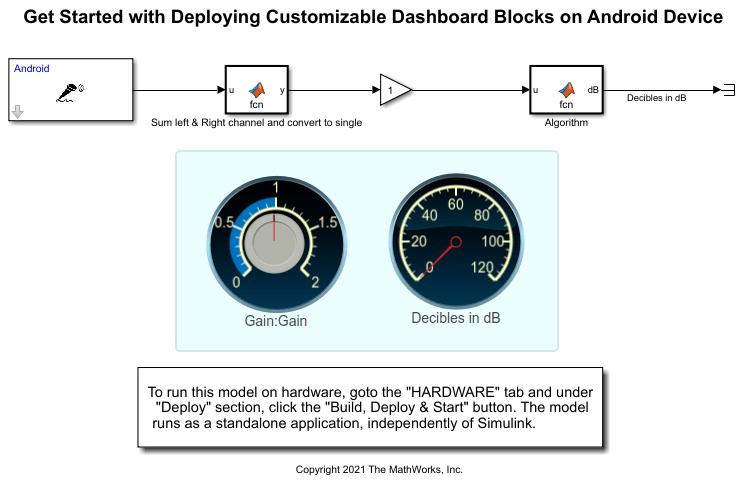
Simulink allows systems to be laid out in a way that resembles how they operate. PV arrays connect to inverters, storage can be added, and loads draw power. For control systems or dynamic models, this is faster than writing everything line by line.
Process Optimization
Initial parameters rarely hold up as-is. Panel tilt, inverter sizing, storage levels—they usually need adjustment. The model makes it possible to test those changes repeatedly until performance starts to stabilize within expected limits.
Chemicals and Materials
This shows up more in deeper analysis, but it matters. Material behavior—panel efficiency, degradation patterns—can be studied under varying conditions. It’s not always the first step, but it becomes relevant in long-term performance studies.
Utilities and Energy
For larger systems, the focus shifts from individual components to overall behavior. Utility-scale setups, load balancing, and distribution can all be modeled, especially where solar penetration starts affecting system stability.
Power and Control Systems
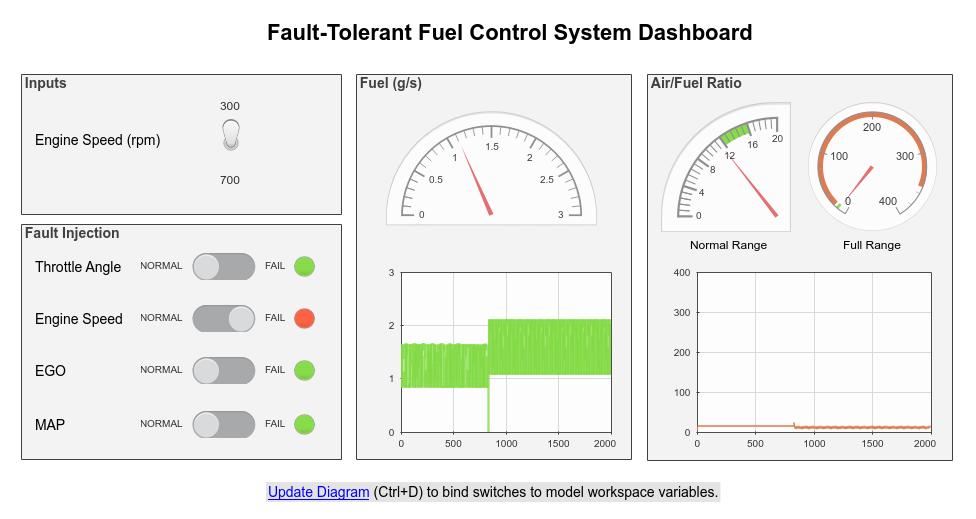
Inverters don’t just convert power—they respond to changes. Voltage levels, frequency shifts, and grid conditions. These control behaviors can be modeled and adjusted before anything is deployed.
Grid Analytics
Once solar is connected to the grid, interactions become less predictable. MATLAB/Simulink allows those interactions to be studied—load flow, disturbances, fault scenarios—without relying on live systems.
Big Data and Image Analysis
Solar projects generate data continuously–from sensors, monitoring platforms, or even satellite sources. MATLAB processes that data without much overhead, making it easier to move from raw inputs to something usable.
Screenshots
MATLAB and Simulink Pricing
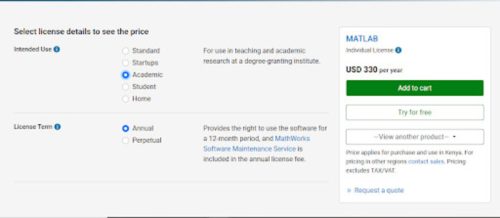
MATLAB pricing and licensing vary depending on the use case—personal use, teaching, academic research, startup or home use. Most licenses are limited to an annual subscription that includes maintenance service and updates for a 12-month period.
Cost-wise, MATLAB ranges from:
- $95 per year for home use,
- $69 per year for students,
- $330 per year for academic research
- $4,235 per year for startups
- $1,050 per year for standard commercial or government uses
A 30-day free trial is also available, which gives access to the full environment for evaluation before opting in for a serious subscription.
Integrations
MATLAB/Simulink does not operate in isolation but fits into broader engineering workflows.
- Works with Python, C, and C++
- Connects to hardware like Arduino and Raspberry Pi
- Interfaces with simulation and CAD tools
- Supports cloud-based computation
- Imports data from external databases and files
The idea isn’t to replace everything else—it’s to handle the computation and simulation side properly.
How to Use MATLAB/Simulink
The process is easy as long as you get it right from the starting point. A simple workflow usually looks like this:
- Define the problem
Is it data analysis, a control system, or a full system model? That decides whether you start in MATLAB or Simulink.
- Bring in your data
Import datasets or define system parameters. This forms the basis for analysis or simulation.
- Build the logic or model
Use MATLAB scripts for calculations or Simulink blocks for system behavior.
- Run the simulation
Execute the model under defined conditions to observe system behavior.
- Analyze results
Review outputs using plots, metrics, or reports. Identify performance trends or issues.
- Adjust and rerun
Adjust parameters or structure based on results and rerun simulations.
- Export or deploy
Once the model behaves as expected, generate code or export results for implementation, reporting, or further development.
FAQs
Do I need programming knowledge to use MATLAB?
It helps, but you don’t need to be advanced. The syntax is structured and consistent. Most people improve as they start using it for real tasks rather than tutorials.
Is MATLAB required for solar projects?
Not always. It is used where simulation and validation are needed. If you’re working mostly with data or algorithms, MATLAB alone is enough. Simulink becomes useful when systems get more complex and need visual modeling.
Can it handle large-scale systems?
Yes. Utility-scale solar and grid studies are common use cases.
Is MATLAB beginner-friendly?
It can be, but there’s a learning phase. The tools make more sense once you apply them to actual problems instead of examples.
Where is MATLAB/Simulink mostly used?
Common in engineering fields—aerospace, automotive, energy, robotics, and research environments.
How reliable are the results?
Accuracy depends on input data and model setup. It is suitable for engineering-level validation.
Is it worth the cost?
If your work depends on modeling and simulation, it’s widely used for a reason. If not, it may be more than you need.




