Solargenic
Pros
- Centralizes the management of more than 100 solar plants within one platform.
- Provides remote access through web browsers and Android and iOS applications.
- Combines performance diagnostics with an integrated maintenance ticketing system.
- Clearly visualizes cost savings and financial benefits over time.
- Offers a geographic bird’s-eye view of distributed solar portfolios.
- Includes environmental reporting tools for sustainability documentation.
- Provides scalable plans for residential users, companies, and large operations centers.
Cons
- Enterprise pricing is not fully transparent without requesting a custom quote.
- Initial hardware integration may require technical configuration and one-time setup fees.
- Advanced NOC and AI reporting features are limited to higher-priced plans.
- Real-time monitoring depends on reliable internet connectivity at each solar plant.
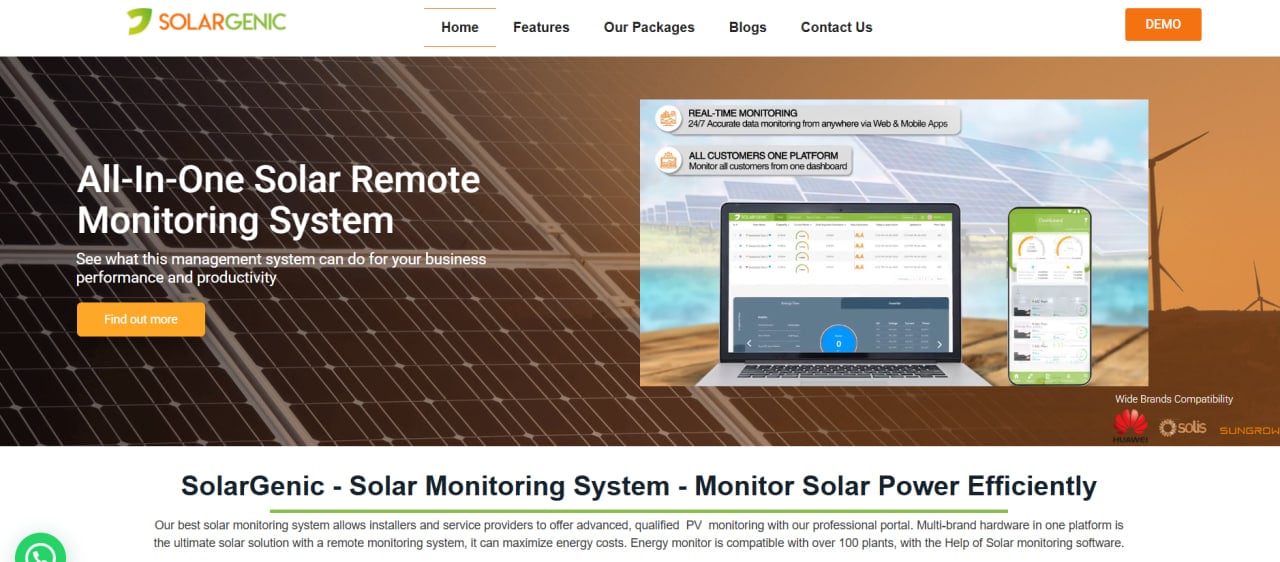
Managing a solar energy system effectively requires more than installation; it requires continuous oversight to ensure performance meets expectations and return on investment is maximized. Many solar asset owners and operators struggle with fragmented data, delayed fault detection, and the difficulty of tracking actual savings across multiple sites. Solargenic addresses these challenges by providing a centralized digital portal for real-time monitoring and diagnostic analysis.
By offering detailed insights into energy production and consumption, Solargenic helps users compare estimated solar potential with actual output. The platform supports professional management of everything from a single residential system to a national portfolio containing more than 100 plants. Whether the objective is reducing operational costs or demonstrating environmental impact, Solargenic provides the technical infrastructure needed for data-driven solar management.
What Is Solargenic?
Solargenic is a smart energy monitoring system and software platform categorized under solar management and monitoring tools. It serves residential homeowners, commercial facility managers, solar installers, EPC companies, and Network Operations Centers (NOCs) overseeing large-scale solar portfolios.
The platform connects physical solar hardware, including inverters, meters, data loggers, and sensors, with a digital interface accessible through web browsers and mobile applications.
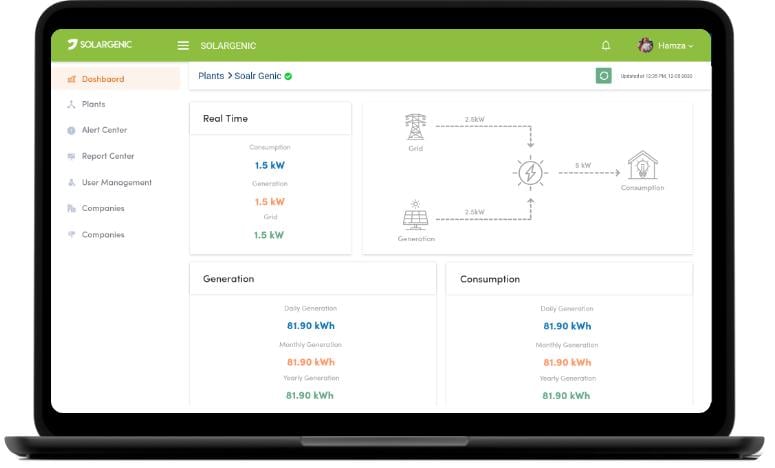
Solargenic aggregates data from on-site solar equipment in real time, allowing users to monitor performance remotely. Its dashboards provide immediate visibility into power generation, while map integrations offer a bird’s-eye view of every plant within a portfolio.
The platform supports both financial optimization and environmental reporting by translating energy data into cost savings, carbon reductions, and equivalent numbers of trees saved.
Features
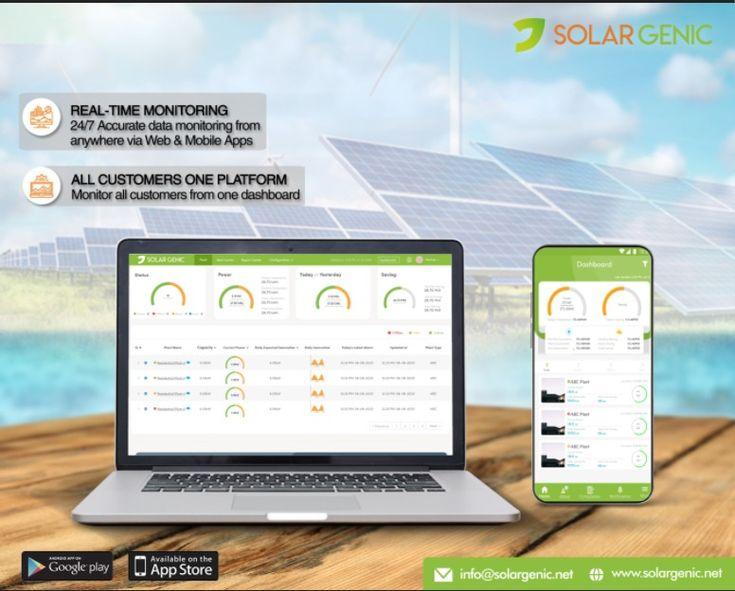
- Real-time monitoring: Provides continuous access to solar plant performance through a secure online portal and mobile applications.
- Multi-plant map view: Displays solar sites through an integrated Google Maps interface, allowing managers to review portfolio locations and operating statuses at a glance.
- Diagnostic tools and alert center: Collects technical information to identify faults and abnormal performance. Users can prioritize alerts and create maintenance tickets directly from the platform.
- Cost savings and benefits graph: Visualizes daily, monthly, and annual financial benefits to help users track electricity bill savings and return on investment.
- NOC dashboard: Provides a consolidated operations view with plant profiles and portfolio summaries for managing large numbers of installations.
- Environmental impact tracking: Calculates environmental benefits such as carbon offsets and equivalent trees saved for sustainability reporting.
- Ticketing and complaint management: Allows users and NOC personnel to create, update, assign, and monitor maintenance tickets.
- Customizable notifications: Supports alerts through email, SMS, and in-app push notifications when performance drops or hardware faults occur.
Screenshots
Solargenic Pricing
Solargenic offers tiered plans designed to support individual users, commercial operators, and large solar portfolios. One-time setup charges may apply, while larger deployments typically require a custom quote.
- Starter Plan: Designed for individual users managing up to 10 plants. It includes real-time monitoring, daily, monthly, and annual energy tracking, an alert center, and in-app notifications.
- Intermediate Plan: Intended for companies managing multiple systems. It adds administrator rate adjustments, CSV exports, and integration with outdoor display boards.
- Advanced Plan: Includes the complete NOC dashboard, AI-based comparisons between current and historical performance, and integrated complaint management.
- Custom or Enterprise Plan: Supports larger portfolios, API-based device integrations, and bulk notification capabilities.
Detailed annual subscription prices and per-plant costs are not consistently published. Organizations may need to contact Solargenic directly at [email protected] for a customized quote.
Integrations
Solargenic provides hardware and data integrations intended to support different solar system configurations.
- Solar inverters: Connects with multiple inverter brands to collect real-time generation and operating data.
- Sensors and meters: Supports data loggers, smart meters, irradiation sensors, temperature probes, and other monitoring hardware through manufacturer APIs.
- Google Maps: Uses GPS coordinates to display plant locations and portfolio status geographically.
- APIs: Exchanges data with compatible third-party smart devices, monitoring equipment, and generator-set loggers.
How to Set Up Solargenic
- Audit the solar site and confirm that compatible monitoring hardware or inverter APIs are available.
- Contact Solargenic to select an appropriate plan and begin the account setup process.
- Install the required communication modules or connect existing data loggers to the Solargenic cloud portal.
- Create the site profiles and enter their GPS coordinates, designed capacities, and expected generation targets.
- Configure notification preferences for specific errors, performance thresholds, email messages, and SMS alerts.
- Log in through the web portal or mobile application and confirm that real-time data is being received from each plant.
How to Use Solargenic
A typical daily workflow begins by opening the dashboard and reviewing the operating health of all connected solar assets. A facility manager can use the map view to confirm that each site is online and generating electricity normally.
If the platform displays an alert, the user can open the relevant plant profile and compare real-time generation with expected output. Technical data can then be reviewed to determine whether the issue involves an inverter, meter, sensor, or communication device.
Maintenance teams primarily work through the Alert Center and Ticketing System. When an inverter reports an error, a maintenance ticket can be created automatically or manually and assigned to a technician.
Business owners can use monthly reports, CSV exports, and cost-savings graphs to confirm whether their solar investments are meeting financial performance targets.
What You Can Manage with Solargenic
- Energy dashboards: Visual summaries of electricity generation, consumption, and overall system efficiency.
- Maintenance tickets: Records of technical issues, assigned personnel, status updates, and completed resolutions.
- Cost savings reports: Financial benefit calculations based on energy production and applicable electricity tariffs.
- Plant portfolios: Centralized profiles for geographically dispersed residential, commercial, and utility-scale sites.
- Environmental metrics: Automated calculations of carbon offsets and equivalent numbers of trees saved.
- Hardware alerts: Real-time notifications about faults reported by inverters, meters, sensors, and other connected equipment.
FAQs
What does Solargenic do?
Solargenic is a cloud-based monitoring platform that tracks the real-time performance of solar energy systems. It provides diagnostic analysis, maintenance management, financial reporting, and environmental impact tools to help solar plants operate efficiently.
Who is Solargenic best for?
The platform is suitable for solar installers, EPC companies, commercial asset managers, facility operators, and NOC teams that manage multiple solar installations. It can also support residential users who want detailed information about energy savings and environmental impact.
Is Solargenic free?
Solargenic generally operates through paid plans based on the number of plants and required features. Users should contact the company for current information about free trials, demonstrations, or entry-level editions.
What are the main limitations of Solargenic?
Solargenic requires compatible monitoring hardware or accessible APIs from the site’s inverters, meters, and sensors to provide detailed data. Its advanced AI reporting, NOC dashboard, and complaint management features are also limited to higher-tier plans.
What are the best alternatives to Solargenic?
Common alternatives include SolarEdge Monitoring Platform, SMA Sunny Portal, Huawei FusionSolar, and Enphase Enlighten. Enterprise asset managers may also consider AlsoEnergy or Power Factors.