
Homer Pro
Pros
- Handles complex hybrid systems without cutting corners
- Gives you multiple system options, not just one answer
- Financial metrics feel practical, not academic
- Works for both off-grid and grid-connected setups
- Widely trusted in real-world energy planning
Cons
- Takes time to get comfortable with
- Interface feels a bit stuck in the past
- Garbage in, garbage out—your data needs to be solid
- Not built for quick visual presentations
- Can feel expensive if you’re just starting out
Hybrid energy systems look straightforward until you start sizing them properly. Add solar, storage, maybe a generator, and the interactions begin to stack up. At that point, basic calculations stop giving reliable answers. HOMER Pro is used to work through those questions. It runs simulations across different system setups and shows how each option performs under real operating conditions.
What is HOMER Pro?
HOMER Pro is a simulation and optimization tool for hybrid energy systems. It models combinations of solar, wind, batteries, and generators, then compares them based on cost and performance. It is used in microgrid projects, off-grid systems, and feasibility studies where system design decisions need to be tested before implementation.
Features
Here are some of the features that make HOMER Pro stand out once you start working with it.
1. System optimization
HOMER Pro doesn’t just simulate—it compares. You can test dozens (or hundreds) of system combinations, and it ranks them based on cost, performance, and constraints. This is where it earns its reputation.
2. Detailed financial analysis
It goes beyond basic estimates and includes metrics such as Net Present Cost (NPC), Levelized Cost of Energy (LCOE), operating costs, and sensitivity analysis. If you’re pitching a project or evaluating ROI, this matters.
3. Sensitivity analysis
Tests how variables such as fuel price, load demand, or resource availability affect system performance. This helps evaluate risk under changing conditions.
4. Microgrid and off-grid modeling
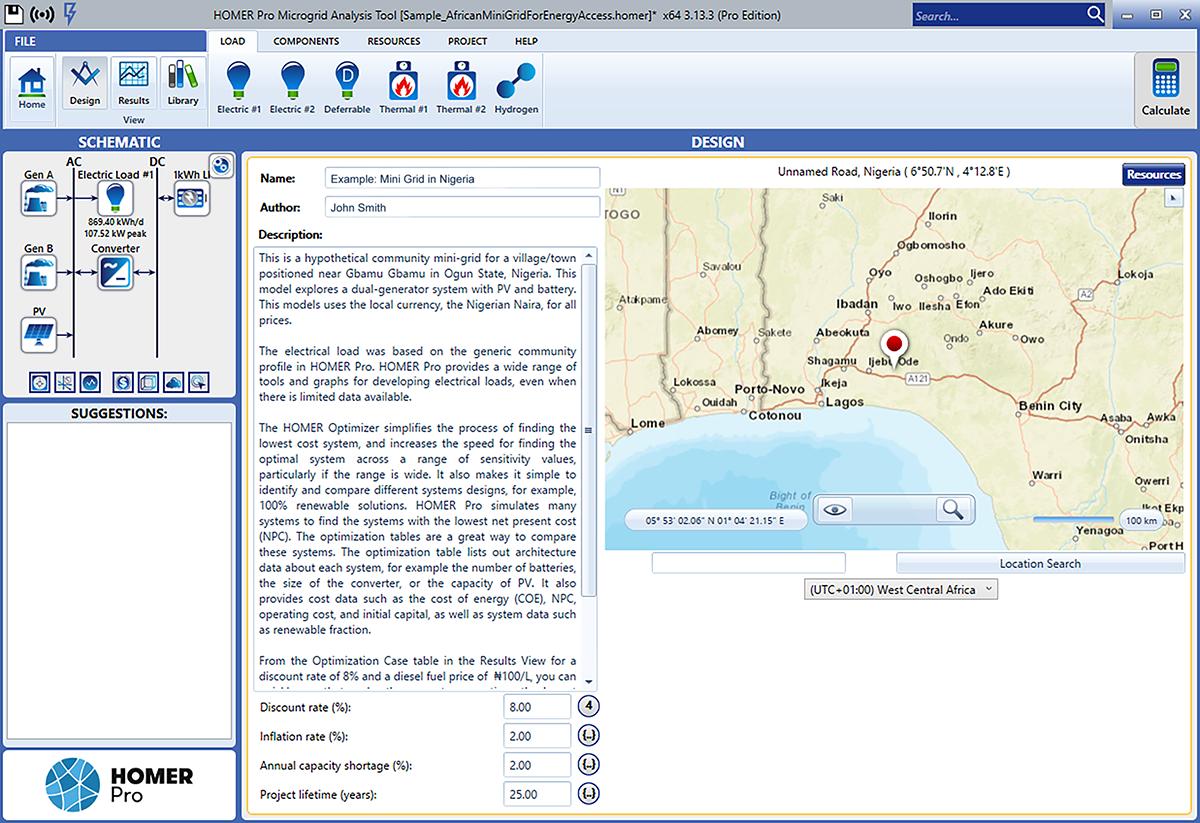
HOMER Pro supports a wide range of system types, from a small off-grid setup to a full microgrid. Available models include intermittent resources, storage, and backup generation—the kind that actually exist outside simulations.
5. Resource data integration
Allows import of solar, wind, and load data from external sources or manual input. Model accuracy depends on the quality of this data.
6. Component flexibility
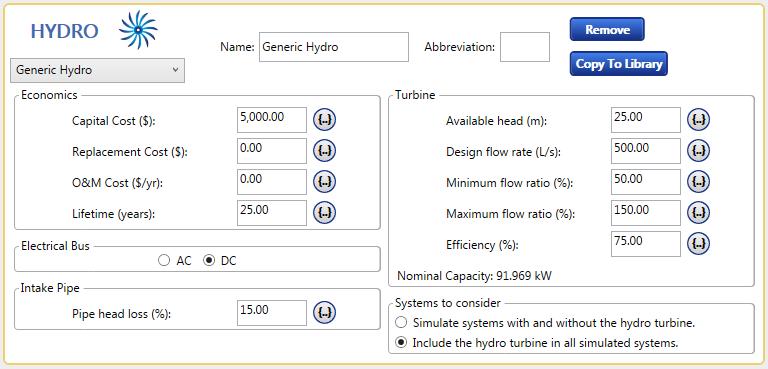
Users can define system components with specific technical and cost parameters, rather than relying on fixed templates.
Screenshots
HOMER Pro Pricing
HOMER Pro is licensed on an annual and monthly subscription basis. Standard professional licenses usually fall somewhere around $189.50 – $568.50/month to around $1,575 – $4,650 when billed annually. Paid tiers include core modules, software updates, and standard support, with added benefits as you move up the plans.
There are also academic licenses available at lower rates, mainly for students, researchers, or institutions using it for coursework and studies. An additional free trial is also available to let you test the workflow and see how it fits before committing.
Integrations
HOMER Pro doesn’t try to be the center of everything, and that’s actually fine.
It fits into a workflow rather than taking it over. You might design layouts elsewhere, then come into HOMER to figure out if those designs hold up under real conditions.
- Data import from external sources (CSV, resource datasets)
- Works alongside tools like Aurora Solar for visual layouts
- Can complement platforms like HelioScope for detailed PV design
- Exportable results for reporting and further analysis
It’s less about integrations and more about fitting into a workflow where each tool has a clear role.
How to Use HOMER Pro
At first, Homer Pro might seem like a lot, but the main trick is to ensure you don’t overcomplicate it on your first run.
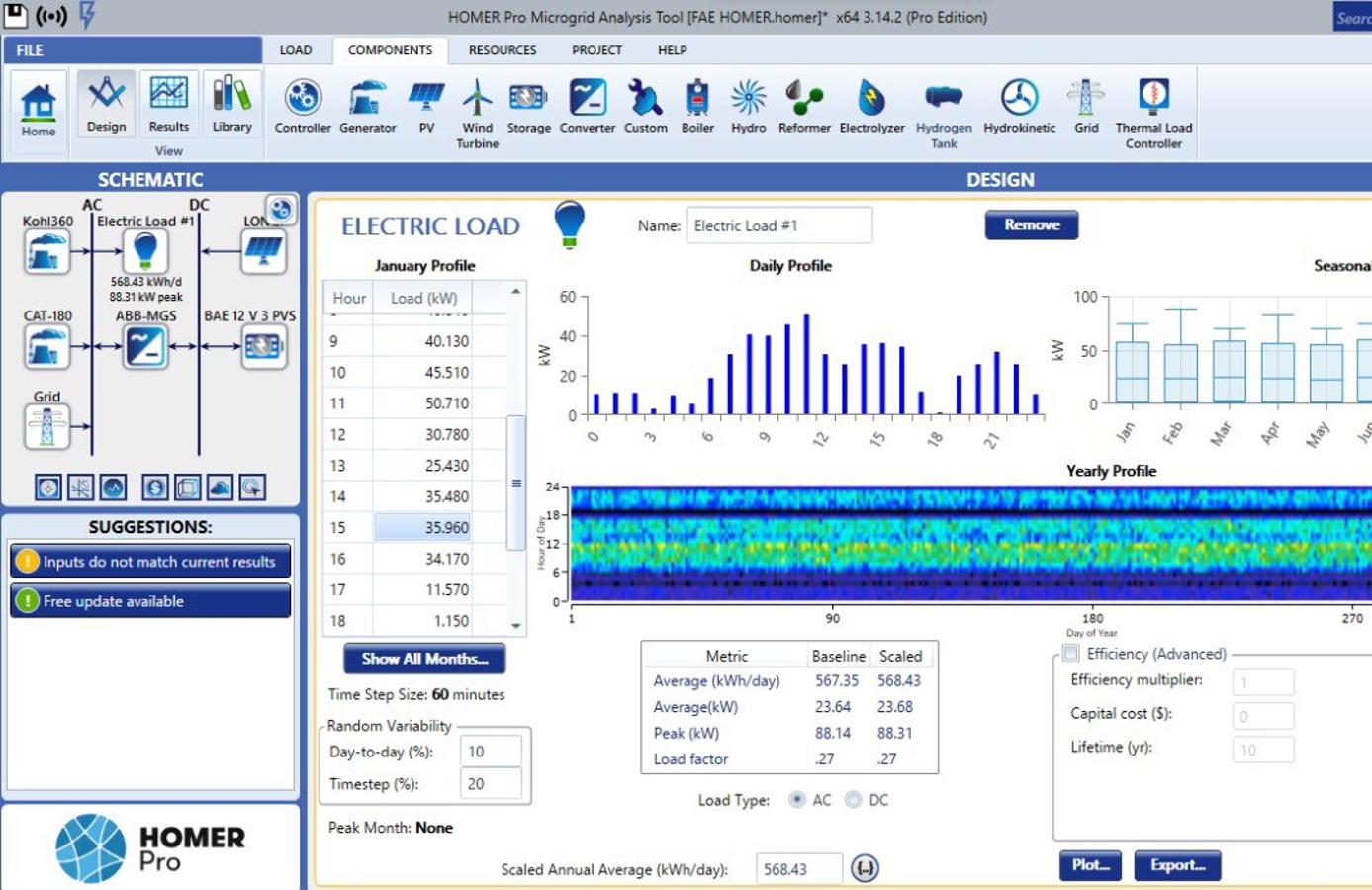
Define your load profile
Before anything else, define what you’re trying to power. Even a rough load profile is enough to get started.
Add your energy sources
Input solar, wind, or fuel data—whatever you are considering. You don’t have to worry about perfection here since you can refine it later.
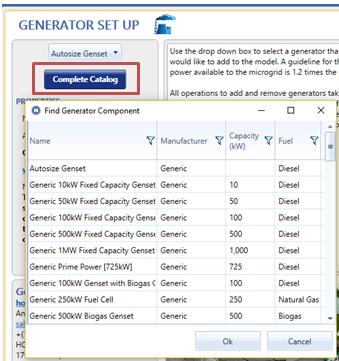
Choose system components
Add the elements you’re considering—panels, batteries, generators, converters.
Enter costs and constraints
This step matters more than it seems. Costs and limits shape the entire outcome.
Run the simulation
Let the software do its work. It’ll process combinations far beyond what you’d test manually.
Analyze Results
Review the ranked system options. Look at cost breakdowns, performance metrics, and sensitivity results.
Adjust and repeat
You’ll almost always run it more than once. Each pass gets you closer to something that feels right.
FAQ
Do I need to be an expert to use HOMER Pro?
Not an expert—but you do need patience. It’s one of the best tools that will reward you the more time you spend with it.
Is HOMER Pro only for large projects?
No. It works for small systems too, but you’ll feel its value more when things get complex.
Can it replace solar design tools?
Not really. It complements them. Tools like HelioScope are better for layout and shading. HOMER is about performance and economics.
How accurate are the results?
They’re as accurate as your data. If your inputs reflect reality, the outputs usually do too.
Can I use it without internet access?
Yes. Most of the core functionality works offline, which is useful in remote environments.
Is HOMER Pro worth investing time in?
If you’re serious about energy systems, absolutely. If not, the trial version is a good place to start and decide.




