
 1 / 6
1 / 6
Pros and Cons
Pros
- Unmatched accuracy in utility rate modeling and avoided cost calculations.
- High institutional credibility, with lenders often requesting ETB reports for C&I financing.
- Comprehensive energy storage modeling that handles multiple value streams simultaneously.
- Excellent customer support with a dedicated Account Success team for onboarding.
- Transparent calculation engine that allows users to verify every data point in a proposal.
- Regular updates to utility rates and policy changes, including NEM 3.0, managed by a dedicated in-house team.
- Seamless transition from financial modeling to real-time asset control and monitoring.
Cons
- Does not include 3D design or CAD tools and requires a separate subscription to software such as HelioScope or Aurora Solar.
- Has a steeper learning curve than residential-focused tools and may require four to six weeks to master.
- Pricing is higher than many entry-level solar modeling platforms.
- Native CRM features are limited, making a third-party tool such as HubSpot or Salesforce necessary.
- Primarily focused on the North American market, with more limited international utility rate coverage.
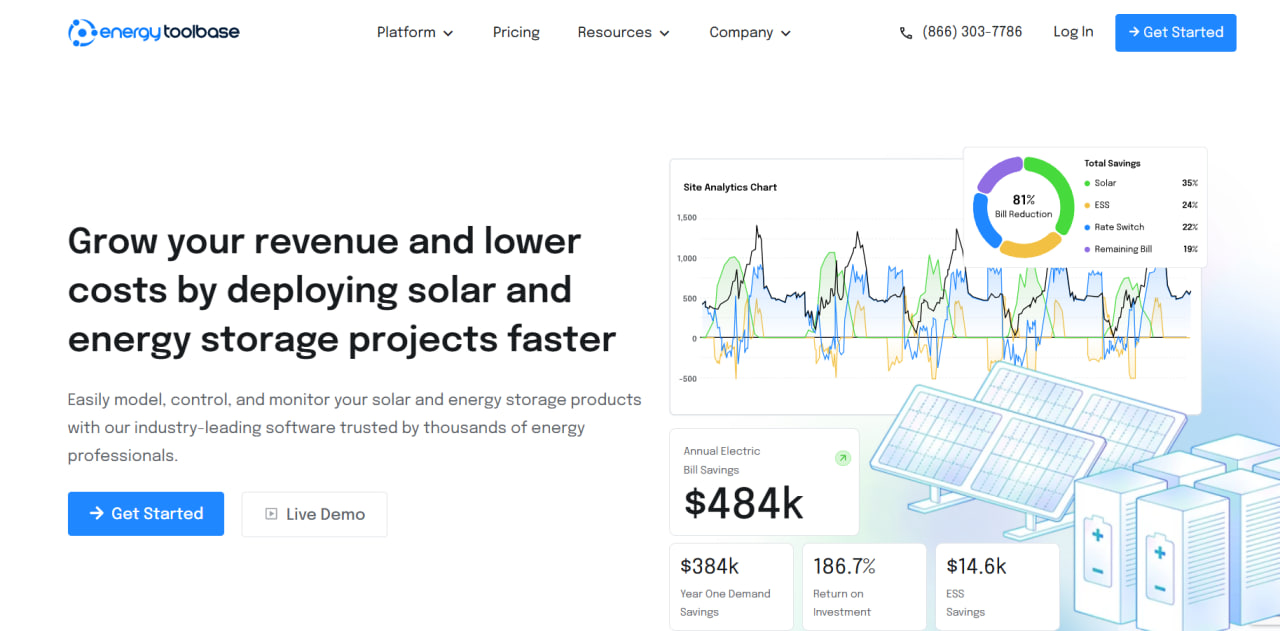
Commercial and industrial (C&I) solar developers often struggle to accurately predict the financial returns of complex energy projects, especially those involving battery storage. Relying on fragmented spreadsheets or generic modeling tools can lead to inaccurate savings estimates, which in turn makes it difficult to secure institutional financing. Energy Toolbase addresses this by providing a high-precision platform that combines deep utility rate data with advanced energy storage simulation.
By integrating financial modeling, asset control, and performance monitoring, Energy Toolbase helps developers bridge the gap between initial design and long-term asset management. It is designed for professionals who need lender-accepted accuracy and transparent data to close large-scale deals. The platform is widely considered the industry standard for utility rate analysis and co-optimized energy storage dispatch.
What Is Energy Toolbase?
Energy Toolbase is an end-to-end software platform specifically engineered for solar-plus-storage developers, engineers, and financiers. It falls into the category of Solar Financial Modeling and Energy Management Systems (EMS). Unlike general solar design tools that focus on 3D layouts, Energy Toolbase specializes in the “economic design” of a project—calculating exactly how much a system will save a customer based on their specific utility tariff and load profile.
The platform is utilized by over 1,500 organizations across North America, ranging from regional installers to large EPCs and investment funds. It works by ingesting granular interval data from a building and simulating how solar and batteries will interact with the local utility rate schedule. Energy Toolbase is backed by Stem, Inc., a global leader in AI-driven energy services, providing it with the technical depth required to manage complex grid-edge assets.
Energy Toolbase Features
Utility Rate Database
Provides access to over 70,000 global utility rates, allowing users to precisely calculate avoided costs and utility bill savings.
Energy Storage Simulation
Uses a proprietary engine to model how different battery brands and sizes will perform, helping developers optimize systems for demand charge management or time-of-use shifting.
Professional Proposal Generation
Enables the creation of detailed, white-labeled financial reports that include pro forma statements, cash flow analysis, and project IRRs.
Acumen EMS Integration
Connects the modeling software to an AI-powered control system that manages real-time battery dispatch once the project is deployed.
ETB Monitor
Provides a real-time dashboard that tracks actual system performance against original projections, delivering greater transparency for asset managers and owners.
Financial Integrations
Allows users to receive instantaneous financing quotes for projects directly within the platform, streamlining the path to project funding.
Interval Data Analysis
Simplifies the process of importing and cleaning Green Button or utility interval data to ensure that financial modeling is based on actual energy usage patterns.
Energy Toolbase Pricing
Energy Toolbase follows a subscription-based pricing model, primarily centered around its core developer product. While the main software has public pricing, advanced control and monitoring features typically require custom quotes based on project scale.
ETB Developer Monthly Plan
ETB Developer is priced at $199 per user per month. This plan includes financial modeling, proposal generation, and access to the utility rate database.
ETB Developer Annual Plan
The annual plan costs approximately $179 per user per month when billed annually, offering a 10% discount for a long-term commitment.
Acumen EMS Pricing
Pricing for the Acumen energy management system is customized and depends on the hardware being controlled and the complexity of the dispatch strategy.
ETB Monitor Pricing
Real-time monitoring is generally quoted on a per-project basis. Third-party sources indicate an approximate subscription cost of $4,500 per site for a five-year term.
ETB Consulting
ETB Consulting is a pay-as-you-go service for detailed project analysis. Its pricing is not publicly disclosed.
Free Demo
Energy Toolbase offers a personalized demo that allows prospective users to evaluate the software before purchasing a subscription.
Energy Toolbase Integrations
Energy Toolbase is designed to sit in the middle of a developer’s technology stack, connecting solar design data with financial outputs, hardware systems, and internal business tools.
Solar Design Integrations
CRM and Workflow Integrations
- Salesforce — planned or on the product roadmap
Hardware and Energy Storage Integrations
- Tesla Powerpack and Megapack
- Enphase 5P Battery
- Various Tier 1 commercial battery manufacturers
API and Webhooks
Open API access is available for enterprise teams that need to synchronize project data with internal CRMs, databases, or other third-party applications.
How to Set Up Energy Toolbase
- Request a demo or sign up for an account through the Energy Toolbase website.
- Complete personalized onboarding training with an Account Success Manager to learn the platform layout.
- Set up your company profile, including logos and contact information for white-labeled proposals.
- Integrate your existing solar design software, such as HelioScope, to enable easy project imports.
- Define standard hardware templates, including preferred solar modules and energy storage systems.
- Import your first set of utility interval data to begin modeling a project.
How to Use Energy Toolbase
A typical workflow begins with importing project coordinates and system specifications from a solar design tool such as HelioScope. The user then uploads interval data, including 8760 files, to establish the customer’s baseline energy usage. Inside the platform, the user selects the appropriate utility rate schedule and applies the proposed solar and storage hardware.
The developer uses the simulation engine to run various “what-if” scenarios, adjusting battery sizes to identify the configuration with the best return on investment. Once the optimization is complete, the user configures the financial terms—such as a power purchase agreement, lease, or cash purchase—and generates a comprehensive proposal.
For commissioned projects, an asset manager can log in to ETB Monitor to compare actual utility bill savings and system performance against the original modeled expectations.
What You Can Manage with Energy Toolbase
- Financial Proposals: Generate professional, lender-ready reports detailing project economics.
- Utility Bill Savings: Precisely track and calculate avoided costs based on complex utility tariffs.
- Energy Storage Dispatch: Automate and manage the charging and discharging of battery assets.
- Project Portfolios: Organize and track hundreds of project leads and active installations.
- Asset Performance: Monitor real-time energy production and consumption data.
- Financing Quotes: Access and compare project funding options from integrated partners.
Energy Toolbase FAQs
What does Energy Toolbase do?
Energy Toolbase is a software platform used to model the economics of solar and energy storage projects. It specializes in utility rate analysis and provides tools to control and monitor the performance of deployed energy assets.
Who is Energy Toolbase best for?
The platform is designed for commercial and industrial (C&I) solar developers, EPCs, engineers, and financiers that require high-precision financial modeling. It is particularly useful for teams working on complex projects that include battery storage.
Is Energy Toolbase free?
No, Energy Toolbase is a paid subscription service. Although the company offers personalized demonstrations of the platform’s capabilities, there is no permanent free version of the software.
How much does Energy Toolbase cost?
The core ETB Developer platform starts at $199 per user per month. Annual billing options are available, while enterprise features such as EMS control and real-time monitoring require custom pricing.
What are the main limitations of Energy Toolbase?
Energy Toolbase does not have built-in 3D layout or CAD design tools, meaning users must pair it with a design platform such as HelioScope or Aurora Solar. It also has a steeper learning curve compared with simpler residential solar tools.
What are the best alternatives to Energy Toolbase?
Common alternatives include SurgePV, which offers an all-in-one design and financial platform, and Aurora Solar for residential-focused teams. For purely financial modeling, some organizations continue to use custom Excel-based tools, although these lack Energy Toolbase’s automated utility rate database.


