VirtoCAD

Pros
- Significantly reduces manual engineering and drafting time.
- Works directly inside AutoCAD and BricsCAD environments.
- Strong automation for layouts, stringing, and cable routing.
- Direct PVsyst integration simplifies simulation workflows.
- Supports commercial, industrial, and utility-scale projects.
- Includes advanced terrain and civil engineering tools.
- Construction-ready documentation and bill of materials generation.
Cons
- Requires an AutoCAD or BricsCAD license.
- Pricing is not publicly available.
- Learning curve for users unfamiliar with CAD software.
- Performance may slow on very large and complex utility-scale projects.
- Higher cost compared to lightweight web-based solar design tools.
What Is VirtoCAD?
VirtoCAD is a solar design and engineering plugin developed by Virto Solar for AutoCAD and BricsCAD. The software is built specifically for EPC companies, solar developers, engineering firms, and utility-scale project teams that need advanced photovoltaic design capabilities within a professional CAD environment.
By combining automated solar layouts, electrical design tools, shading analysis, and PVsyst integration, VirtoCAD helps engineering teams reduce manual drafting while maintaining construction-level accuracy. The platform supports commercial rooftop, carport, and utility-scale ground-mounted solar projects.
Features
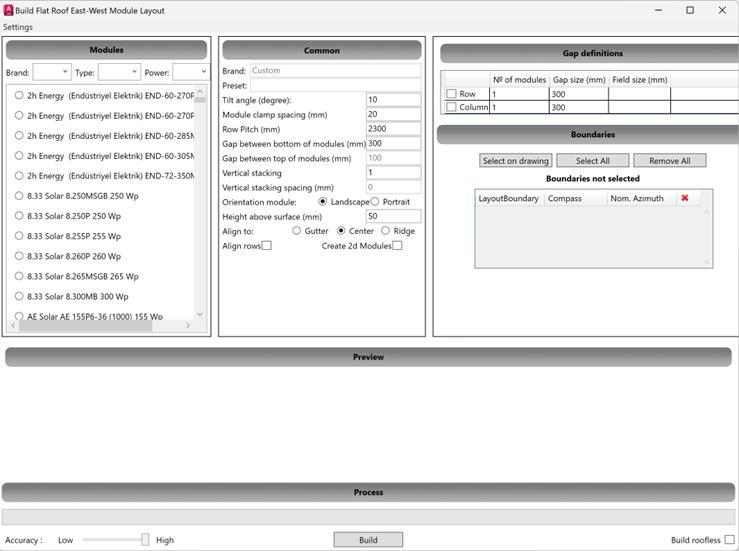
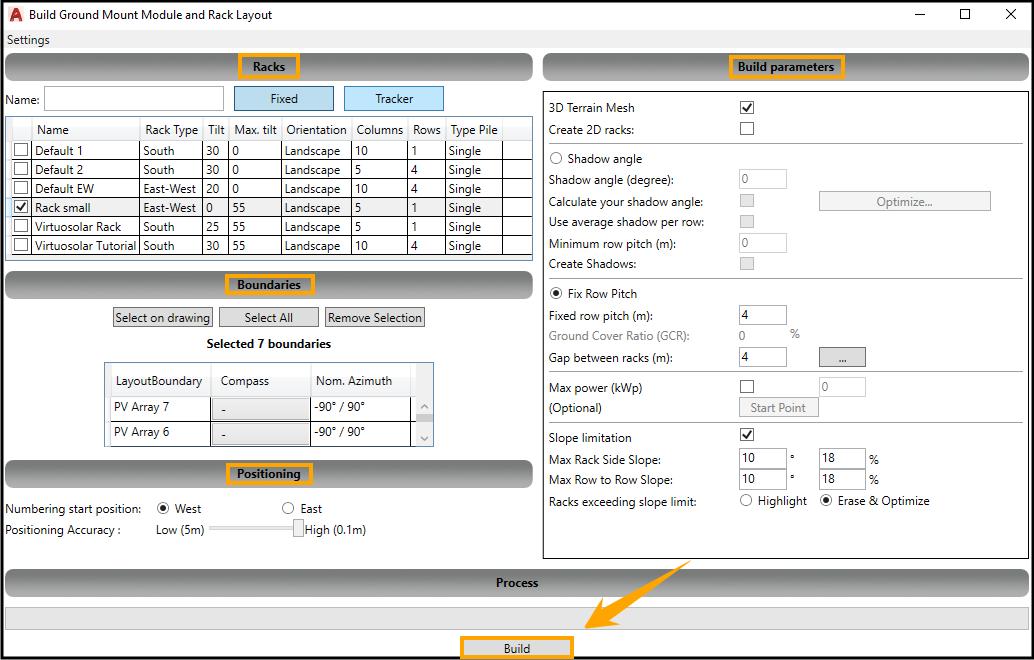
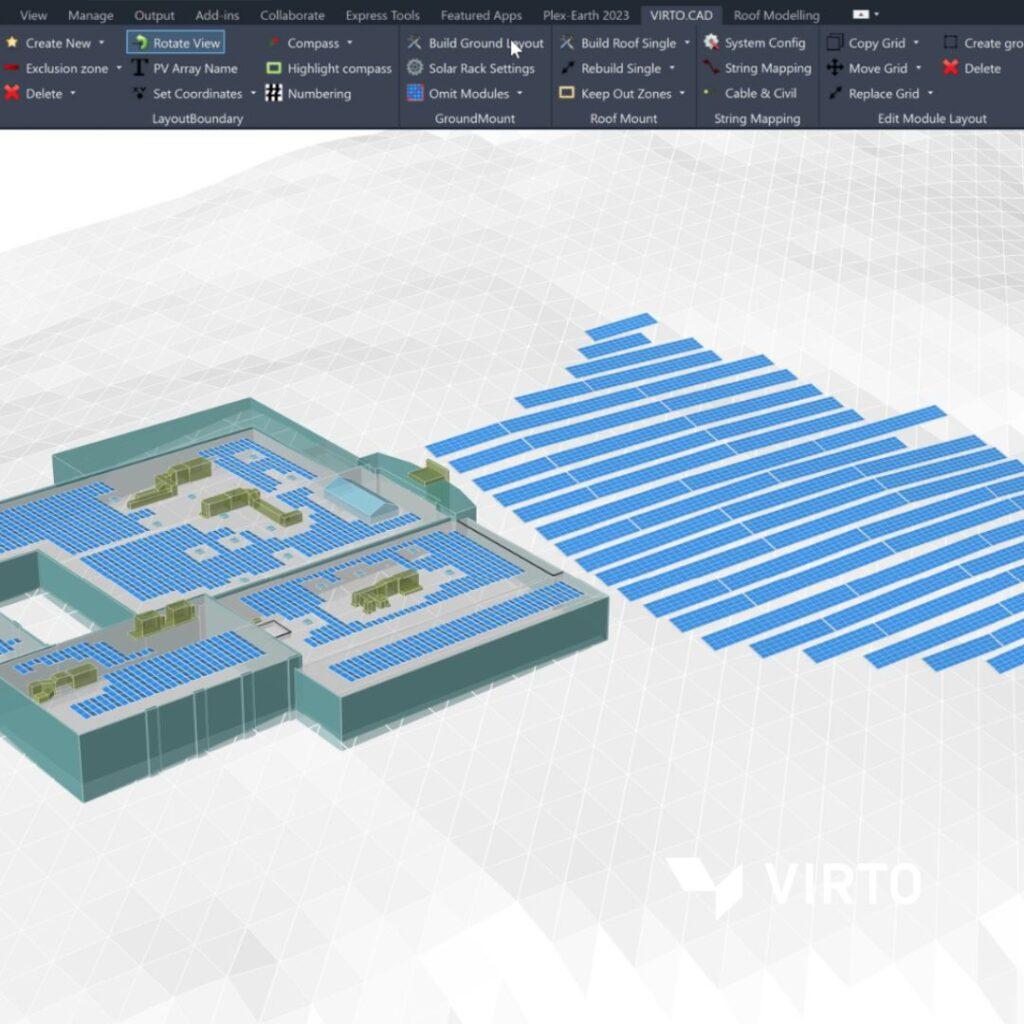
- Automated Module Layouts: Automatically populate rooftops and ground areas with solar modules while respecting setbacks, boundaries, and obstacles.
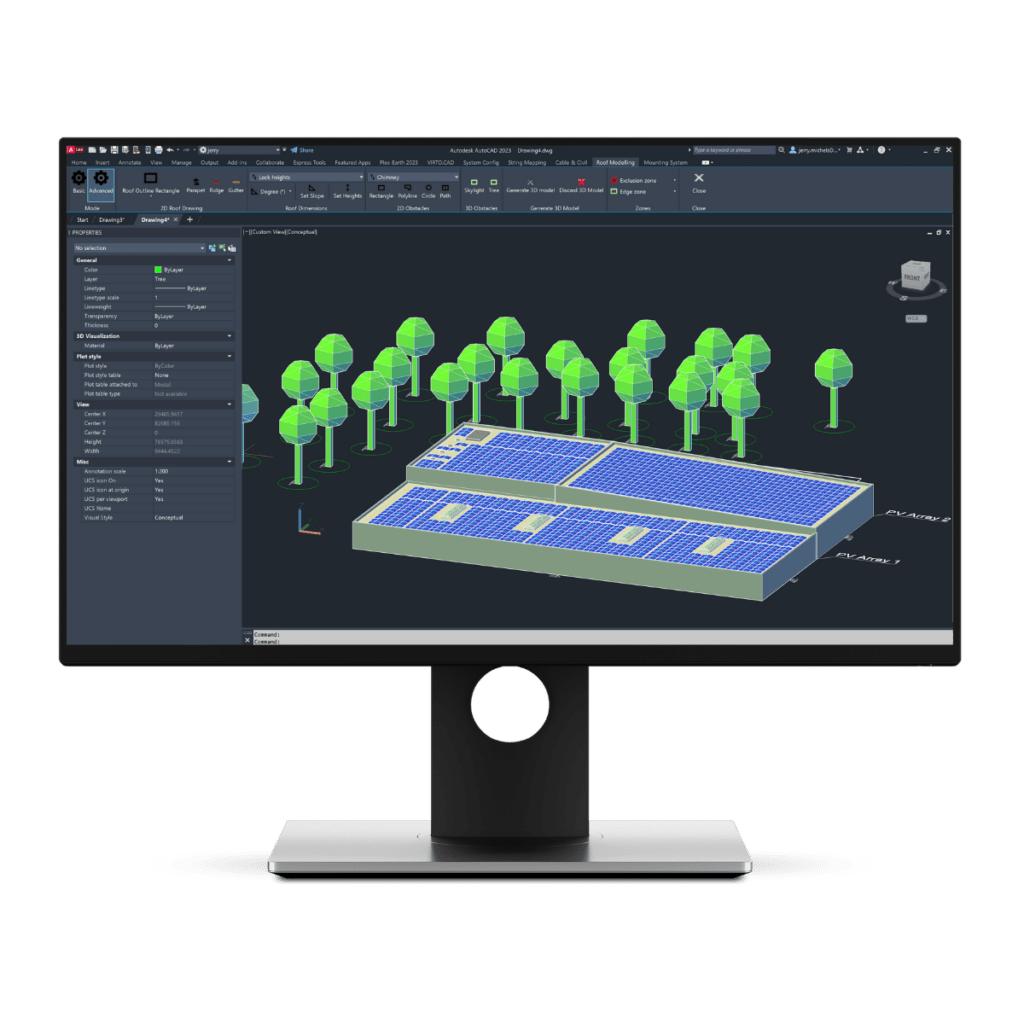
- 3D Terrain and Roof Modeling: Create accurate roof models and terrain meshes for realistic project design.
- Irradiance and Shading Analysis: Simulate annual shading impacts using weather and site data.
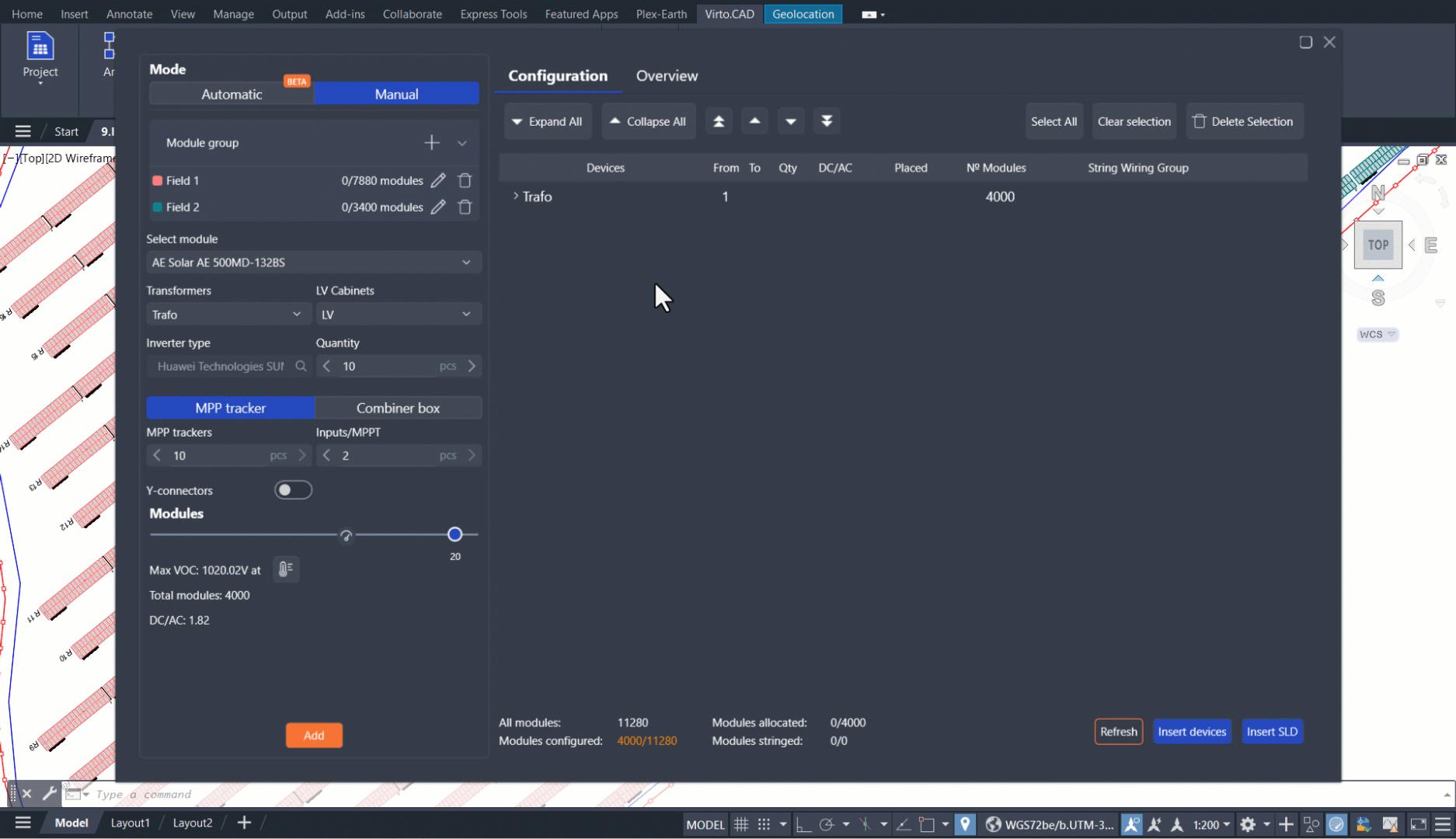
- String Mapping: Automatically generate string layouts and optimize electrical configurations.
- Cable Routing: Design AC and DC cable routes with automatic length calculations.
- PVsyst Export: Export 3D project models directly into PVsyst for energy yield simulations.
- Bill of Materials Generation: Create module, inverter, mounting, and electrical equipment reports.
- Trench and Cable Tray Design: Plan electrical infrastructure for utility-scale projects.
- Civil Earthworks Tools: Calculate cut-and-fill volumes and optimize site grading requirements.
Screenshots
VirtoCAD Pricing
VirtoCAD uses a subscription-based licensing model with pricing based on project size, required features, and company requirements.
- Demo Version: Trial access is available through the Virto Solar sales team.
- Professional Edition: Designed for commercial rooftop projects and standard engineering workflows.
- Advanced Edition: Adds ground-mounted layouts, terrain modeling, and trench design tools.
- Enterprise Edition: Includes advanced utility-scale functionality and earthworks calculations.
- Custom Pricing: Pricing is provided through customized quotations based on business requirements.
Integrations
- AutoCAD: Full plugin integration for Autodesk AutoCAD.
- BricsCAD: Native support for BricsCAD environments.
- PVsyst: Direct export of project geometry and shading scenes.
- Plex-Earth: Import satellite imagery, terrain models, and GIS data.
- Microsoft Excel: Export bills of materials and engineering reports.
- Mounting System Manufacturers: Integration with selected racking and tracker systems.
How to Set Up VirtoCAD
- Install a supported version of AutoCAD or BricsCAD.
- Request a trial or subscription from Virto Solar.
- Download and install the VirtoCAD plugin.
- Activate the software license.
- Configure module, inverter, and mounting system libraries.
- Import site imagery, terrain models, or CAD drawings.
- Begin designing projects using the VirtoCAD toolbar and automation tools.
How to Use VirtoCAD
The design process typically begins by importing site information such as CAD drawings, satellite imagery, GIS files, or terrain data. After defining project boundaries and exclusion zones, designers select modules and mounting systems from the component library.
VirtoCAD automatically generates optimized solar layouts while accounting for setbacks, shading, and project constraints. Engineers can then create string layouts, route cables, calculate electrical parameters, and generate bills of materials.
Once the design is complete, the project can be exported directly to PVsyst for yield simulations and bankability analysis. Final construction drawings and engineering reports can then be generated for procurement and installation teams.
What You Can Manage with VirtoCAD
- Commercial rooftop solar layouts.
- Ground-mounted solar farm designs.
- Carport solar projects.
- String configurations and electrical layouts.
- AC and DC cable routing.
- Shading and irradiance analysis.
- Bills of materials and equipment reports.
- Trench and cable tray planning.
- Civil grading and earthworks calculations.
- PVsyst-ready simulation exports.
FAQs
What does VirtoCAD do?
VirtoCAD is a solar engineering plugin for AutoCAD and BricsCAD that automates PV layouts, electrical design, cable routing, shading analysis, and construction documentation.
Who is VirtoCAD best for?
VirtoCAD is best suited for EPC companies, engineering firms, solar developers, and utility-scale project teams that require construction-grade solar design tools within a CAD environment.
Is VirtoCAD free?
No. VirtoCAD is commercial software available through subscription licensing. Trial access may be available upon request.
How much does VirtoCAD cost?
Pricing is customized based on project requirements, company size, and selected product editions. Interested users must contact Virto Solar for a quote.
What are the main limitations of VirtoCAD?
The software requires AutoCAD or BricsCAD, has a steeper learning curve than browser-based design tools, and may require significant computing resources for large utility-scale projects.
What are the best alternatives to VirtoCAD?
Popular alternatives include PVcase, RatedPower, Aurora Solar, HelioScope, PV*SOL, and PVSyst depending on project size and engineering requirements.