Viridian
Pros
- Simplifies complex in-roof layout planning that would be difficult to calculate manually.
- Ensures compatibility between panels and specialized flashing kits.
- Web-based access allows for design adjustments on-site via mobile devices.
- Automatically accounts for specific roofing requirements like slate or tile configurations.
- Reduces material waste by providing exact kit lists for procurement.
- Professional PDF outputs enhance the sales presentation for end customers.
Cons
- The platform is limited specifically to Viridian Solar products and cannot be used for third-party solar panels.
- It does not include advanced shade analysis or financial modeling found in general solar design suites like HelioScope.
- Pricing for the software and hardware can be higher than standard on-roof alternatives.
- A stable internet connection is required to access the online configurator.
The adoption of solar energy in residential and commercial buildings often requires a balance between aesthetic appeal and technical efficiency. Traditional “”on-roof”” systems can be bulky and visually disruptive, leading many installers and developers to prefer roof-integrated (in-roof) solutions. However, designing these systems requires precise calculations to ensure weather-tightness, structural integrity, and optimal energy generation.
Viridian Solar provides the Fusion Configurator software to solve these specific design challenges. It is primarily used by solar installers, roofing contractors, and housing developers who need to quickly generate accurate layouts for Viridian’s Clearline fusion range. By automating the technical detailing and material lists, the software reduces the risk of ordering errors and ensures that installations meet manufacturer specifications.
What Is Viridian?
Viridian Solar is a UK-based manufacturer specializing in roof-integrated solar PV systems. While the company is well-known for its hardware—specifically the Clearline fusion range—it also provides a dedicated Software-as-a-Service (SaaS) platform called the Fusion Configurator. This tool is categorized as solar design software and is specifically engineered to support the planning and procurement of in-roof solar arrays.
The platform is used by a broad range of professionals, including independent solar installers and large-scale homebuilders like Keepmoat Homes. It functions as a web-based configuration engine where users can input roof parameters and panel requirements to receive a complete technical package. Trust signals for the brand include its 140-year history in the parent group’s electrification expertise, NHBC approval for its products, and a significant market presence as a leading in-roof brand in the UK.
Features
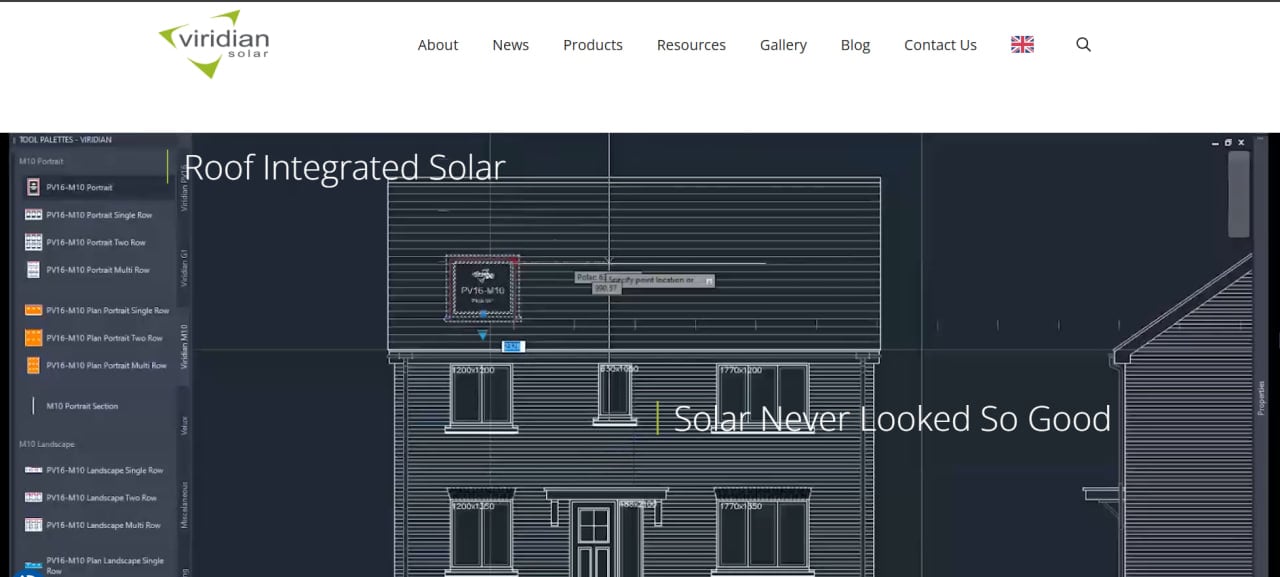
- Array Layout Design: Allows users to create visual layouts of solar arrays by clicking on an expandable grid, supporting both portrait and landscape orientations.
- Automated Bill of Materials (BOM): Automatically generates a complete kit list, including panels, flashing, and fixing components, ensuring that no essential parts are missed for the installation.
- Technical Compliance Checks: The software calculates spacing and technical details to ensure the design is compatible with various roof pitches and sub-structures, including slate and tile.
- PDF Quote Generation: Users can export their designs as professional PDF quotes or CSV lists to facilitate the sales process and internal procurement.
- Cross-Platform Compatibility: As a web-based tool, it works across desktops, tablets, and mobile devices, allowing installers to adjust designs while on-site.
- Wholesale Partner Support: Features customizable item codes, pricing, and logos for wholesale partners, allowing them to integrate the tool into their own sales workflows.
- BIM Integration: Provides Building Information Modeling (BIM) files for its products, which are essential for architects and large-scale developers working on complex construction projects.
Viridian Pricing
Pricing for the Viridian Fusion Configurator software is not publicly listed as a standalone subscription. Based on typical industry practice for manufacturer-specific design tools, the software is often provided as a value-added service to customers and partners who purchase Viridian hardware.
- Software Access: Currently available as a web-based tool through the official website.
- Hardware Costs: While the software usage may not carry a direct fee, the associated hardware, such as Clearline fusion panels, has documented costs. For instance, a 4 kW system typically costs between £6,500 and £7,500, while individual panels like the 445W High Performance Monocrystalline are listed around £192 + VAT.
- Inverter and Accessories: Related components such as the Clearline Inverter start from approximately £250 including VAT.
Users interested in professional or wholesale access should contact Viridian Solar directly to confirm whether there are any associated licensing fees for high-volume or customized versions of the software.
Integrations
Viridian’s software ecosystem is primarily focused on internal hardware compatibility and technical output for construction workflows:
- BIM Integrations: Compatible with major BIM software used in the construction industry to support residential development planning.
- Monitoring Apps: The hardware integrates with the WE Mate app and Solar Portal for system monitoring, although specific modules may be required.
- Data Exports: Supports CSV exports for integration with inventory management or accounting software.
- Browser Compatibility: Runs in any modern web browser without the need for local installation.
How to Set Up Viridian
- Navigate to the Fusion Configurator section on the official Viridian Solar website.
- Register for a user account if you require the ability to save designs or access wholesale features.
- Select the “”New Design”” option to start the configuration process.
- Input the project details, including the roof type, such as slate or tile, and the preferred panel model.
- Set the array dimensions and orientation using the interactive grid tool.
- Review the automatically generated kit list and export the final PDF or CSV file.
How to Use Viridian
A typical user starts by logging into the web portal to begin a new residential project. They select the specific panel type, such as the Clearline fusion 335Wp or 445Wp modules. The user then clicks on a design grid to place panels, and the software automatically adjusts the necessary flashing and joining components to fit that specific layout.
Once the visual layout is satisfactory, the user reviews the “”Kit List”” tab to see every nut, bolt, and flashing piece required. If the user is a wholesale partner, they might apply custom pricing or branding at this stage. Finally, the user exports a PDF quote to send to a homeowner or a CSV file to send to their purchasing department to order the equipment.
What You Can Create with Viridian
- Visual Solar Array Layouts: Scalable designs showing exactly how panels will sit on a specific roof area.
- Comprehensive Bills of Materials: Detailed lists of hardware, including PV modules, roof anchors, and weatherproofing kits.
- Professional Quotes: Branded PDF documents for client presentations.
- Technical Design Data: Precise measurements and specifications for roofing contractors.
- BIM Files: Digital representations of solar components for architectural software.
FAQs
What does Viridian Solar software do?
The Fusion Configurator is a design tool that helps users create layouts and material lists for roof-integrated solar systems. It ensures that the solar panels and their specialized mounting and flashing components are correctly configured for a specific roof.
Who is Viridian best for?
It is best for solar installers, developers, and roofing professionals who specialize in new-build homes or high-end retrofits where aesthetics are a priority. It is particularly useful for those who frequently use Viridian’s Clearline fusion hardware.
Is Viridian Solar software free?
The Fusion Configurator is generally available online for users to design arrays. However, full access to features like saved designs and wholesale pricing usually requires a registered account or a partnership with the company.
What are the main limitations of Viridian software?
The primary limitation is that it only supports Viridian’s proprietary hardware. It also lacks the advanced environmental and financial simulation features found in broad-spectrum solar design platforms.
What are the best alternatives to Viridian?
For general solar design, alternatives include HelioScope, Aurora Solar, and OpenSolar. For alternative integrated solar hardware and design solutions, professionals might consider Schneider Electric or specialized solar tile manufacturers.