Zolar CRM
Pros
- Built specifically for solar sales workflows.
- Simple interface with minimal setup requirements.
- Affordable pricing compared to many enterprise CRM platforms.
- Automated notifications reduce missed follow-ups.
- Centralized storage for customer documents and project data.
- Streamlines the transition from lead generation to proposal delivery.
- Designed for small and mid-sized solar businesses.
Cons
- Limited publicly available information about third-party integrations.
- No widely documented public API.
- Marketing automation capabilities may be less advanced than enterprise CRM systems.
- Less suitable for organizations requiring extensive customization.
- Documentation and technical resources may be more limited than larger CRM platforms.
What Is Zolar CRM?
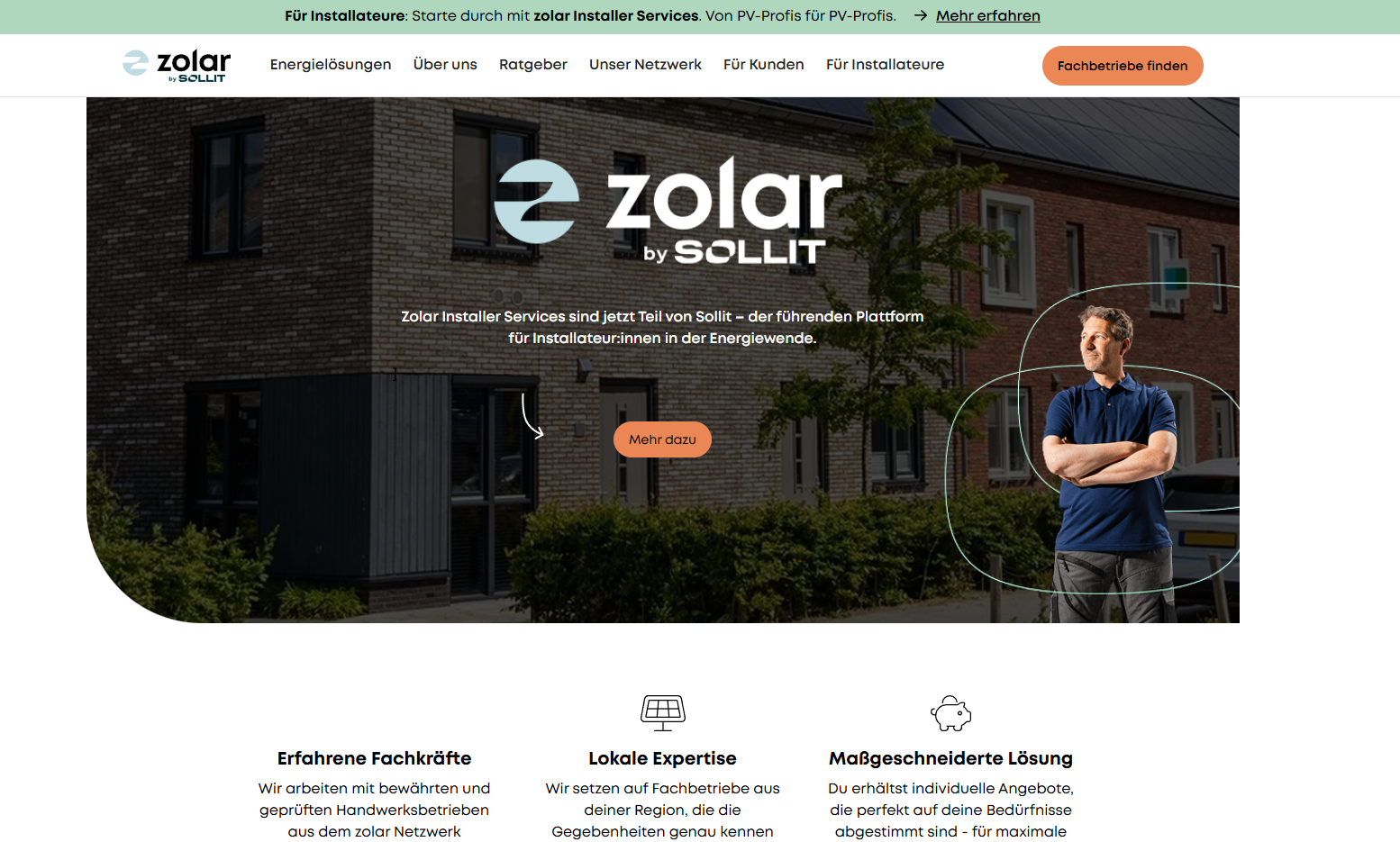
Zolar CRM is a cloud-based customer relationship management platform developed specifically for solar installation companies, renewable energy sales teams, and EPC contractors. Unlike generic CRM systems, it is built around solar industry workflows, helping businesses manage leads, site surveys, proposals, contracts, and customer communications from a single platform.
The software enables sales and operations teams to collaborate efficiently throughout the customer journey. From capturing incoming leads to generating proposals and tracking installation progress, Zolar CRM helps solar companies streamline operations, improve response times, and increase conversion rates.
Features
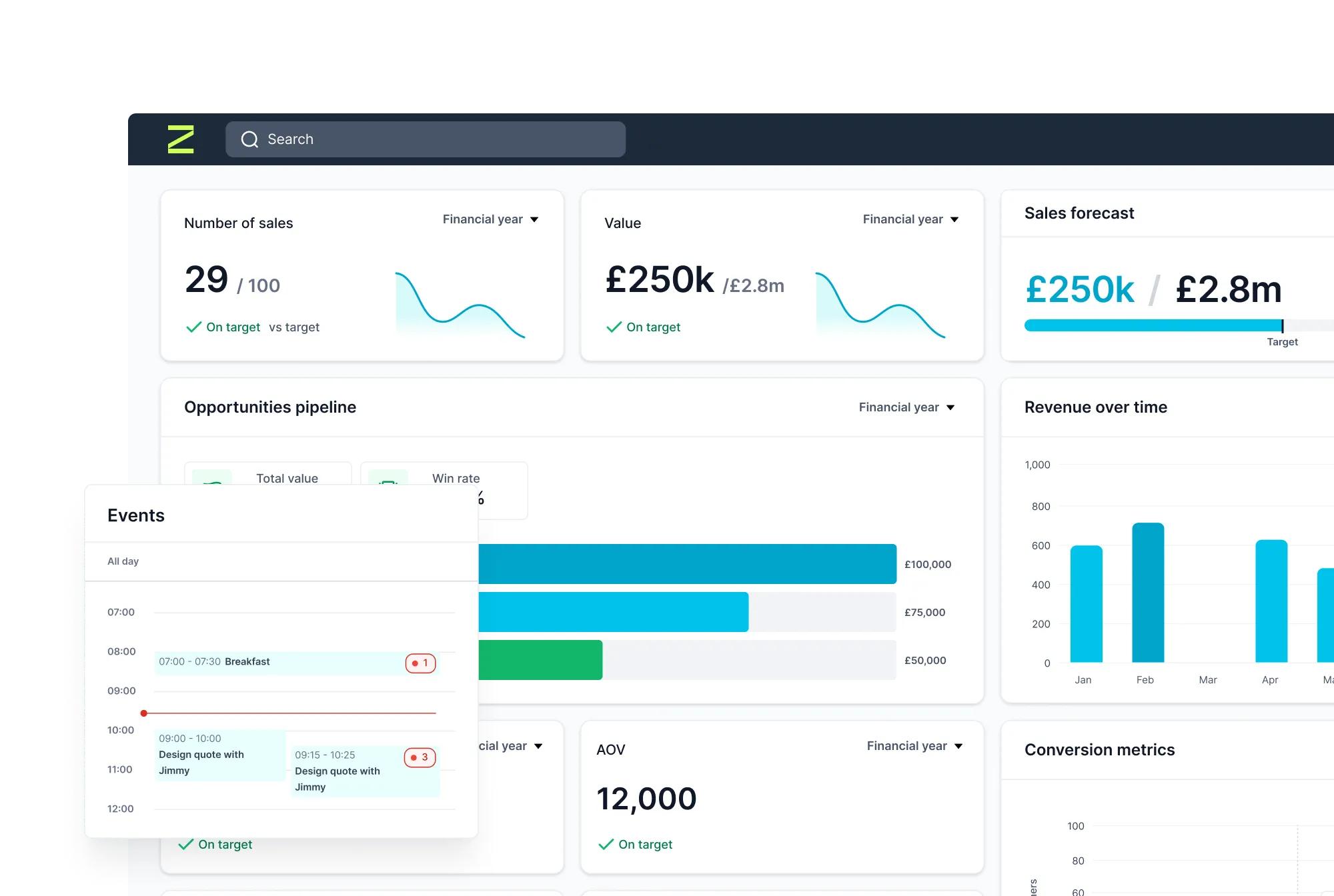
- Lead Management: Centralized dashboard for tracking leads, inquiries, and sales opportunities.
- Solar Sales Pipeline: Custom workflow stages tailored to solar sales and installation processes.
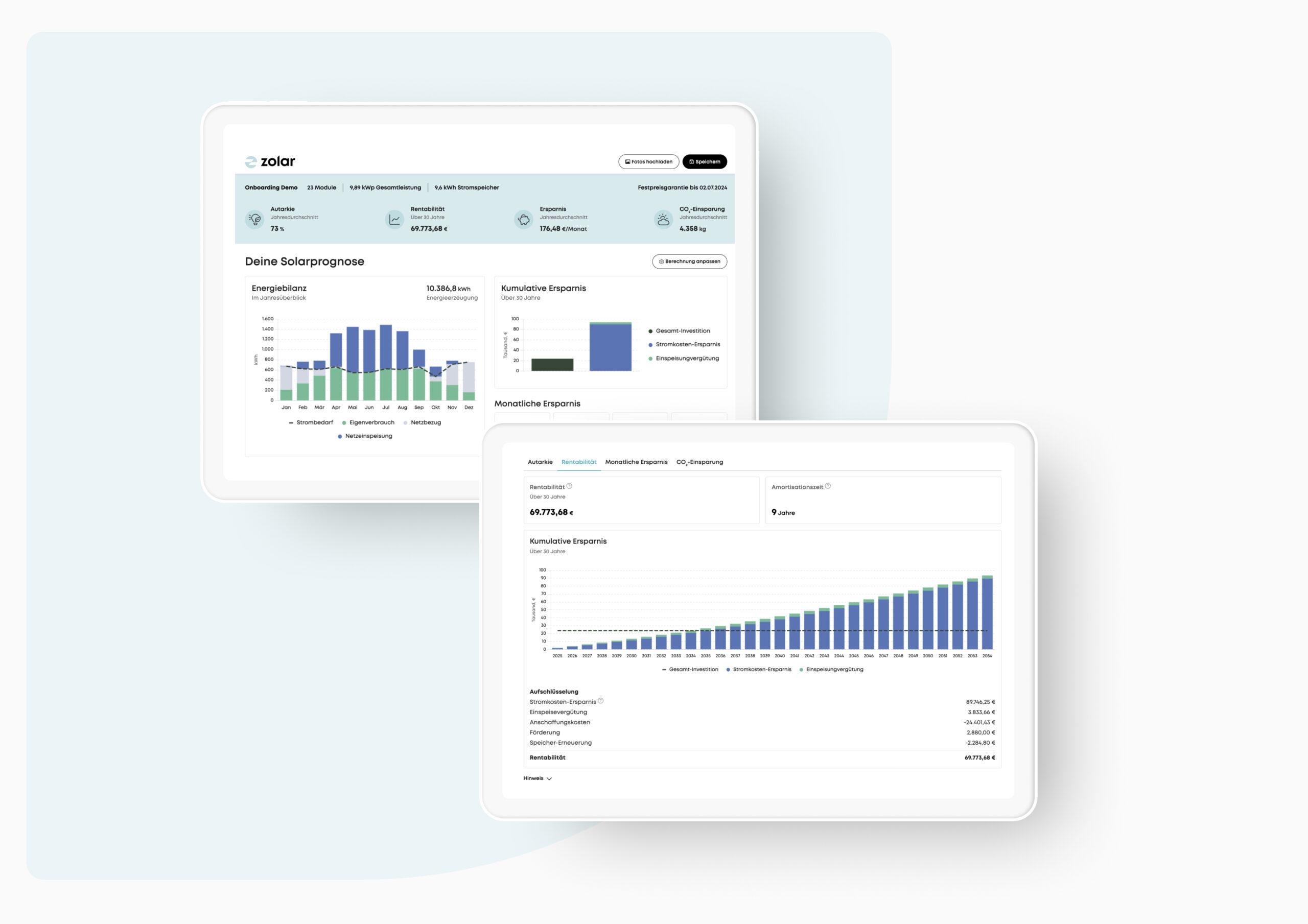
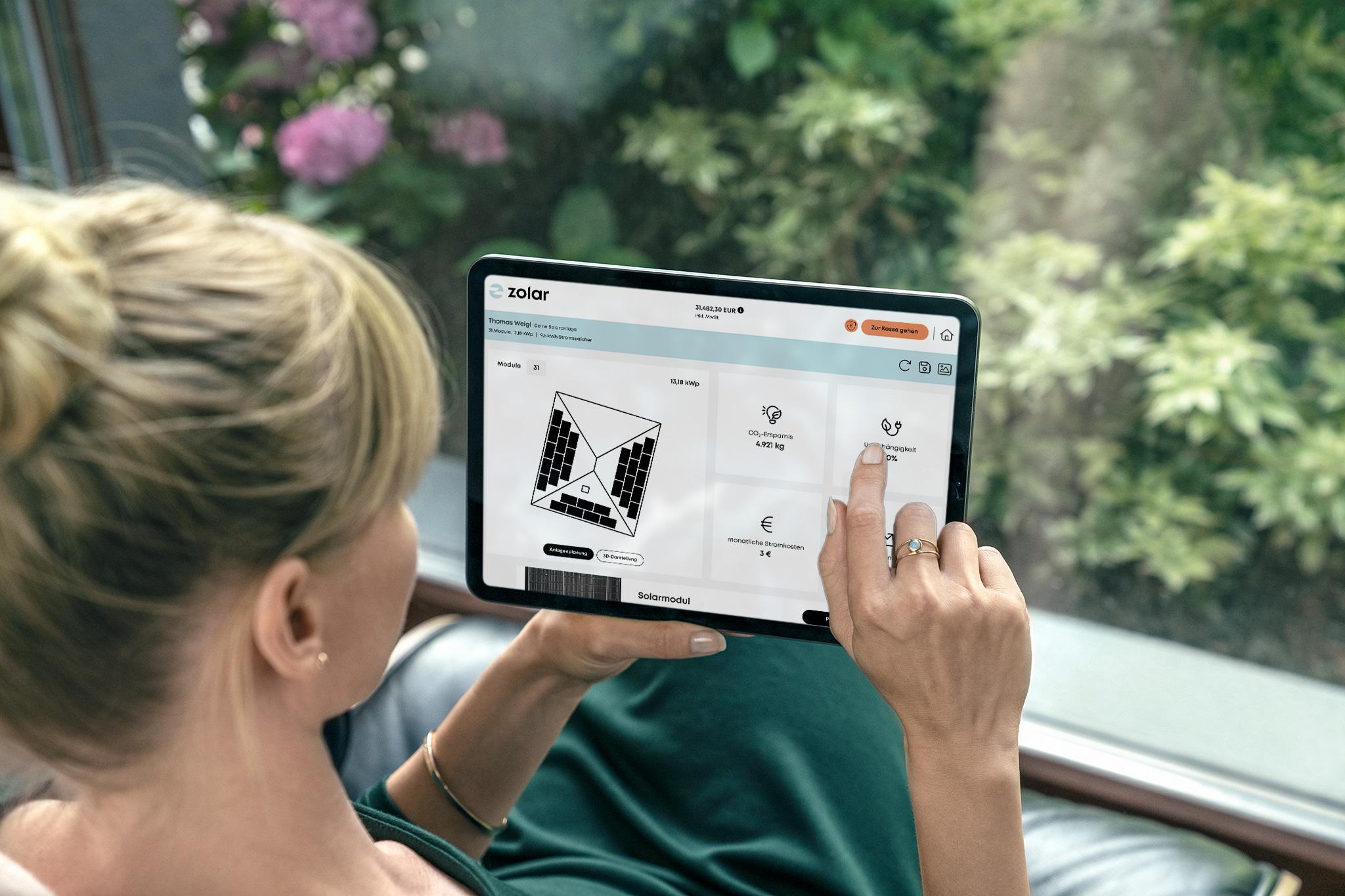
- Proposal Generation: Create branded solar proposals with pricing, financing options, and project details.
- Workflow Automation: Automate task assignments, reminders, status changes, and follow-up notifications.
- Real-Time Sales Tracking: Monitor conversion rates, pipeline health, and team performance.
- Document Management: Store contracts, utility bills, site photos, engineering documents, and customer records.
- Activity History: Automatically track calls, emails, notes, meetings, and status updates.
- Email and WhatsApp Notifications: Keep customers and team members informed throughout the sales process.
Screenshots
Zolar CRM Pricing
- Starter Plan: Approximately $45 per month. Includes core CRM functionality, site survey management, and proposal tools.
- Pro Plan: Approximately $95 per month. Adds workflow customization, expanded user capacity, and advanced sales tools.
- Growth Plan: Approximately $195 per month. Includes advanced permissions, integrations, priority support, and enterprise features.
- Free Trial: Trial access is typically available for businesses evaluating the platform.
- User-Based Scaling: Pricing is structured around user groups rather than individual per-user licensing.
Integrations
- Email Services: Customer communication and notification management.
- WhatsApp: Automated updates and customer engagement workflows.
- CRM Connectivity: Integration support available on higher-tier plans.
- Business Automation Tools: Workflow integration options for growing organizations.
- Custom Integrations: Enterprise customers may request custom integration support through the vendor.
How to Set Up Zolar CRM
- Register for a free trial or request a product demonstration.
- Select the pricing plan that matches your business requirements.
- Configure your sales pipeline stages and workflow settings.
- Upload company branding for proposals and customer communications.
- Add team members and assign user roles and permissions.
- Import existing leads and customer records.
- Begin managing projects through the CRM dashboard.
How to Use Zolar CRM
Sales representatives begin by capturing and organizing incoming leads within the CRM dashboard. Each opportunity progresses through customized sales stages, allowing teams to track customer interactions, schedule site visits, and collect project information.
During the sales process, users can upload survey data, attach project documents, and generate professional proposals directly from the platform. Automated reminders help ensure follow-ups happen on time, while managers gain visibility into pipeline performance and conversion metrics.
As projects move toward installation, all communication history, contracts, and customer records remain accessible in one centralized workspace, improving coordination between sales, engineering, and operations teams.
What You Can Manage with Zolar CRM
- Solar lead generation and qualification.
- Customer contact records and communication history.
- Sales pipelines and opportunity tracking.
- Site survey information and project notes.
- Solar proposals and quotations.
- Contract and document management.
- Automated follow-up workflows.
- Sales performance reporting.
- Team activity monitoring.
- Customer lifecycle management.
FAQs
What does Zolar CRM do?
Zolar CRM is a solar-focused customer relationship management platform that helps installers manage leads, proposals, site surveys, customer communications, and sales workflows from a single dashboard.
Who is Zolar CRM best for?
The platform is designed for residential and commercial solar installers, EPC contractors, renewable energy sales teams, and growing solar businesses seeking a specialized CRM solution.
Is Zolar CRM free?
No. Zolar CRM is a subscription-based platform, although a free trial or demo is typically available for evaluation purposes.
How much does Zolar CRM cost?
Pricing starts at approximately $45 per month for the Starter Plan, increases to around $95 per month for the Pro Plan, and reaches approximately $195 per month for the Growth Plan.
What are the main limitations of Zolar CRM?
The platform offers limited publicly documented integration capabilities and may not provide the same level of customization or marketing automation as larger enterprise CRM systems.
What are the best alternatives to Zolar CRM?
Popular alternatives include SolarPlus, Enerflo, Pylon, Zoho CRM, Salesforce, HubSpot CRM, and Monday.com depending on business size and workflow requirements.