
EasySolar
Pros
- Works on web, iOS, and Android — built for real field use
- Multiple design methods: Google Maps, photo, drone, and sketch
- Full design-to-proposal workflow with no project limits on Business+
- AI lead generator included on all plans
- Free trial with no credit card required
Cons
- API access is only available on Enterprise+, which requires a minimum of ten users
- Less suited for large-scale commercial or utility-grade engineering workflows
Switching between a design tool, a spreadsheet, and a proposal builder mid-client visit gets old fast. EasySolar puts all of that under one roof — design, pricing, financial analysis, and CRM — and it runs just as well on a phone at a job site as it does on a desktop back at the office. For sales teams that want to walk away from a meeting with something in the client’s hands, that’s worth paying attention to.
What Is EasySolar?
EasySolar is a solar design and sales platform built for installers and sales teams that need to move quickly without losing accuracy. The whole idea is that design and sales should stay in the same workflow. Not in separate tools that don’t talk to each other. You draw the system, price it out, run the numbers, and share a branded proposal without touching a second app. It runs on web, iOS, and Android.
Features
EasySolar comes with these features:
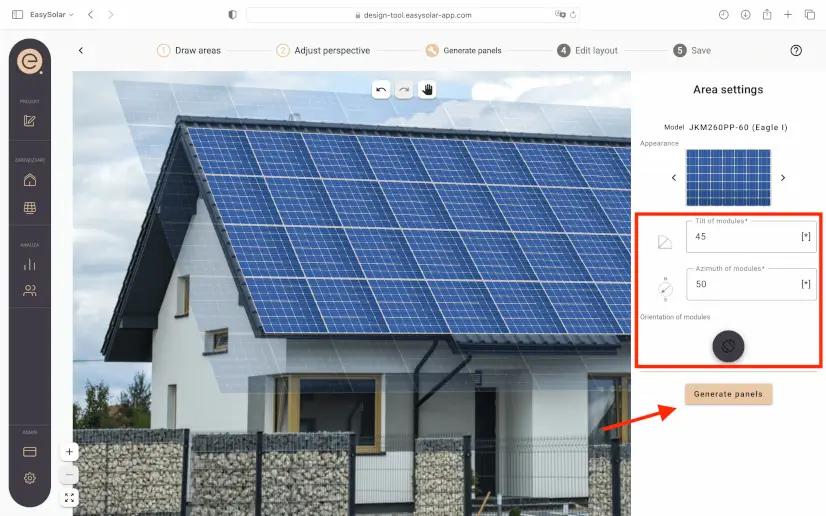
- AI-powered auto-design on Google Maps that scans rooftops, analyzes tilt, azimuth, shading, and obstacles, then places panels in an optimal layout
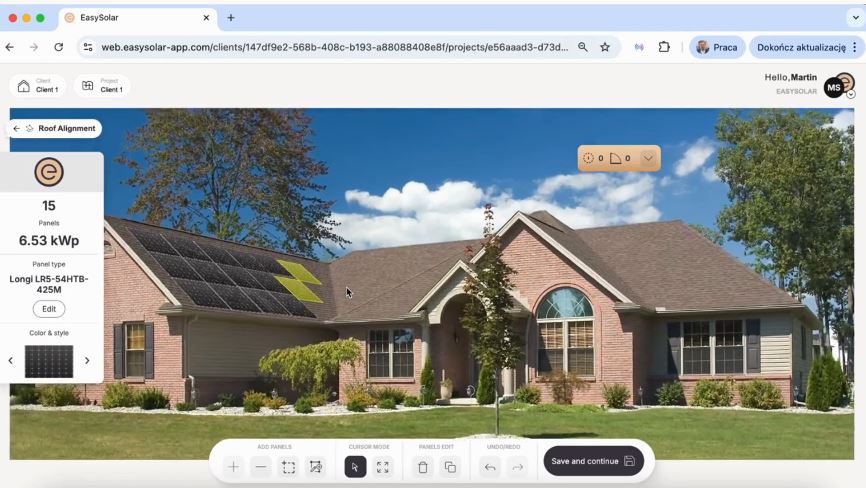
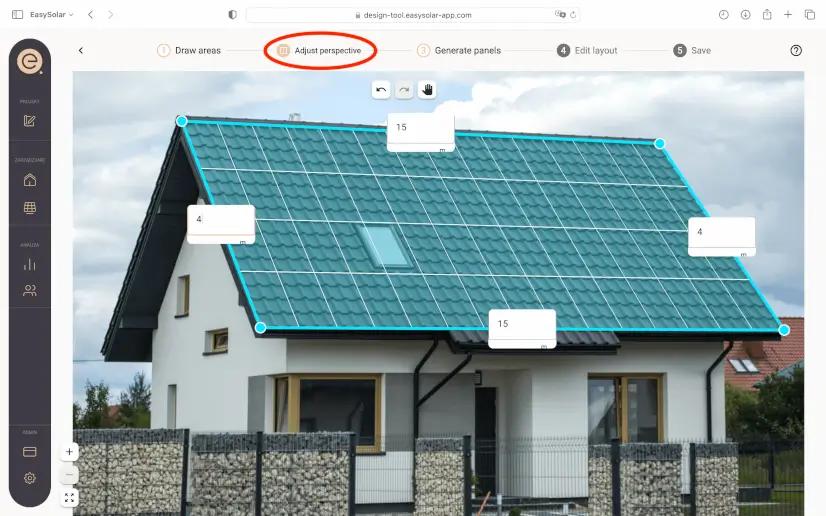
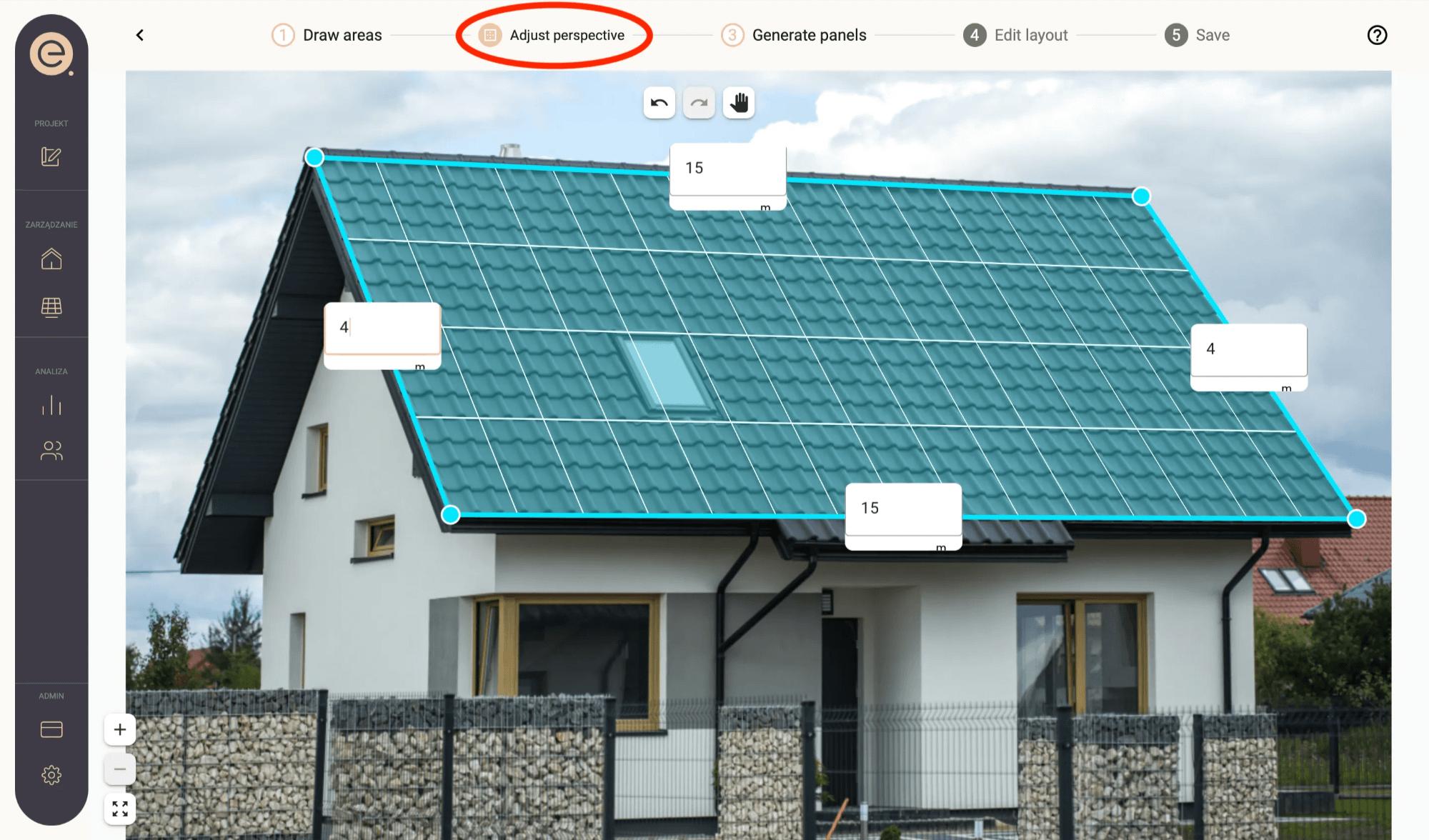
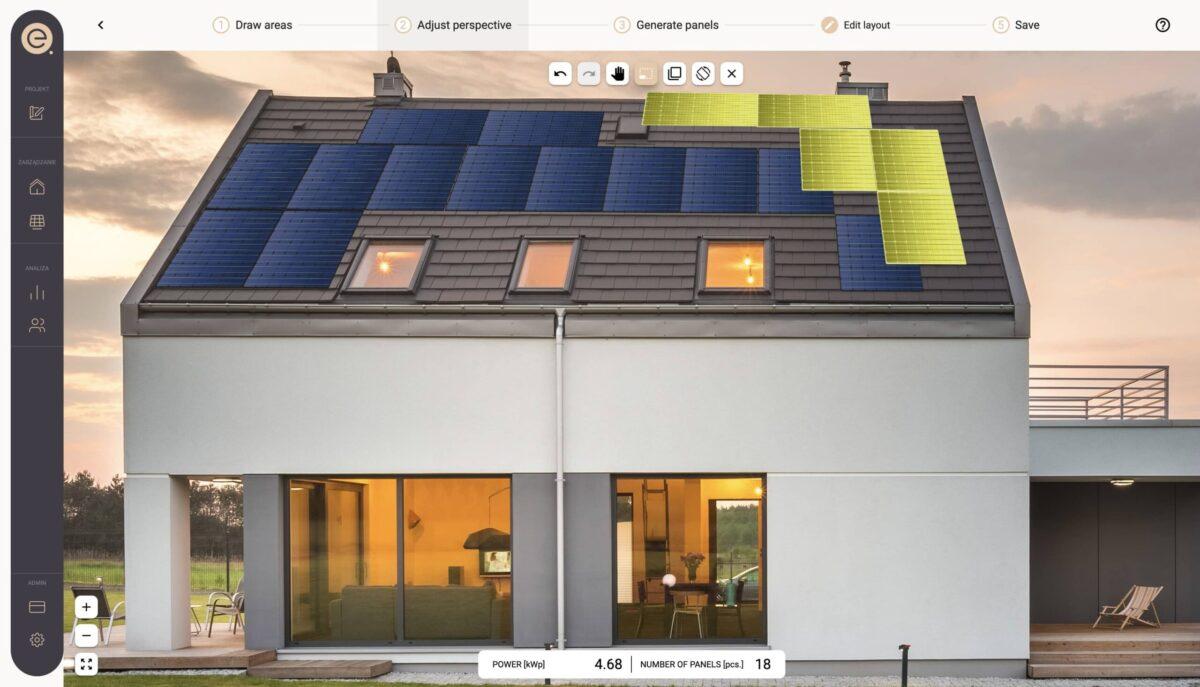
- A photo design tool for uploading a roof photo taken by phone or drone, and designing directly on the image
- Map design mode using drone top-down photos or any map screenshot — draw the area and panels, fill in automatically
- Electrical schematic designer for string configurations, voltage, and current verification, and permit-ready PDF exports
- Smart pricing tool that syncs panels from your design into a quote using a shared company pricebook
- Financial analysis covering local subsidies, energy bills, and cash flow projections
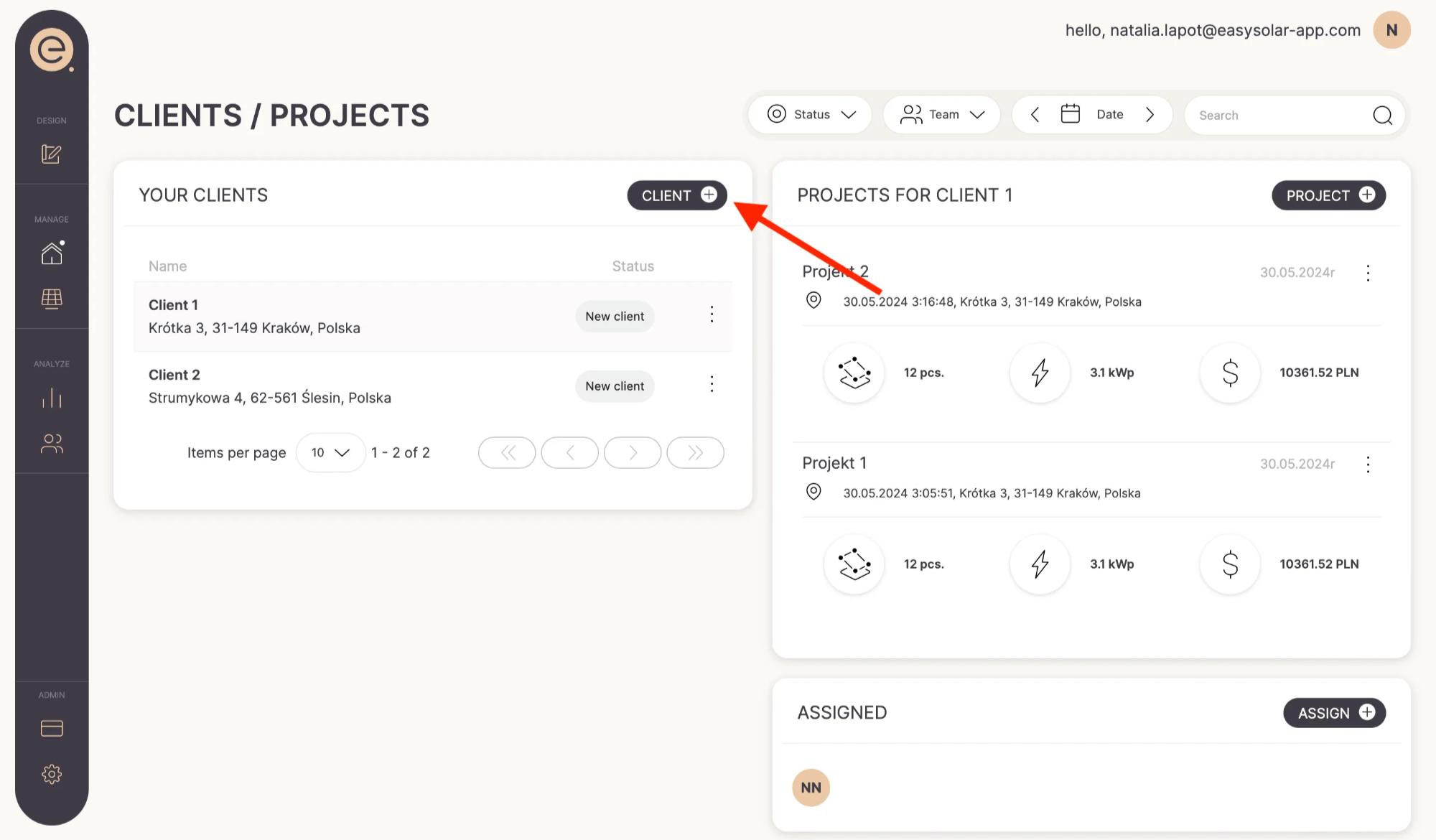
- Built-in solar CRM to track clients, deals, tasks, and project history
- An AI lead generator that can be embedded on your website or shared as a link, delivering qualified leads with roof data and system details straight to your team
Screenshots
EasySolar Pricing
EasySolar offers two plans, priced in EUR/USD:
- Business+: $50/month for two users ($25/month per additional user). Covers all design and sales tools, CRM, team management, and unlimited rep and client access to the PV generator — with no project limits
- Enterprise+: Custom pricing, starting at ten users. Everything in Business+, plus API integration and individual team support and training
- A free trial is available with no credit card required
Integrations
API and webhook access come with the Enterprise+ plan, letting EasySolar connect to your existing CRM or other business tools. The AI lead generator embeds directly on your company website or goes out as a shared link, so clients and field reps can pull together a tailored quote on their own. Video tutorials, documentation, and a support team are available across both plans to get teams up and running.
How to Set Up EasySolar
To get started:
- Sign up at easysolar.app and start the free trial.
- Upload your company logo and configure branding for proposals.
- Build your pricebook with preferred modules, inverters, and batteries.
- Add team members and assign permission levels for admins, reps, and engineers.
- On Enterprise+, connect existing tools via API or webhook settings.
- Configure your AI lead generator page for client or rep-facing quoting.
How to Use EasySolar
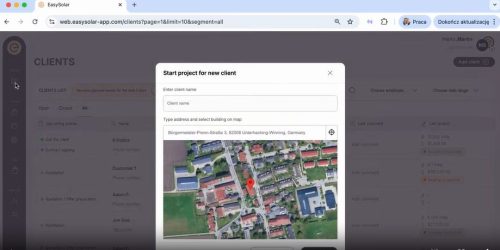
After setup, here’s how to apply it:
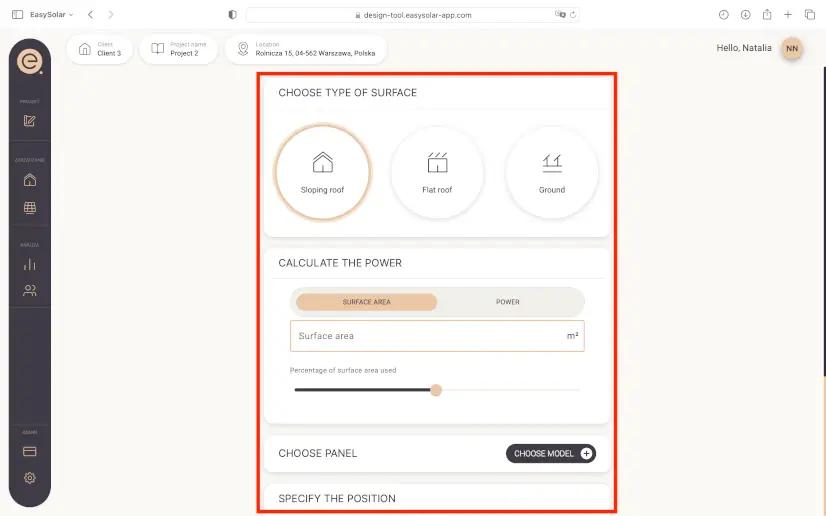
- Open a new project and enter the client’s address or upload a roof photo.
- Pick your design method — Google Maps auto-design, photo, drone map, or sketch.
- Adjust panel placement using drag, stretch, and trace tools.
- Sync the layout to the pricing tool, add components from the pricebook, and build the quote.
- Run the financial analysis using the client’s energy bill and local subsidies.
- Generate an interactive proposal and share it by link or email on the spot.
How to Create a Solar Design in EasySolar
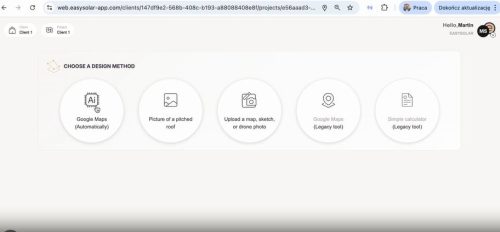
Creating a solar design in EasySolar takes just a few steps, from dropping a pin on the map to sending a finished proposal — all inside one platform.
- Drop a pin on Google Maps or upload a site photo.
- If using Google Maps, let the AI scan the rooftop and place panels automatically — tilt, shading, and obstacles already factored in.
- Tweak the layout using drag and trace tools as needed.
- Jump into the schematic designer to set up strings and check electrical limits.
- Review pricing and financials, which update as you go.
- Export the schematic as a PDF and send the proposal — all without leaving the platform.
FAQs
Does EasySolar offer a free trial?
Yes. EasySolar offers a free trial with no credit card required. So, your team can explore the platform before committing to a plan.
Can clients generate their own solar quotes through EasySolar?
Yes. The AI lead generator lets clients or sales reps enter an address and instantly get a tailored design and offer, with your team notified in real time.
Is API integration available on all plans?
No. API and webhook access are only available on the Enterprise+ plan, which starts at ten users and includes individual training and support.
Does EasySolar support electrical schematic design?
Yes. The built-in schematic designer covers string configurations, voltage and current checks, and full DC/AC planning, with export to permit-ready PDF.




